ECDIS-E User Guide Charts
65934012 4-65
Exporting Chart Updates
To export chart updates do the following:
1. Select the external drive where the update is to be exported to.
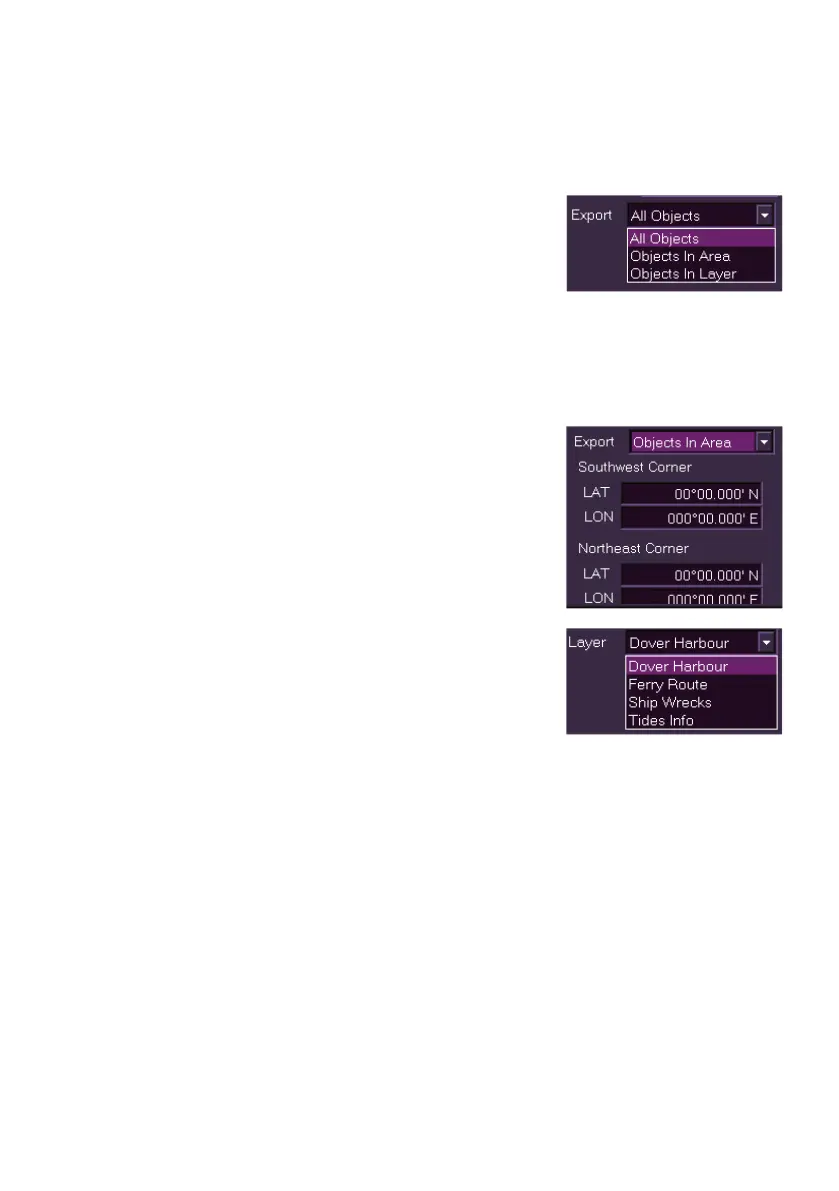
2. Select the export option required by
clicking on the drop arrow in the Export
field, the export options available are:
All Objects - all manually created
chart update objects on your workstation.
Objects in Area - manually created chart update objects
within a specified geographic area.
Objects in Layer - all manually created chart update objects
on a specific layer.
3. If Objects in Area is selected, the
LAT/LON fields for Southwest corner and
Northeast corner appear with all values
defaulting to zero. Define the geographic
area you want to export from by clicking in
the LAT/LON position fields and entering
values from the screen keypad.
4. If Objects in Layer is selected, a layer
field with a drop down list appears, select
the layer to be exported from the list.
5. When the required export options have
been selected name the file to be exported
in the Filename field and click the Export
button. If successful a temporary prompt appears confirming the
export.
6. When complete remove the external device from the trackball.



 To Next Page