ECDIS-E User Guide Appendix A - Chart Installation
65934012 A-11
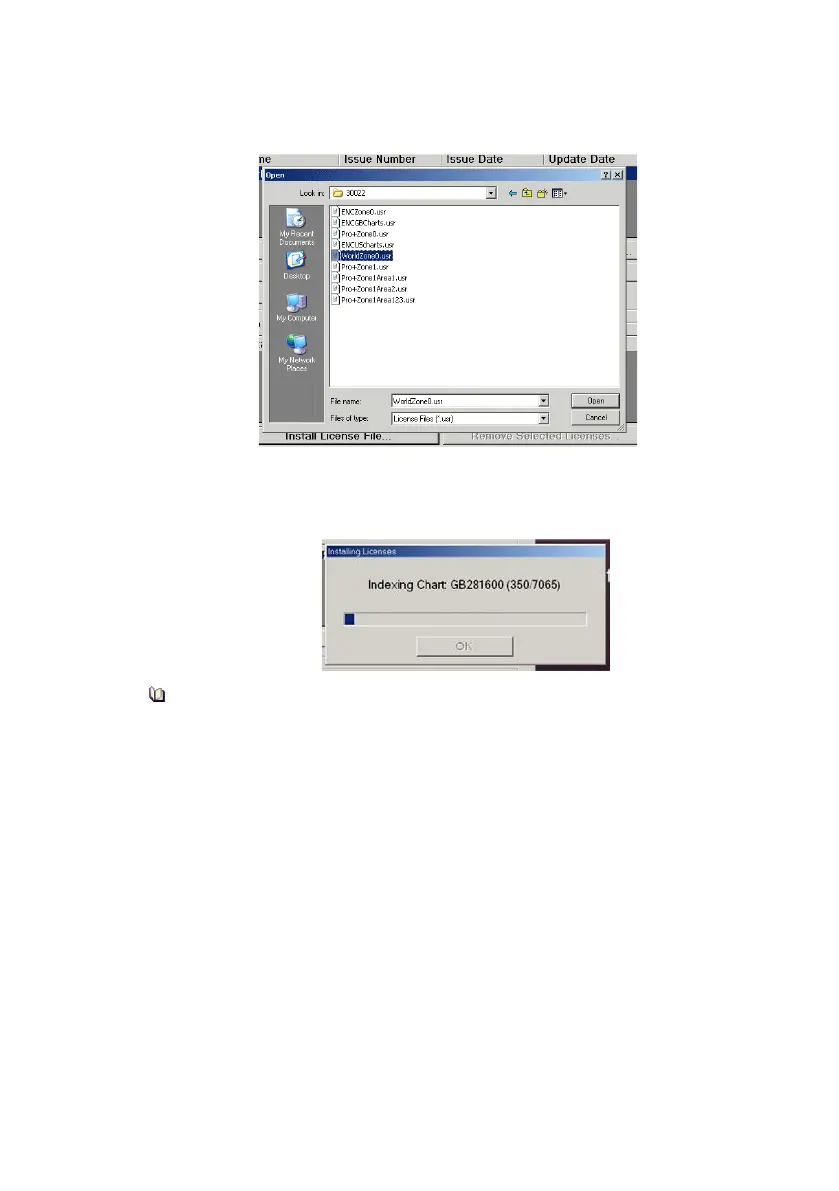
2. From the browse window navigate to the license file and click the
Open button. Note that all license files end in`.usr’.
When a license is applied, the database is automatically re-indexed to
ensure the index is in sync with the licensed set of charts. A popup
window appears showing the indexing progress.
Charts will not be re-indexed if the regional zones covered by the
license have not changed. For example, if a license with a later
expiration date is imported, the region covered by this license file is
not re-indexed.
3. After indexing the chart installation log is updated. When the
license installation is complete, a popup window displays the
message License Added Successfully
4. Click OK to close the popup window. The installed licence is shown
in the C-Map Licenses area of the screen, see below.



 To Next Page