Routes ECDIS-E User Guide
8-40 65934012
To change the ETA Calculator values do the following:
1. To change the Distance or Speed values click in the respective
fields, with the value shown as green move the trackball left, to
decrease, or right to increase the value. When the distance and
speed values are changed the Time and ETA values are
automatically updated.
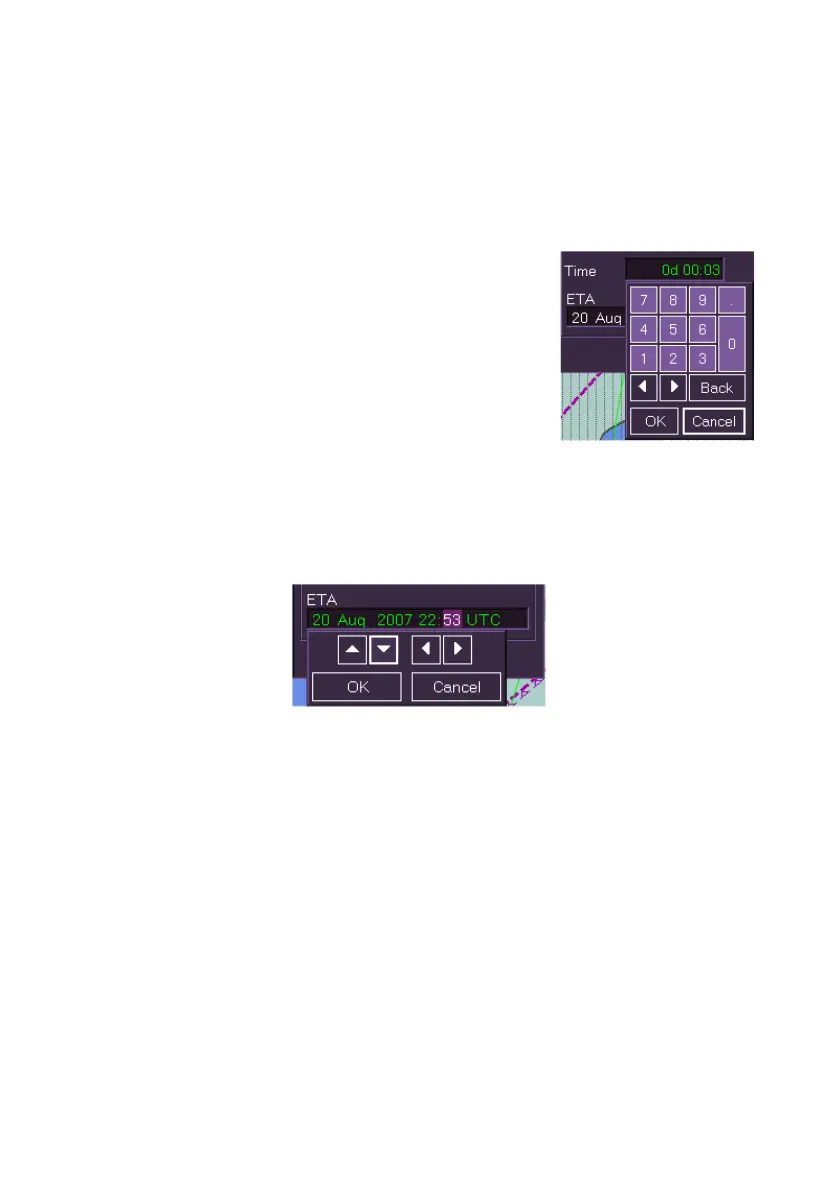
2. To change the Time value click to the left of
the value, a numerical keypad appears below
the field. Enter in the required time values
using the keypad and click OK when
complete.
When the Time value is changed the Speed
and ETA values are automatically updated.
3. To change the ETA value click on the value
to be changed, a navigation keypad appears. Click on the left or
right arrows to navigate to the data to be changed and with the text
in highlight click on the up/down arrows to change the values. Click
OK when complete.
When the ETA value is changed the Speed and Time values are
automatically updated.



 To Next Page