STC8A8K64D4 Series Manual
-
PDIP40
TxD4/ADC11/AD3/P0.3 1
T3/ADC12/AD4/P0.4 2
T3CLKO/ADC13/AD5/P0.5 3
T4/ADC14/AD6/P0.6 4
T4CLKO/AD7/P0.7 5
RxD2/PWM0_2/ADC0/P1.0 6
TxD2/PWM1_2/ADC1/P1.1 7
ADC_ETR/ECI/T2/SS/PWM2_2/ADC2/P1.2 8
T2CLKO/MOSI/PWM3_2/ADC3/P1.3 9
CCP3/I2CSDA/MISO/PWM4_2/ADC4/P1.4 10
CCP2/I2CSCL/SCLK/PWM5_2/ADC5/P1.5 11
XTALO/CCP1/MCLKO_2/PWM6_2/RxD_3/ADC6/P1.6 12
XTALI/CCP0/PWM7_2/TxD_3/ADC7/P1.7 13
ADC_AGnd 14
AVref 15
ADC_AVcc 16
MCLKO/NRST/P5.4 17
Vcc 18
P5.5 19
Gnd 20
40 P0.2/AD2/ADC10/RxD4
39 P0.1/AD1/ADC9/TxD3
38 P0.0/AD0/ADC8/RxD3
37 P2.7/A15/PWM7
36 P2.6/A14/PWM6/CCP3_2
35 P2.5/A13/PWM5/SCLK_2/CCP2_2/I2CSCL_2
34 P2.4/A12/PWM4/MISO_2/CCP1_2/I2CSDA_2
33 P2.3/A11/PWM3/MOSI_2/CCP0_2
32 P2.2/A10/PWM2/SS_2/ECI_2
31 P2.1/A9/PWM1
30 P2.0/A8/PWM0/RSTSV
29 P4.1/ALE/CMPO_2
28 P3.7/INT3/RD_2/TxD_2/CMP+
27 P3.6/INT2/WR_2/RxD_2/CMP-
26 P3.5/T1/T0CLKO/ECI_4/SS_4/PWMFLT
25 P3.4/T0/T1CLKO/MOSI_4/CMPO
24 P3.3/INT1/CCP0_4/MISO_4/I2CSDA_4
23 P3.2/INT0/CCP1_4/SCLK_4/I2CSCL_4
22 P3.1/TxD/CCP2_4
21 P3.0/RxD/CCP3_4/INT4
Note:
If USB download is not required,
P3.0/P3.1/P3.2 cannot be low at the
same time when the chip is reset,
otherwise, the chip will always be
in USB download mode without
running user code.
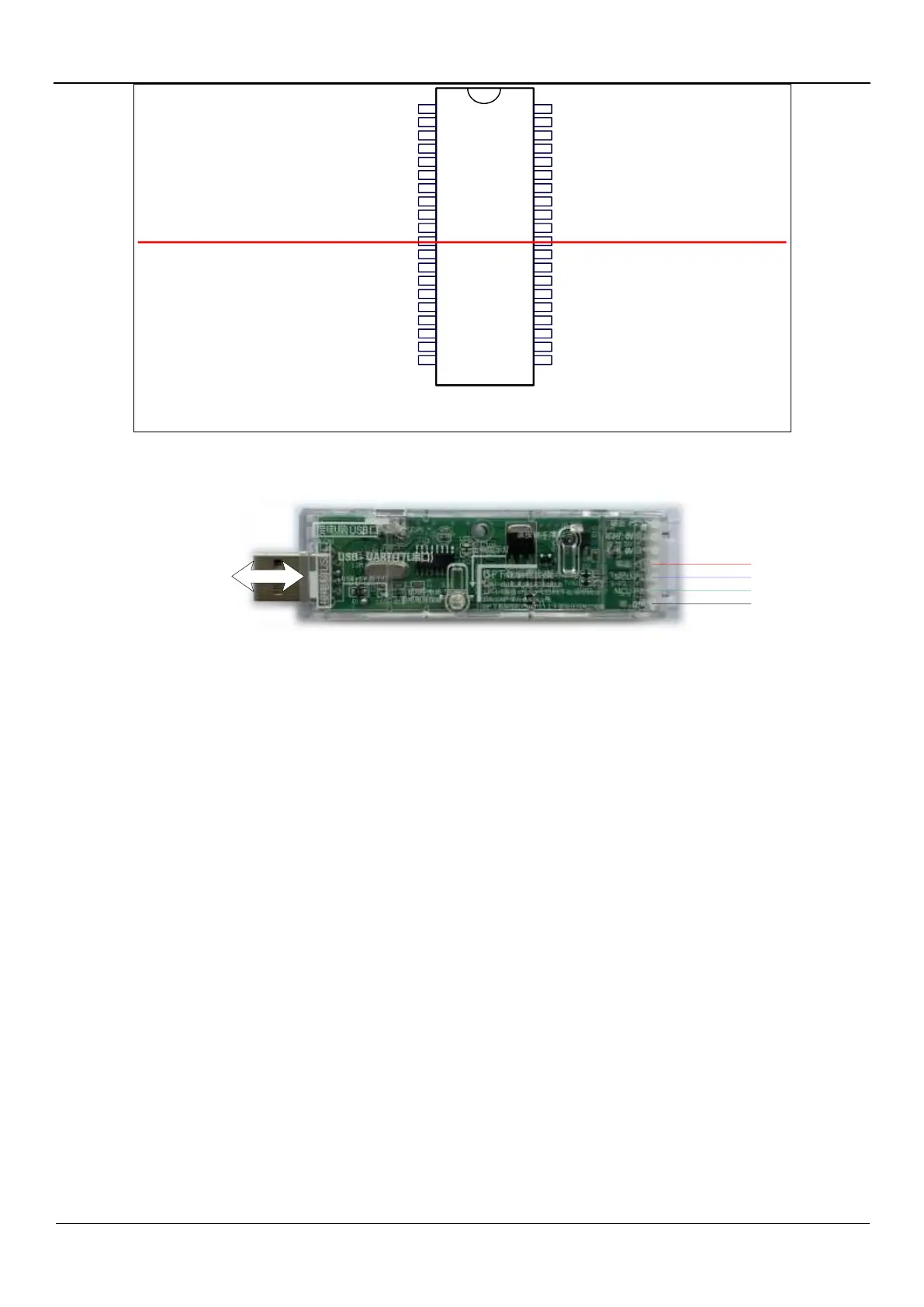
Typical download circuit
Connect
to PC
universal USB to UART tool
Gnd
P3.1
P3.0
Vcc
ISP download steps:
1. Connect the universal USB to UART tool to the target chip according to the connection method shown in the figure
above.
2. Press the power button to confirm that the target chip is in a power-off state (the power-on LED is off).
Note: When the tool is powered on for the first time, there is no external power supply, so if it is the first time to
use this tool, you can skip this step.
3. Click the "Download/Program" button in the STC-ISP download software.
4. Press the power button again to power on the target chip (the power-on LED is on).
5. Start ISP download.
Note: It has been found that when using the USB cable for ISP download, if the USB cable is too thin and the
voltage drop on the USB cable is too large, this will result in insufficient power supply during the ISP download.
Therefore, please be sure to use the booster USB cable for ISP download.



 To Next Page