STC8A8K64D4 Series Manual
-
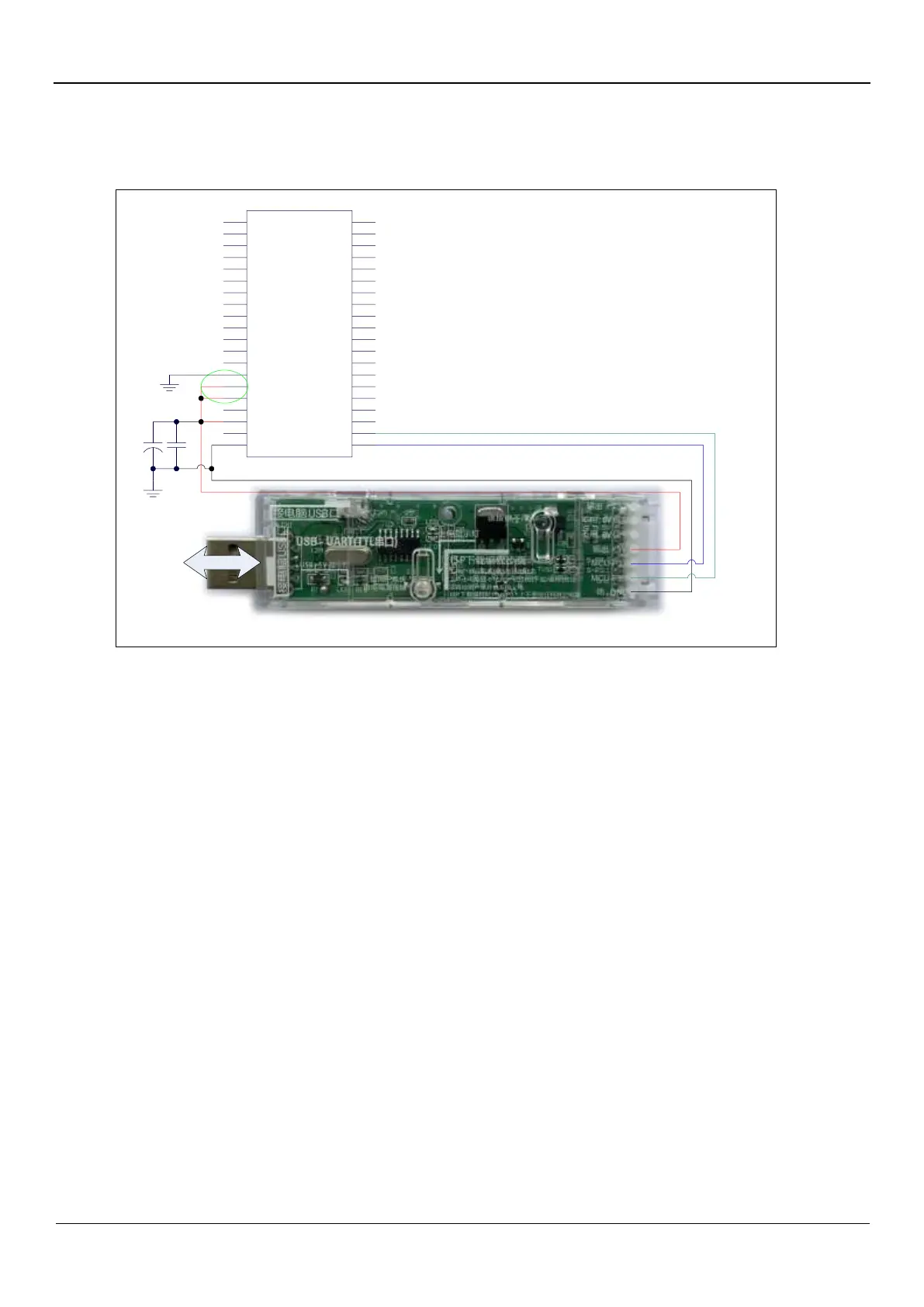
5.1.4 Download using universal USB to Serial Tool, Emulation supported
Connect
to PC
47u
104
Universal USB to Serial Tool
P0.3
P0.4
P0.5
P0.6
P0.7
P1.0
P1.1
P1.2
P1.3
P1.4
P1.5
P1.6
P1.7
AGnd
AVref
AVcc
P5.4
Vcc
P5.5
Gnd
P0.2
P0.1
P0.0
P2.7
P2.6
P2.5
P2.4
P2.3
P2.2
P2.1
P2.0
P4.1
P3.7
P3.6
P3.5
P3.4
P3.3
P3.2
P3.1
P3.0
1
2
3
4
5
6
7
8
9
10
11
12
13
14
15
16
17
18
19
20
40
39
38
37
36
35
34
33
32
31
30
29
28
27
26
25
24
23
22
21
STC8A8K64D4
ISP download steps:
1. Connect the universal USB-to-serial tool to the target chip according to the connection method shown in the figure.
2. Press the power button to confirm that the target chip is in a power-off state (the power-on indicator is off). Note: When the
tool is powered on for the first time, it will not supply power to the outside world, so if you use the tool for the first time, you
can skip this step.
3. Click the "Download/Program" button in the STC-ISP download software
4. Press the power button again to power on the target chip (the power-on indicator is on)
5. Start ISP download.
Note: At present, it has been found that when using the USB cable for ISP download, the USB cable is too thin and the
voltage drop on the USB cable is too large, resulting in insufficient power supply during the ISP download. Therefore,
please make sure to use the booster USB cable for ISP download.



 To Next Page