STC8A8K64D4 Series Manual
Appendix B How to Test I/O Ports
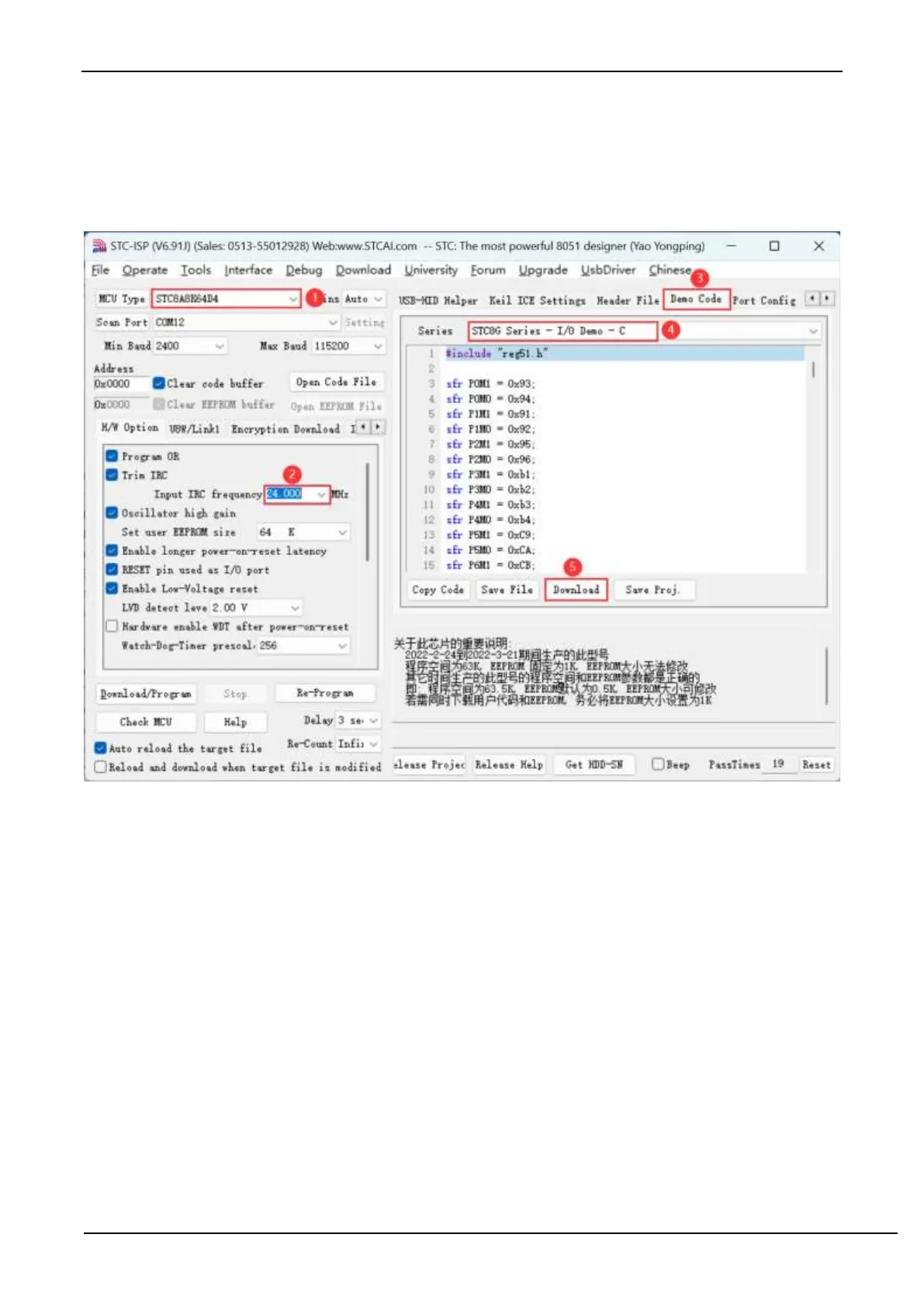
Test I/O port steps:
1. Select the microcontroller model
2. Set the operating frequency of the test program (24MHz)
3. Open the "Example Program" page
4. Select the "I/O port test" program of STC8G or STC8H series
5. Click "Download Hex Directly" on the page
After the download is completed, the running water light program will be executed on all I/O ports. At this time, you
can connect LEDs to the I/O ports or use an oscilloscope to see the waveform.



 To Next Page