STC8A8K64D4 Series Manual
-
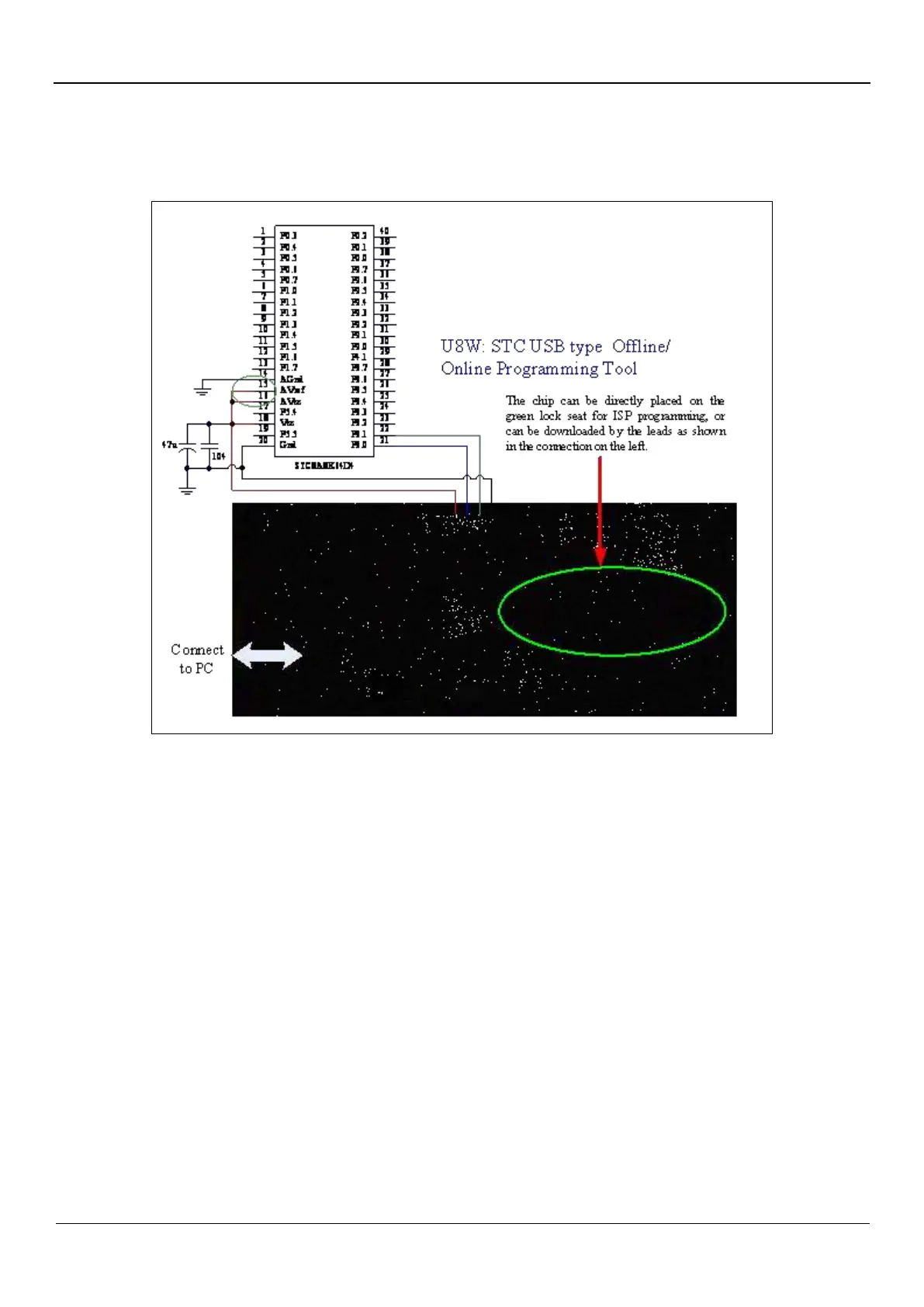
5.1.6 Download using U8W tool, Support ISP online and offline download,
also support emulation
ISP download steps(Connection method):
1. Connect the U8W and the target chip according to the connection method shown in the figure.
2. Click the "Download/Program" button in the STC-ISP download software
3. Start ISP download
Note: If the U8W is used to power the target system, the total current of the target system cannot be greater than 200mA,
otherwise the download will fail.
ISP download steps (on-board mode):
1. Place the chip in the direction that pin 1 is close to the locking wrench and the pins are aligned downwards.
2. Click the "Download/Program" button in the STC-ISP download software
3. Start ISP download.
Note: At present, it has been found that when using the USB cable for ISP download, the USB cable is too thin and the
voltage drop on the USB cable is too large, resulting in insufficient power supply during the ISP download. Therefore,
please make sure to use the booster USB cable for ISP download.
To emulate using the U8W, you must set the U8W to pass-through mode firstly. The method for U8W/U8W-Mini to realize
the USB-to-serial pass-through mode is as follows:
1. Firstly, the U8W/U8W-Mini firmware must be upgraded to v1.37 and above.
2. After the U8W/U8W-Mini is powered on, it is in the normal download mode. At this time, press and hold the Key1
(download) button on the tool and do not release it, then press the Key2 (power) button again, and then release the Key2
(power) button. Release the Key1 (download) button again, and the U8W/U8W-Mini will enter the USB-to-serial pass-through
mode. (Press Key1Press Key2Release Key2Release Key1).
3. The U8W/U8W-Mini tool that enters the pass-through mode is just a simple USB to serial port and does not have the offline
download function. If you need to restore the original function of the U8W/U8W-Mini, you only need to press the Key2



 To Next Page