STC8A8K64D4 Series Manual
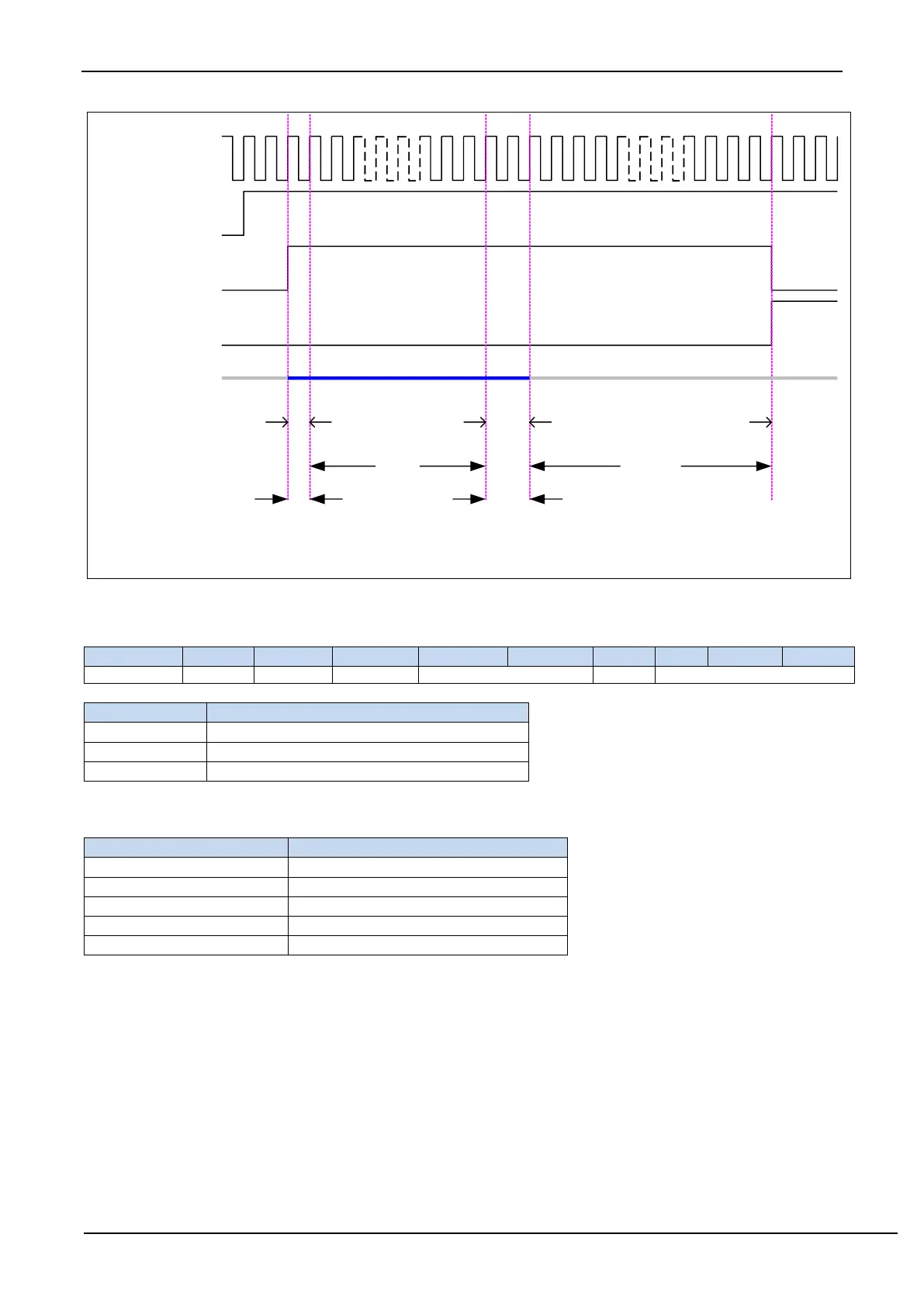
ADC clock F
ADC
SYSclk/2/(SPEED+1)
Enable signal of
ADC_POWER
Start signal
ADC_START
Finishing sigal
ADC_FLAG
Analog input channel
ADCx_IN
Begin selecting channel
Begin
sampling
End
sampling
Close channel and
begin conversion
Conversion
finish
Preparation
time T
setup
(CSSETUP+1)
Holding time T
hold
(CSHOLD+1)
采样时间T
duty
(SMPDUTY+1)
Conversion time T
convert
(10位ADC为10个ADC时钟)
(12位ADC为12个ADC时钟)
The whole timing Diagram Of ADC
17.1.5 ADC Extended configuration registers (ADCEXCFG)
ADCETRS[1:0] : ADC external trigger pin ADC_ETR control bit
Enable ADC_ETR rising edge to trigger ADC
Enable ADC_ETR falling edge to trigger ADC
Note: Before using this function, the ADC power switch in ADC_CONTR must be turned on, and the
corresponding ADC channel must be set
CVTIMESEL[2:0] : ADC automatic conversion times selection
ADC automatic conversion times
Convert 2 times and take the average
Convert 4 times and take the average
Convert 8 times and take the average
Convert 16 times and take the average
Note: When the ADC automatic many conversions function is enabled, the ADC interrupt flag will only be set
to 1 after the ADC automatically converts to the set number of times (for example, set CVTIMESEL to 101B,
that is, the ADC automatically converts 4 times and takes the average value, the ADC interrupt flag will be set
to 1 after every 4 ADC conversions completed)



 To Next Page