Installation Instructions in Windows 7 (64-bit)
By default, the driver without digital signature cannot be successfully installed in Windows 7 64-bit operating
system. So, you need to follow the steps below before installing the STC-USB driver, skip the digital signature
temporarily, and the installation will be successful.
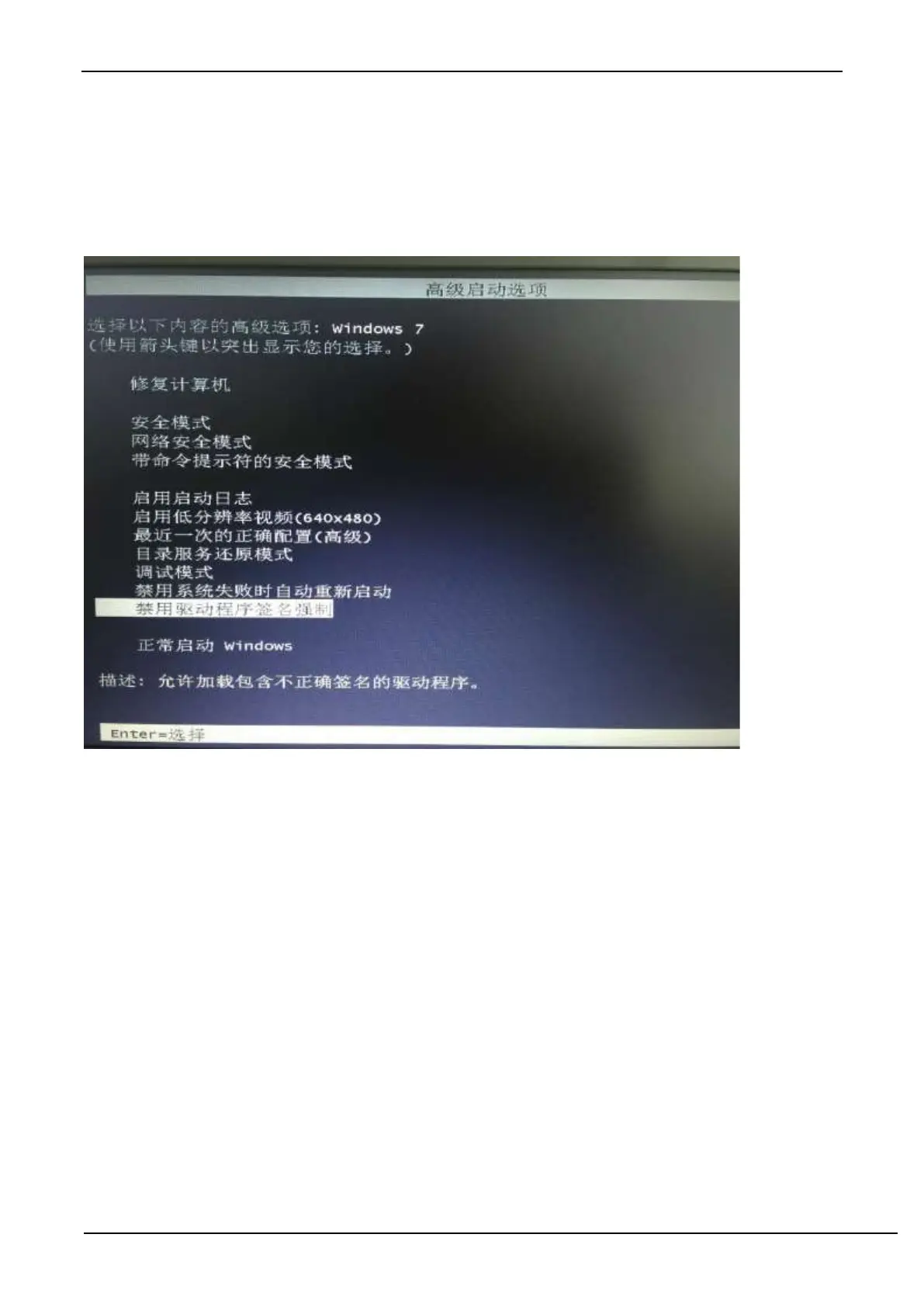
Restart the computer firstly and keep pressing F8 until the following startup screen appears.
Select ‘Disable Driver Signature Enforcement’. The digital signature verification function is temporarily turn off after
startup.



 To Next Page