Installation Instructions in Windows 10 (64-bit)
By default, the driver without digital signature cannot be successfully installed in Windows 10 64-bit operating
system. So, you need to follow the steps below before installing the STC-USB driver, skip the digital signature
temporarily, and the installation will be successful.
Before installing the driver, you need to extract the "STC-USB Driver" folder to the hard disk from the STC-ISP
download software package downloaded from the STC official website. Prepare the chip with USB download function,
but don't connect the computer firstly.
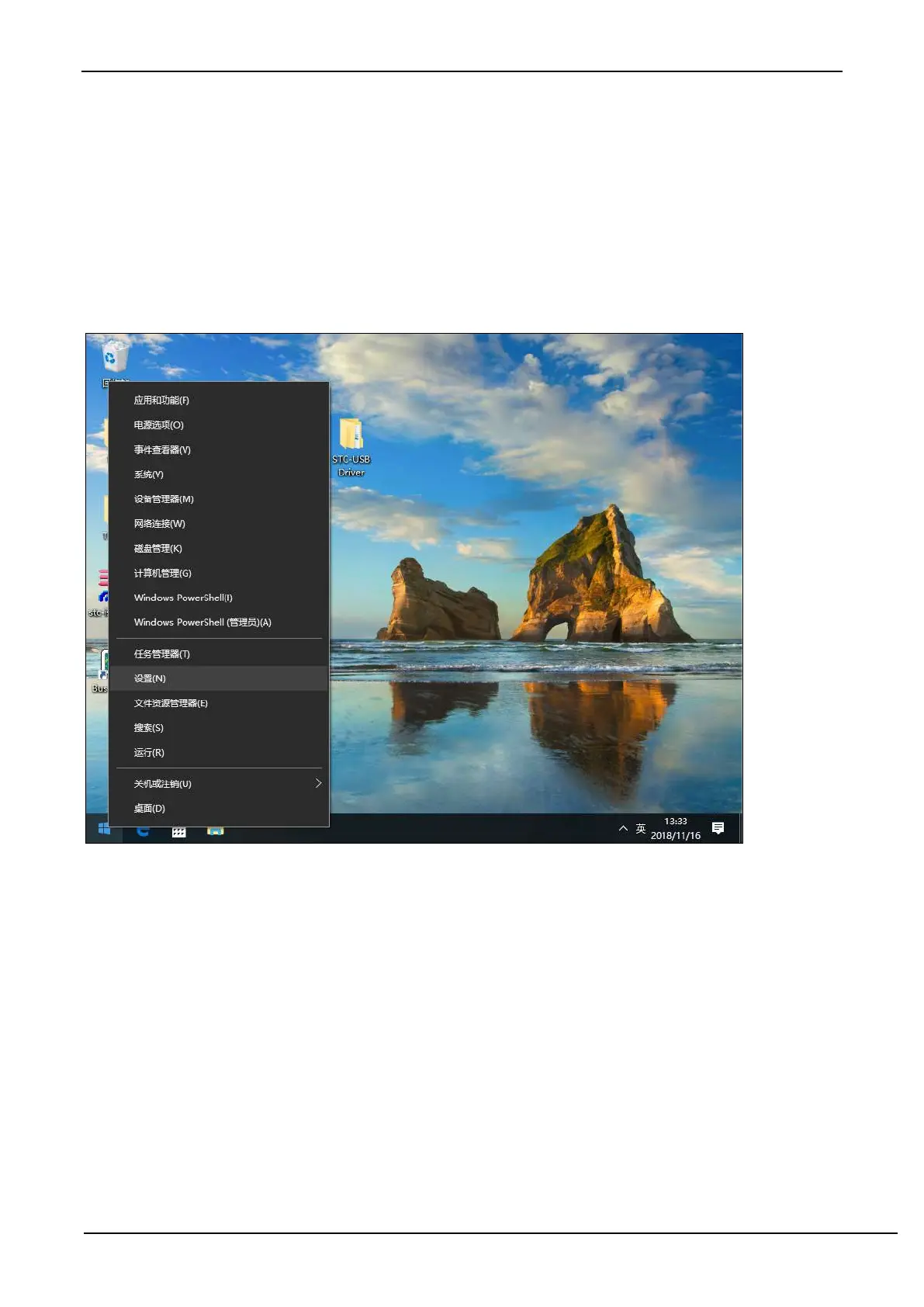
Right-click on the "Start" menu and select the "Settings" option.



 To Next Page