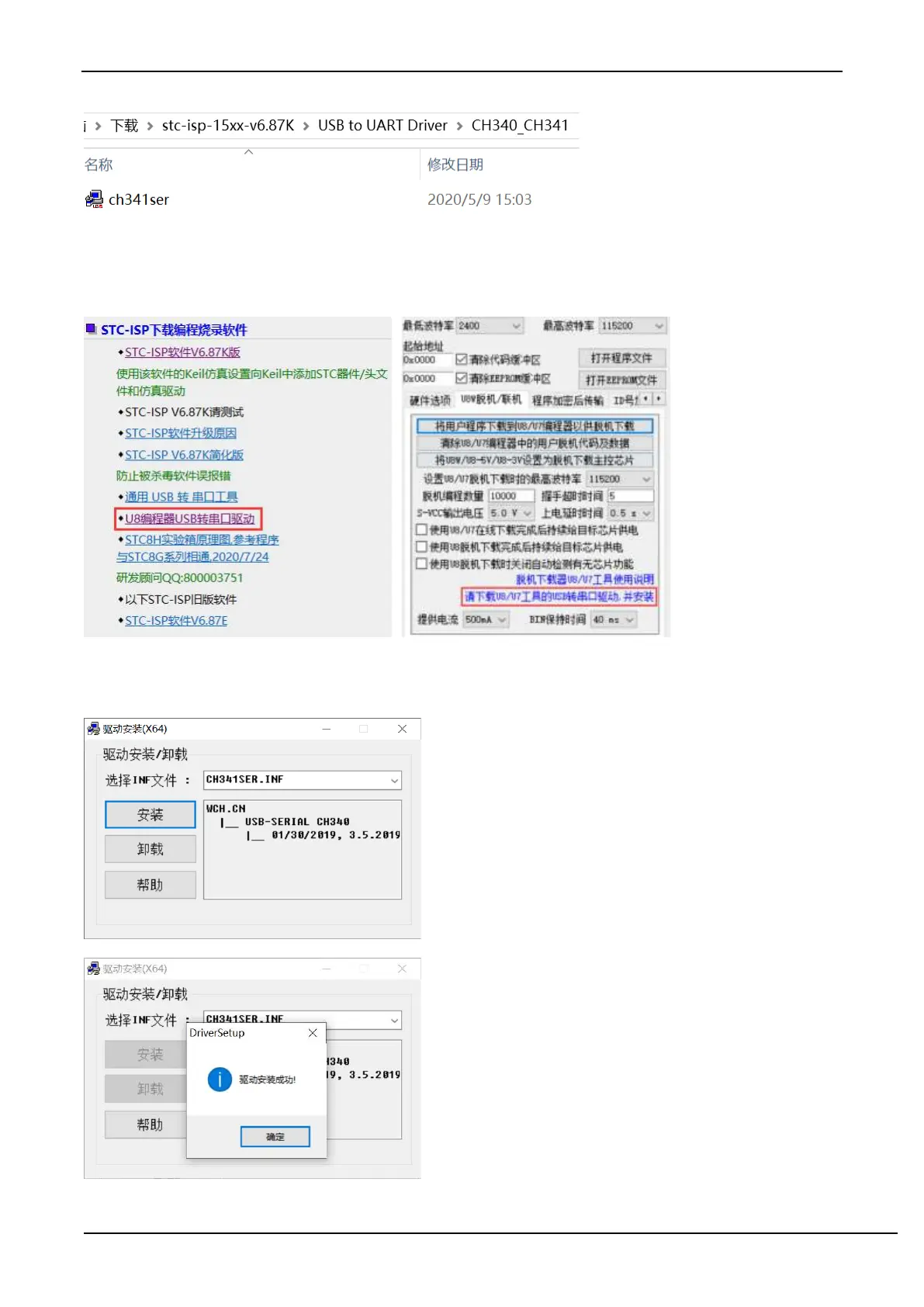
Download the driver manually through STC's official website or in the latest STC-ISP download software
Download the driver manually on the official website of STC or in the latest STC-ISP download software. The
download link of the driver is: U8 programmer USB to serial port driver
(http://www.stcmcu.com/STCISP/CH341SER.exe ). The driver address on the website and STC-ISP download
software is shown in the figure below:
Install U8W/U8W-Mini driver
After the driver is downloaded to the machine, double-click the executable program and run it. The interface shown in
the figure below appears, click the "Install" button to start the automatic driver installation:
Then the driver installation successful dialog box pops up, click the "OK" button to complete the installation:



 To Next Page