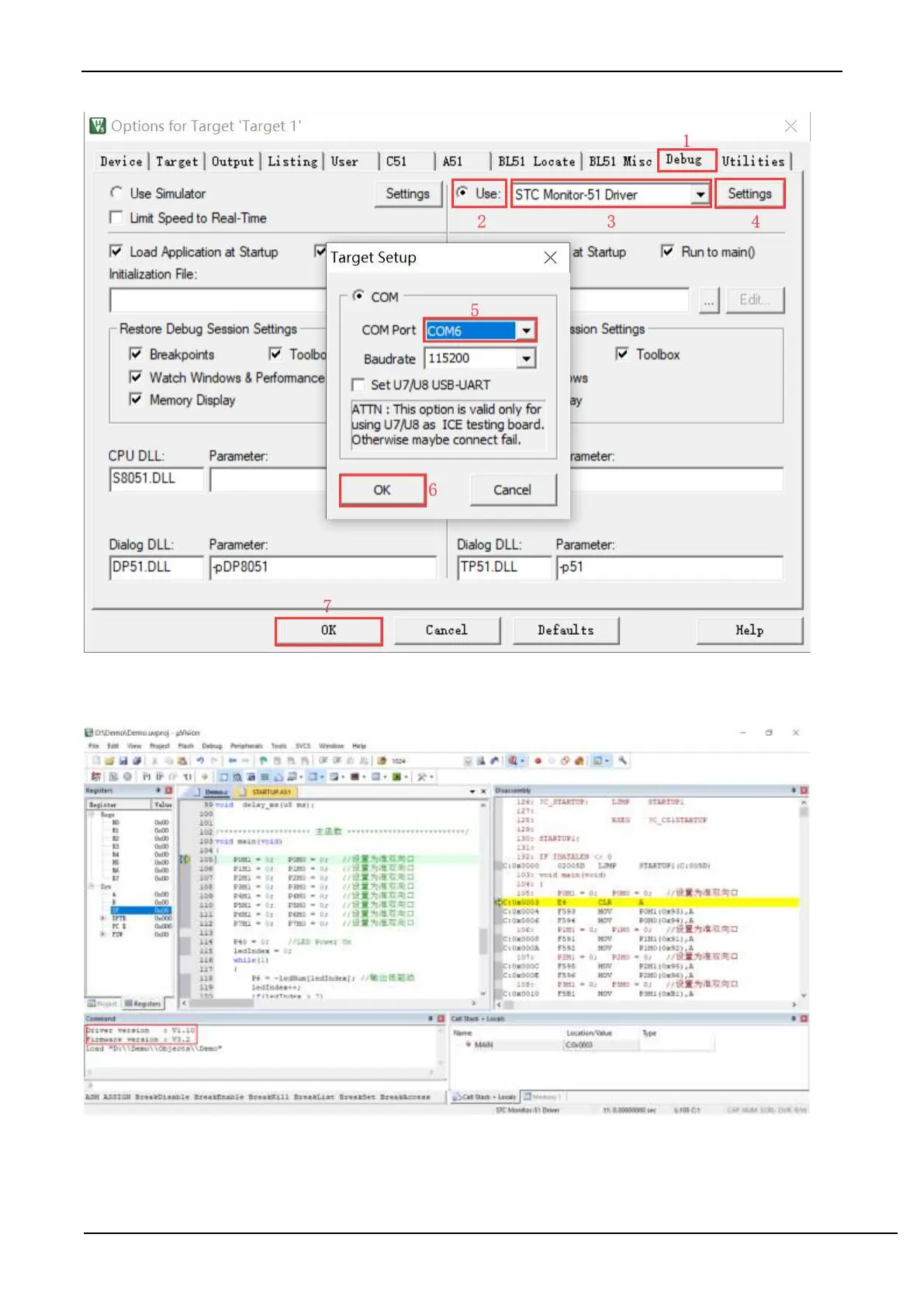
After finishing all the above work, you can press "Ctrl+F5" in Keil software to start simulation debugging.
If the hardware connection is correct, you will enter a debugging interface similar to the following, and display the
current simulation driver version number and the current simulation monitoring code firmware version number in the
command output window, as shown in the following figure:
During the simulation debugging process, you can perform multiple operations such as resetting, running at full speed,
single stepping, and setting breakpoints.



 To Next Page