H.3 Install the emulation driver
After the Keil development environment is installed, you also need to install the STC-specific emulation driver.
Proceed as follows:
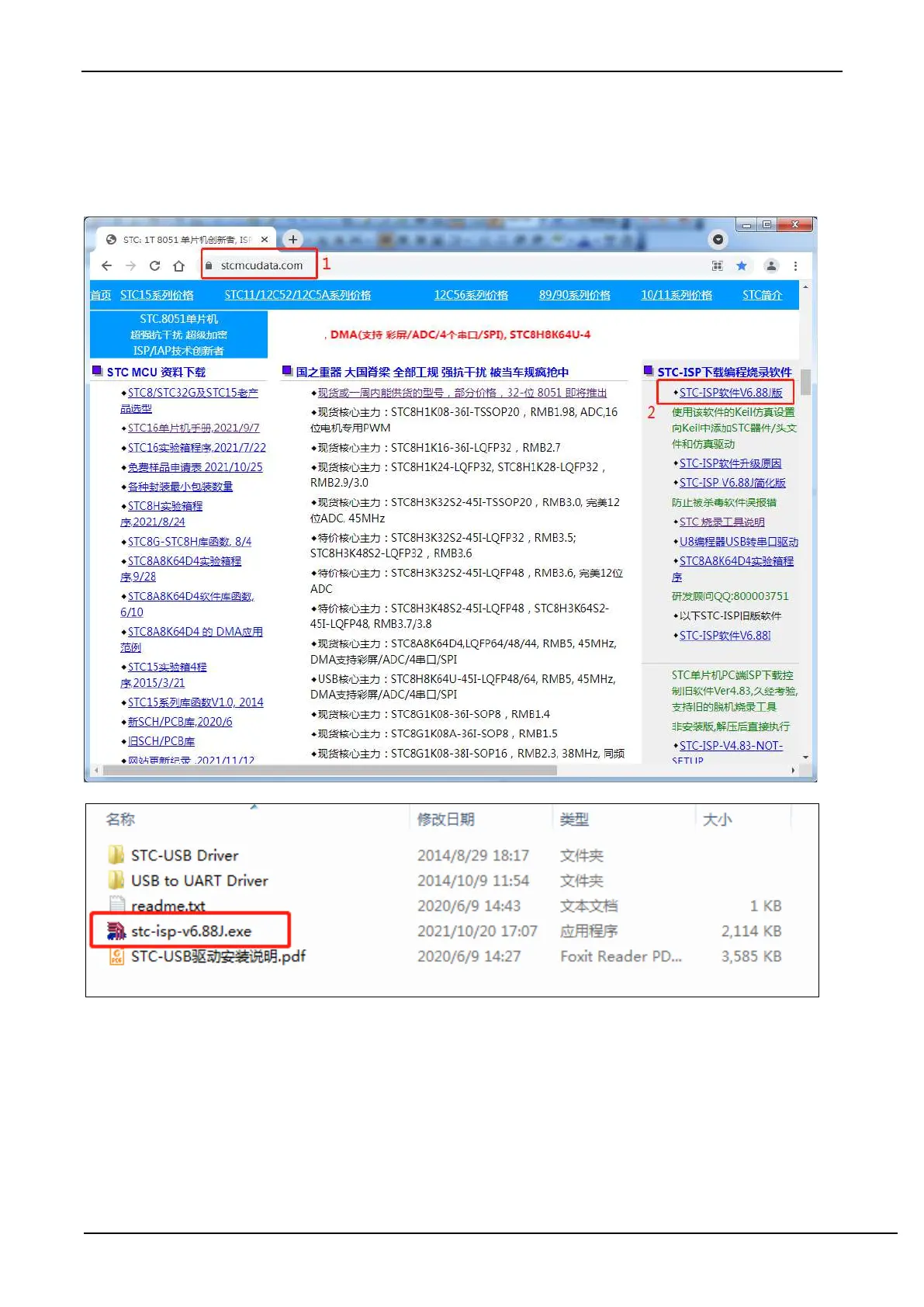
Firstly, download the latest STC-ISP download software from the STC official website
After downloading and unzipping, open the "stc-isp-vxx.exe" executable in the package.
Click the "Add Model and Header File..." button in the "Keil Simulation Settings" page of the download software
(Figure "2" below)



 To Next Page