H.4 Serial port emulation directly
H.4.1 Make serial port emulation chip
When the STC microcontroller is shipped, the emulation function is disabled by default. If you want to use the
emulation function, you need to use the STC-ISP download software to set the target microcontroller as the emulation
chip.
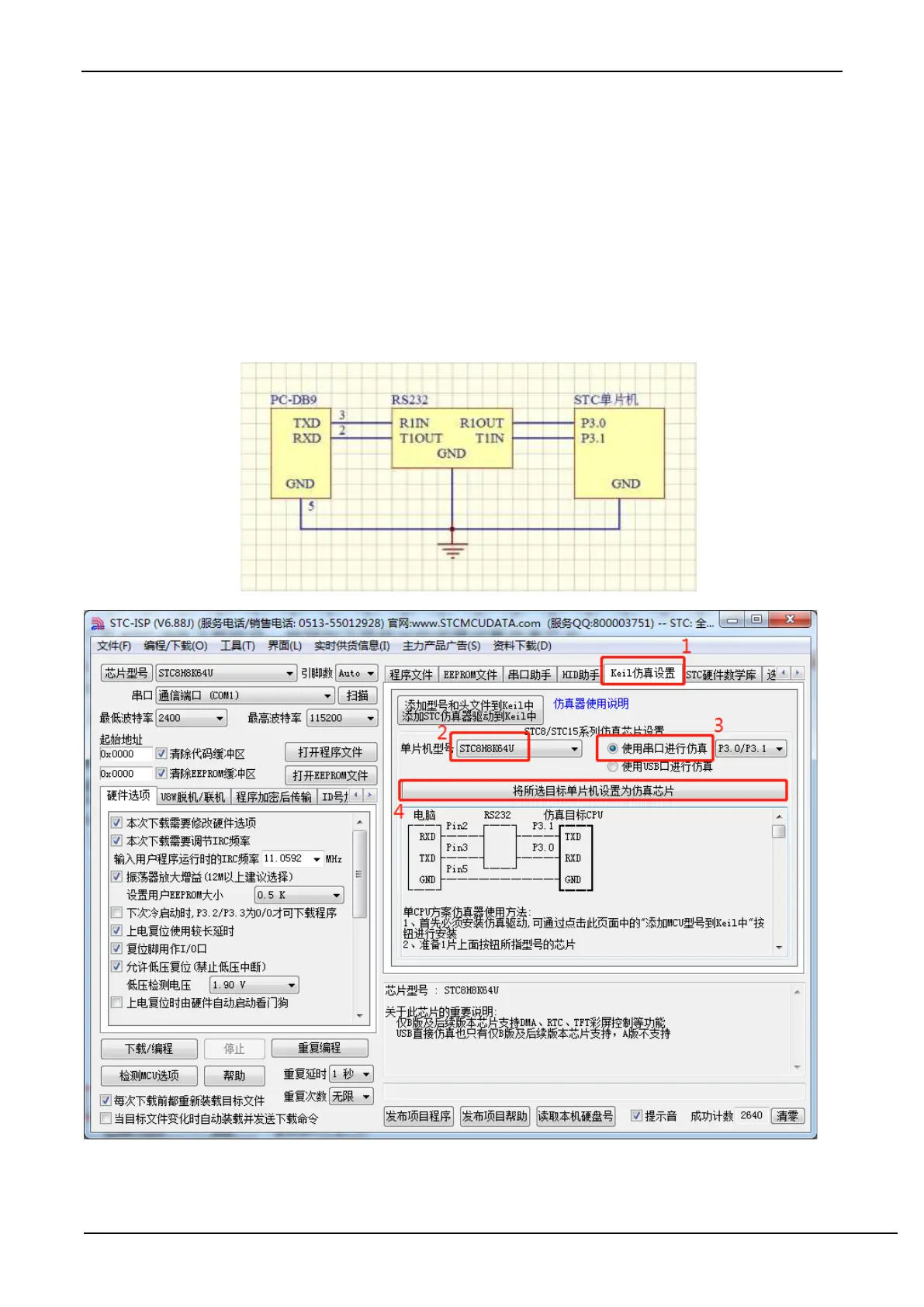
The setting steps are as follows:
Firstly, connect the target chip to the serial port of the computer as shown in the figure below, and power off the
microcontroller
Open the STC-ISP download software and follow the steps shown in the figure below to set the emulation chip.
When the following screen appears, power on the microcontroller again.



 To Next Page