Producing with the knitting machine 3
Eliminating errors in the fabric 3.5
104
3.5.3 Removing fabric winding around fabric take-down
Fabric winding in main take-
down
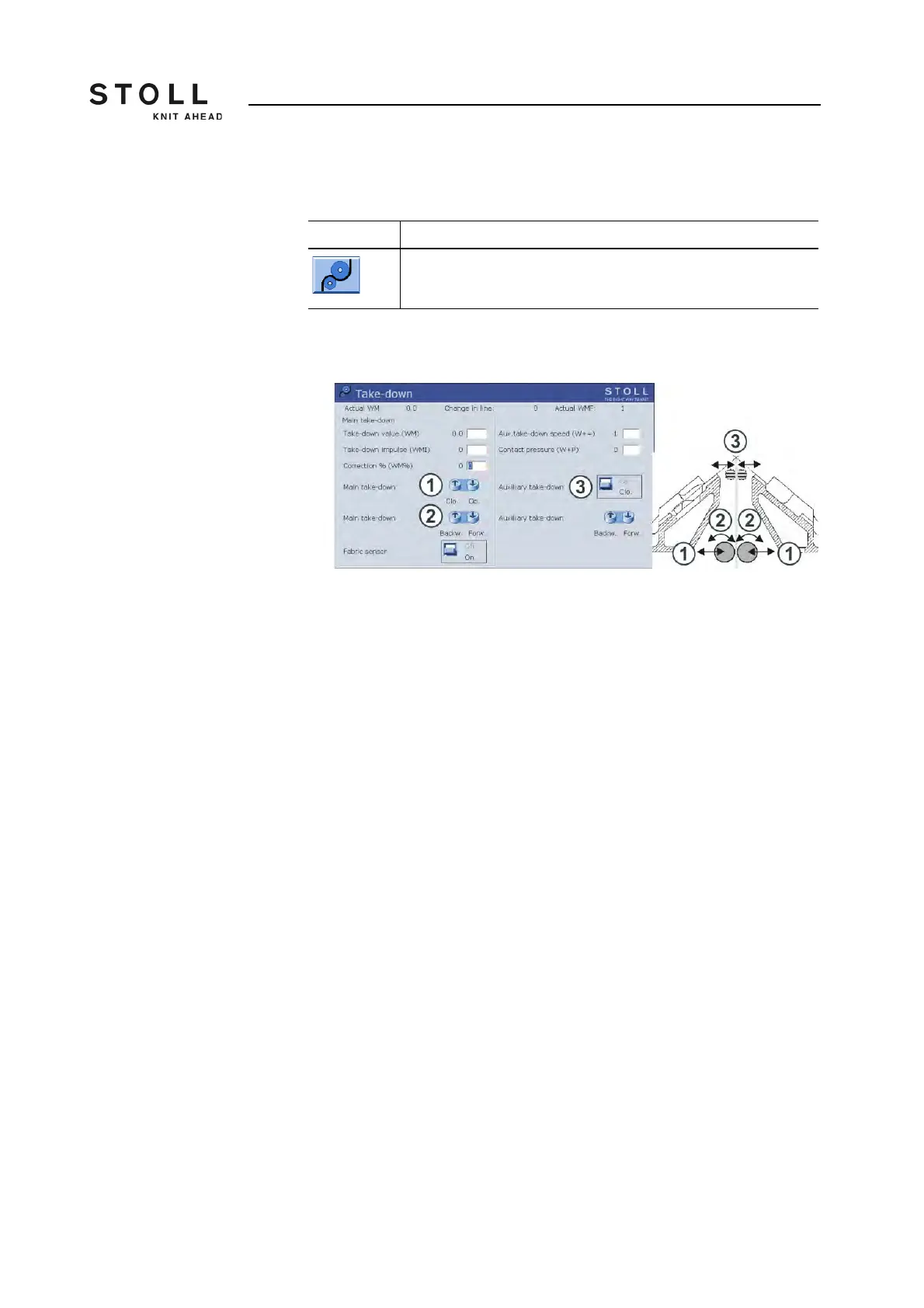
1. To remove the fabric winding, call up the "Take-down" window.
"Take-down" window
2. Tap the "Main take-down Op." key (1).
3. Pull the fabric smooth and free the take-down rollers from loose threads
and fabric remainders
- or -
➜ Press the "Main take-down Backw." (2) key until the fabric winding can
be removed.
4. Tap the "Main take-down Clo." key to close the main take-down.
5. To continue knitting, start the machine with the engaging rod.
Fabric winding in auxiliary
take-down
1. To remove the fabric winding, call up the "Take-down" window.
2. Remove needle bed or position it at an angle.
3. Tap the "Auxiliary take-down Op." key (3).
4. Press the "Auxiliary take-down backw." key until the fabric winding can
be removed.
5. Free the take-down rollers from loose threads and fabric remainders.
6. To close the auxiliary take-down, tap the "Auxiliary take-down Clo." key.
7. Screw on the needle bed again tight.
8. To continue knitting, start the machine with the engaging rod.
Further information:
Remove needle bed or position it at an angle [-> 311]
Key Function
Call up "Take-down" window
Key for removing fabric winding around fabric take-down



 To Next Page