Adjusting knitting machine 4
Advanced adjustments 4.2
166
4.2.10 Adjusting basic racking correction VGK
The position of the rear needle bed relative to the front needle bed is set
with the VGK value (factory setting).
If part of the racking device is replaced, e.g. the racking motor or the racking
belt, the VGK value has to be set anew. During installation, make sure that
the front and rear needle beds are opposite each other.
The VGK value always remains saved, even if the operating system is
imported again.
Setting VGK:
✔ Cast-off the stitches on both needle beds.
1. Call up "Main menu".
2. Call up the "Service" menu.
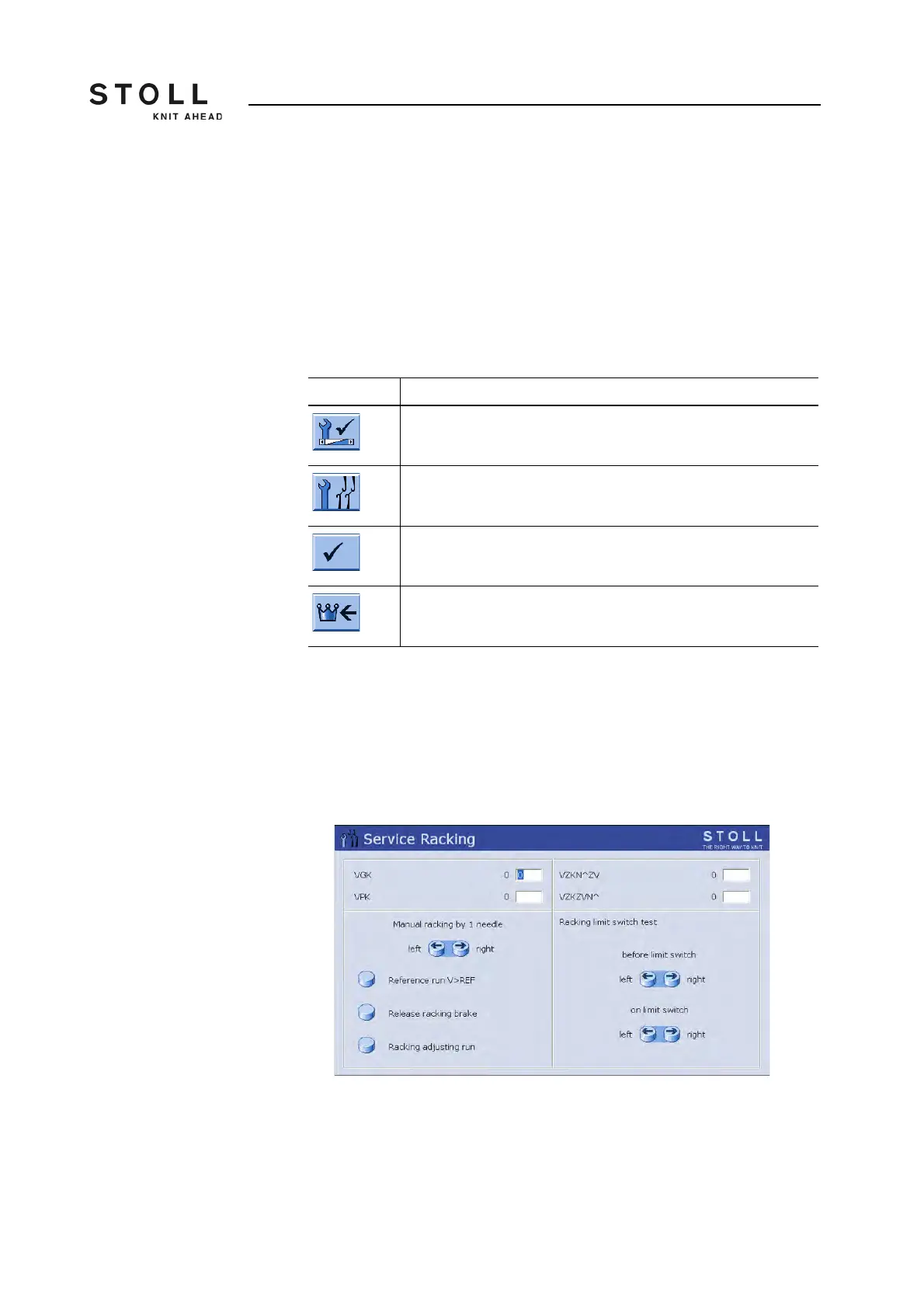
3. Call up the "Service Racking" window.
"Service Racking" window
4. Enter and confirm the value "0" in the line "VPK".
Key Function
Call up the "Service" menu
Call up the "Service Racking" window
Confirm input
Call up "Main menu"
Keys for setting VGK value



 To Next Page