237
5 Setup Data
5.4 Setup2 Editor
5.4 Setup2 Editor
5.4.1 Overview of the Setup2 Editor of the CMS
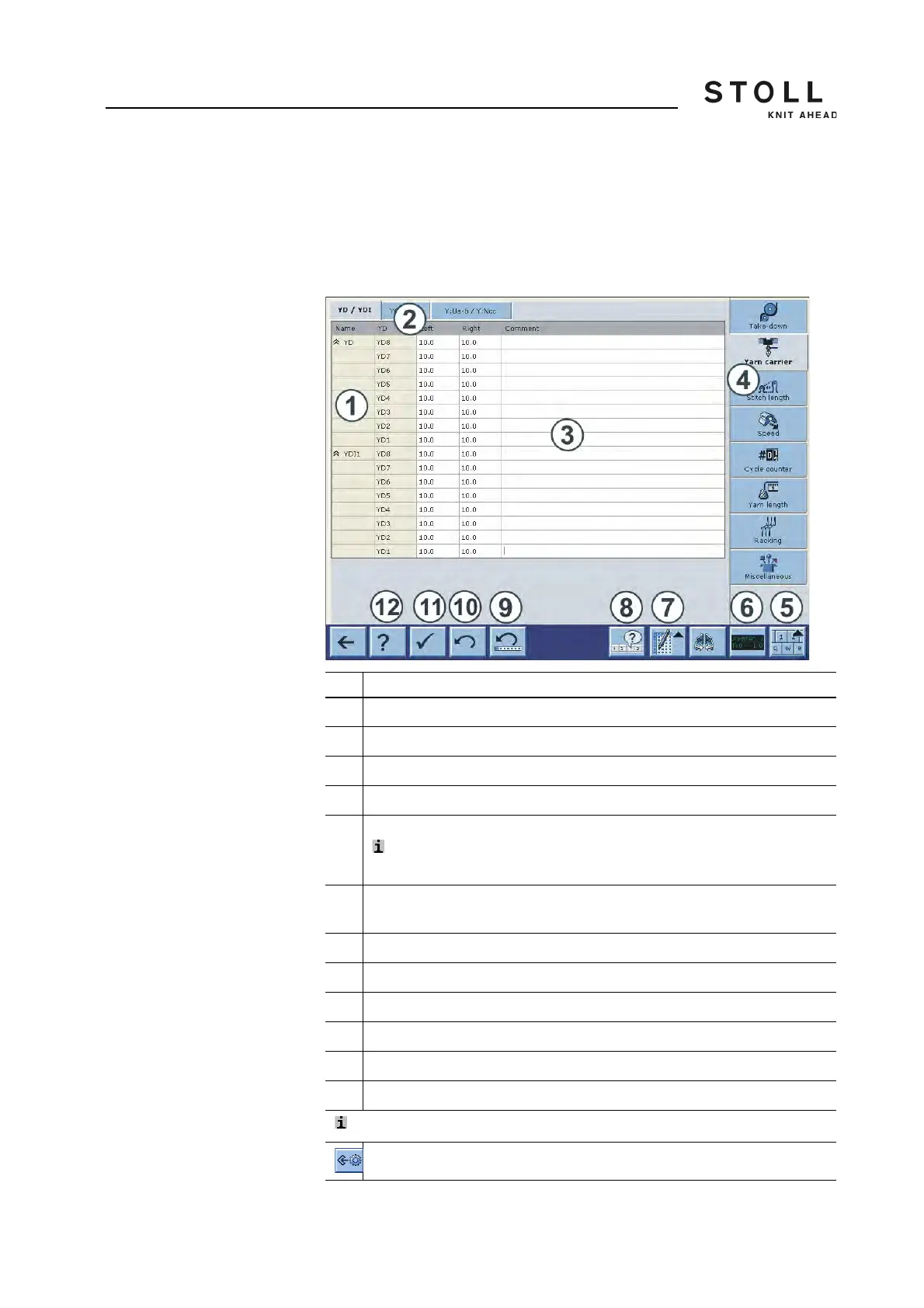
The Setup2 data will be displayed in the "Setup2 Editor".
Explanation
1Row
2 Tabs of a menu
3Table
4 Call-up the individual menus
5 Switch on or off the virtual keyboard
: The menu keys are covered by the active virtual keyboard.
Switch off the virtual keyboard in order to switch to another menu.
6 Activate and deactivate the state line (only display of the values, no window
call up possible)
7 Switch on or off the table tools
8 Activate/deactivate the display of the active "Don't Care" values
9 Undo the last editing of a line
10 Undo the last editing of a cell
11 Save all values of the actual tab (table)
12 Call up the online help of the selected tab.
: With file mode only
Save the Setup2 file (setx)



 To Next Page