Producing with the knitting machine 3
Production 3.3
78
3.3.2 Calling up report and shift counters
The control collects all operating data recorded since the operating system
was first read in and since the current knitting program was started. These
data help you optimize the performance and loading of the knitting machine.
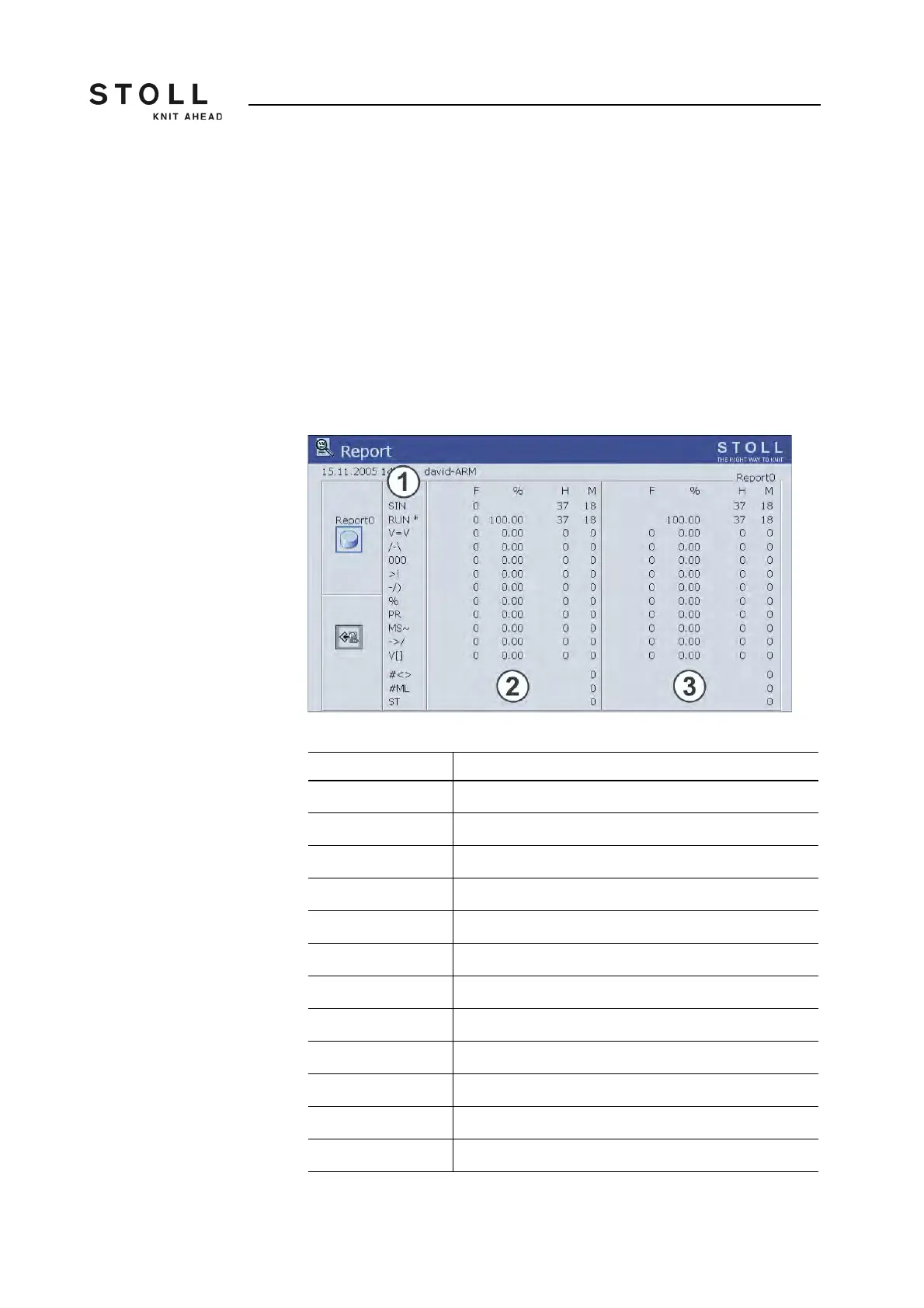
Report The individual types of operating data (1) are listed on the left side. The left-
hand table (2) shows the continuing listing of all data accrued after loading
the operating system. The data of this table cannot be deleted. The data of
the right table (3) can be deleted with the "Report0" key.
The production data can be listed during a certain period of time. This may
consist of part of a shift, day or week.
"Report" window
Label Data shown
"F" No. of errors or no. of stop motions
"%", "H", "M" Percent, hours, minutes
"SIN" Working time of the control unit (SINTRAL)
"RUN" Production period
"V=V" Stop by stopping at the engaging rod
"/-\" Stop by yarn control device, yarn feed
"000" Stop by piece counter
">!" Stop by stop resistance
"-/)" Stop by position needle sensor
"%" Stop by fabric take-down
"PR" Stop by programming
"MS~" Machine stop (further causes of the stoppage)
Data in "Report" window



 To Next Page