205
4 Adjusting knitting machine
4.3 Working with files
4.3.6 Copying files
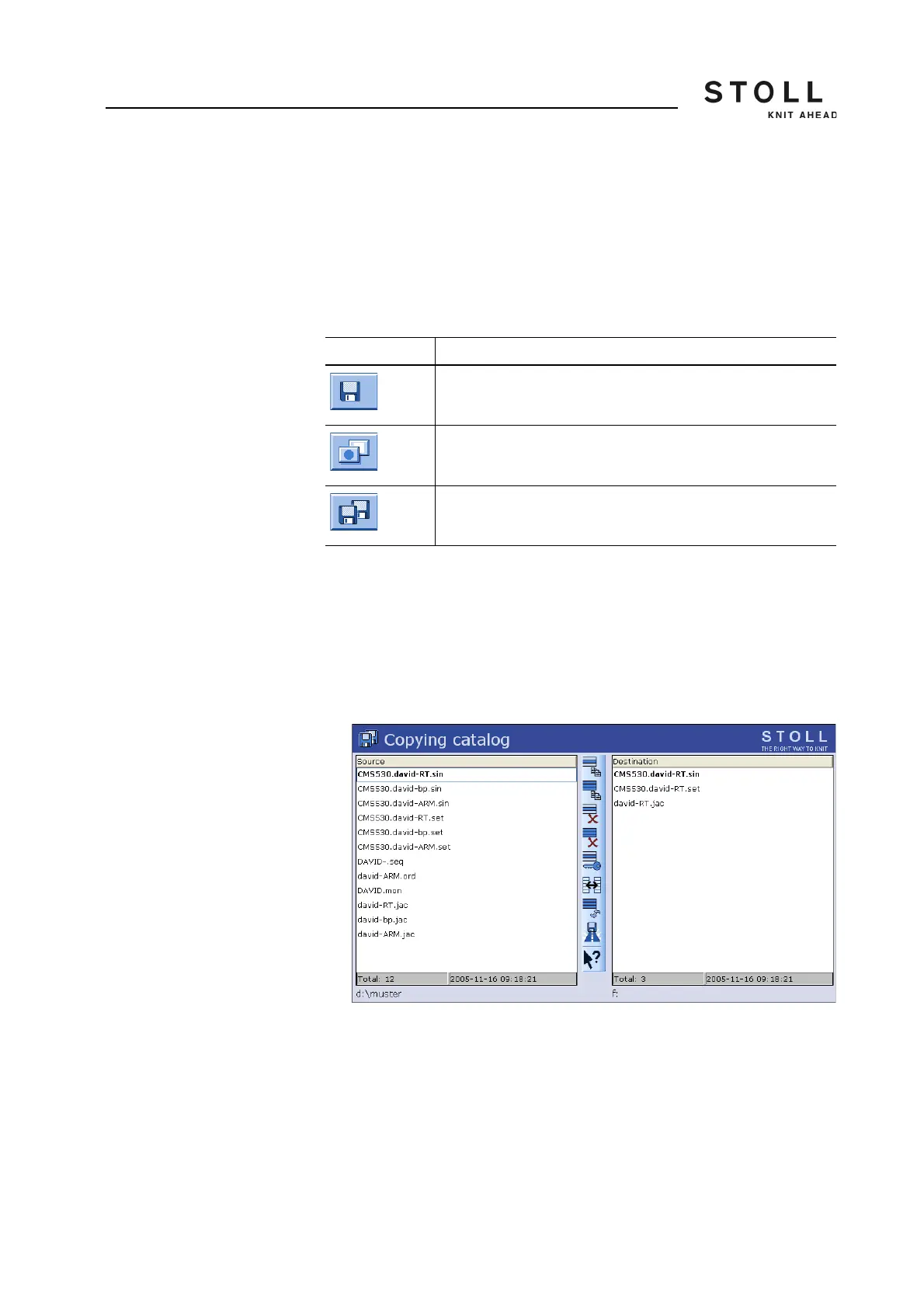
Files are copied from one drive to another in the "Copying catalog" window.
This list of files appears in alphabetical order, the number of existing files is
displayed on the status line (Total:) of the list.
In the following example, the files are copied from the hard disk to the USB
memory stick (backup copy).
Copy file from the hard disk to the USB memory stick :
1. Insert the USB memory stick into the USB socket.
2. From the "Main menu" call up the "Load & Save" window.
3. Call up "Additional function keys".
4. Call up the "Copying catalog" window.
Path specifications in the "Copying catalog" window
5. Check whether the path in the "Source" and "Target" lists is correctly
displayed. The path is displayed at the end of each list.
6. If this is not so, change the path with the "Select current folder" key.
7. Tap the desired file in the left-hand list ("Source").
Key Function
Call up the "Load & save" window
Call up "Additional function keys"
Call up the "Copying catalogue" window
Keys for the "Copying catalog" window



 To Next Page