Adjusting knitting machine 4
Working with files 4.3
206
8. Tap the "Copy file" key.
When the file is copied, it appears in the right list ("Target").
9. To copy other files, repeat steps 7 and 8.
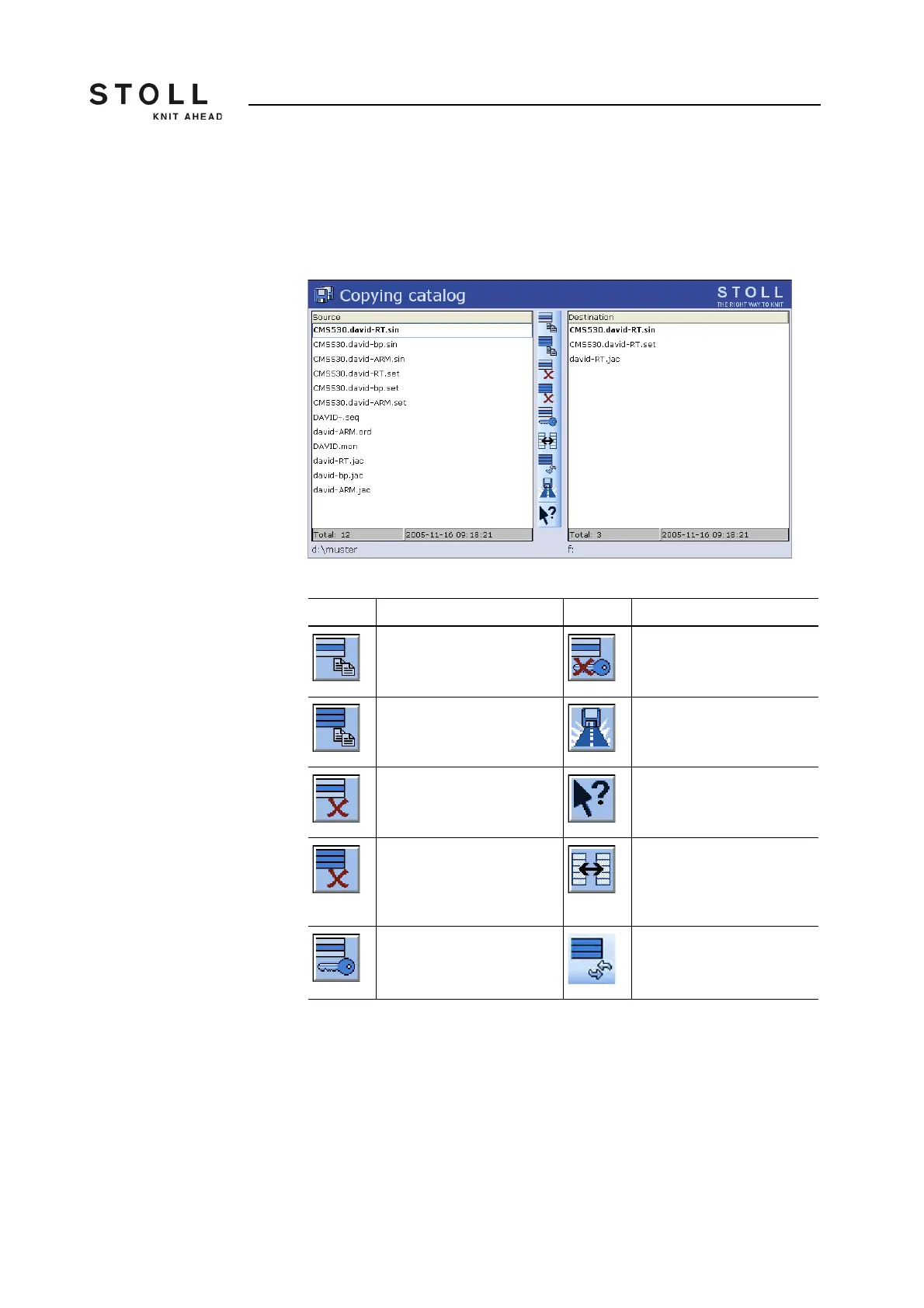
Actions in "Copying catalog"
window
Path specifications in the "Copying catalog" window
Execute the action:
1. Tap the list for which the action is to be carried out.
2. Tap the desired button.
3. To carry out additional actions, repeat steps 1 and 2.
Key Function Key Function
"Copying a file": Copy file
selected in Source to Target
"Deactivate Write
Protection": Deactivate write
protection of the selected file
"Copy all": Copy all files from
Source to Target
"Current folder selection":
Open the dialog box for
definition of the current folder
Delete selected file Call up "Direct Help" for the
key pressed next
"Delete all": Delete all files in
the selected folder
"Change content": Exchange
contents of Source and
Target; Source is always on
the left, Target on the right
"Set Write Protection": Set
write protection of the
selected file
"Update": Update the
contents of the folder
Keys in the "Copying catalog" window



 To Next Page