427
10 Machine Management Tools
10.3 Remote control with the software VNC
10.3.3 Determine the IP address of the machine
✔ The main menu is displayed.
1. In the "Main menu", tap on the "Service" key.
2. In "Service" window, tap on "Diagnostics" key.
3. In "Diagnostics" window, tap on the "System Info" key.
The "System Info" window opens.
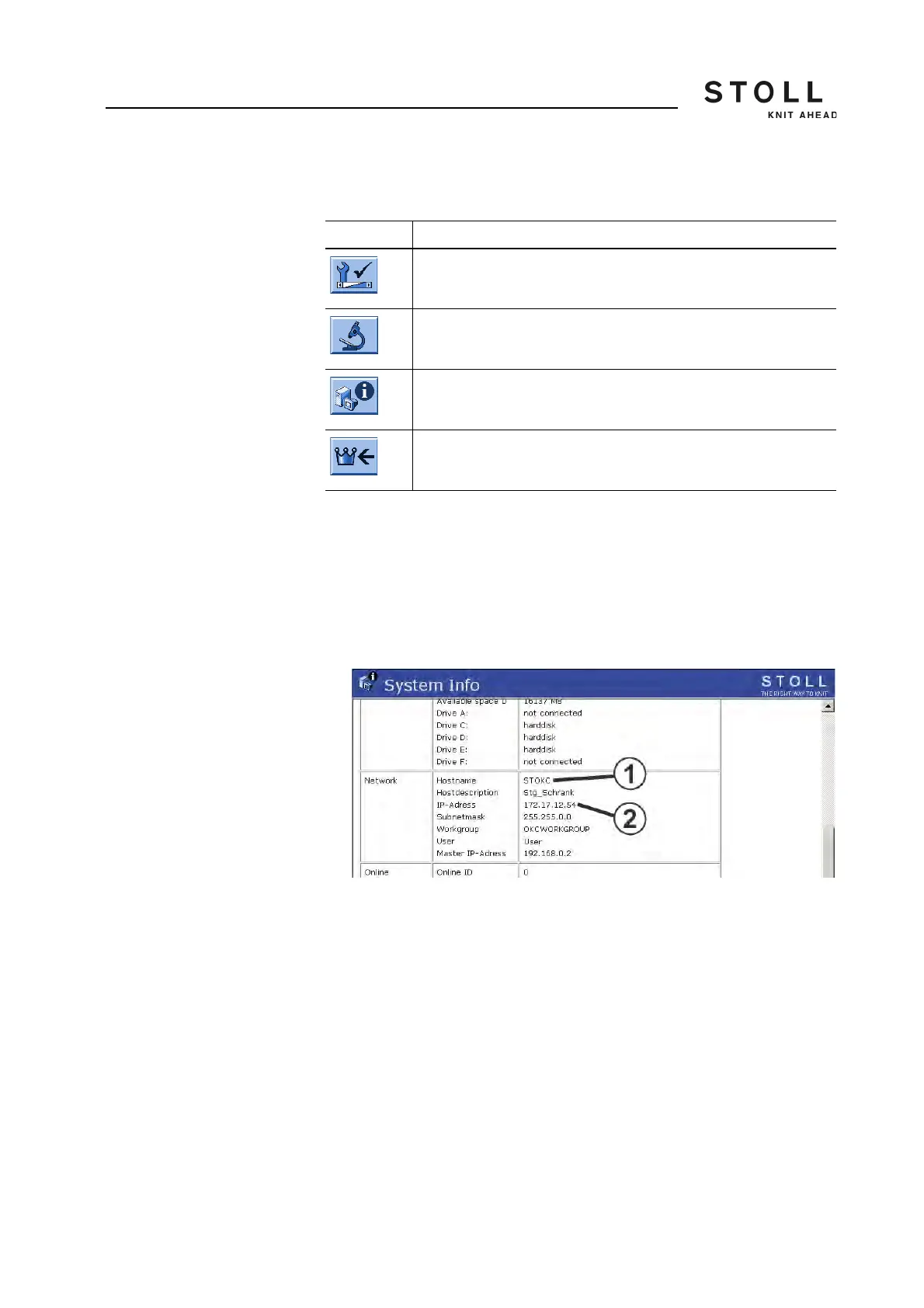
"System info" window
4. Note IP address (2) and host name (1).
10.3.4 Installing software VNC Viewer on the computer (e.g.
a note-book)
✔ The software VNC Viewer was obtained from the internet.
1. Start installation program.
2. Follow instructions of the installation program.
Thereafter the software VNC Viewer is installed on the computer.
Key Function
Call up the "Service" window
Call up "Diagnostics" window
Call up the "System info" window
Call up "Main menu"
Keys for determining the IP address of the machine



 To Next Page