403
8 Software - Installation and basic settings
8.4 Installing the Stoll operating system
8.4.5 Carrying out restart with machine configuration
(Restart and Configuration)
A restart with the machine configuration is carried out after a gauge
conversion or after attaching special attachments.
Carry out restart with machine configuration:
✔ The machine is switched off.
1. To switch on the machine, set the main switch to 1.
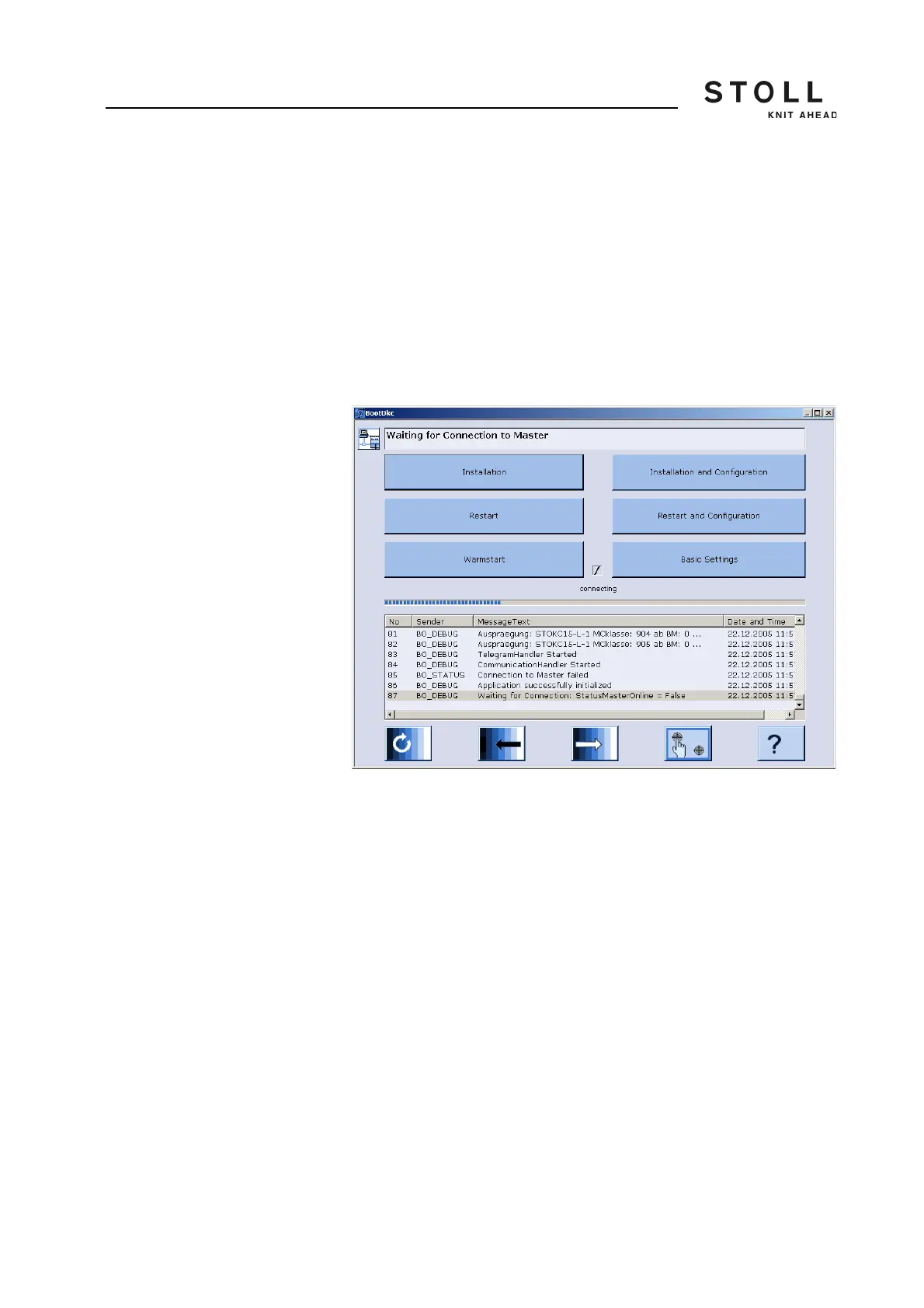
The "BootOkc" window is displayed on the touch screen.
"BootOkc" window
2. For the automatic warm start within the waiting time tap on the "Restart
and Configuration" key.
The Restart Process gets started.
After the process is shut, the "Language" window is displayed.
3. Select the dialog language and confirm the selection.
4. Proceed to the next window.
The "Machine configuration" window is displayed. The data have
been set at the factory and will not be changed.
5. Proceed to the next window.
The "Machine configuration 2" window is displayed. The data have
been set at the factory and will not be changed.
6. Proceed to the next window.
The "Machine Options" window is displayed. The data is set at the
factory.



 To Next Page