75
3 Producing with the knitting machine
3.3 Production
3.3 Production
This chapter contains information on:
Starting machine [-> 75]
Calling up report and shift counters [-> 78]
Stopping machine [-> 83]
Switch off machine at the end of work [-> 85]
Monitoring the running time [-> 87]
Measuring the running time [-> 91]
3.3.1 Starting machine
✔ A pattern is loaded.
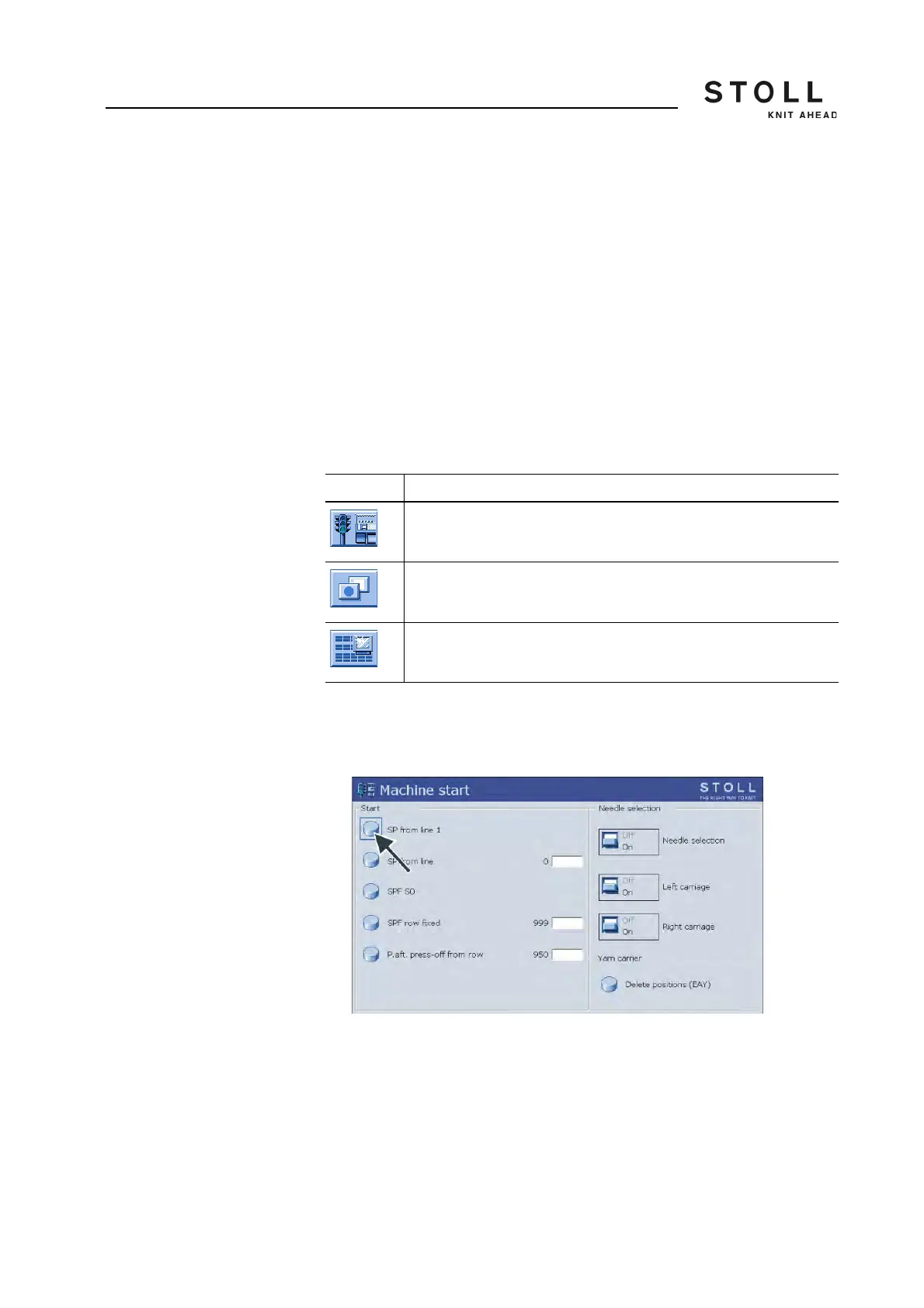
1. Call up the window "Machine start" from the "Main menu".
"Machine start" window
2. In "Start" field, tap on "SP from line 1" key.
3. Call up "Additional function keys".
4. Call up the "Changeable monitoring" window.
Machine data and the program sequence are displayed in the
"Changeable Monitoring" window during production.
5. Start the machine with the engaging rod.
Key Function
Call up "Machine start" window
Call up "Additional function keys"
Call up the "Changeable monitoring" menu
Keys for starting the machine



 To Next Page