Adjusting knitting machine 4
Advanced adjustments 4.2
182
4.2.16 Adjust yarn carrier horizontally
1. Call up the "Service" menu from the "Main menu".
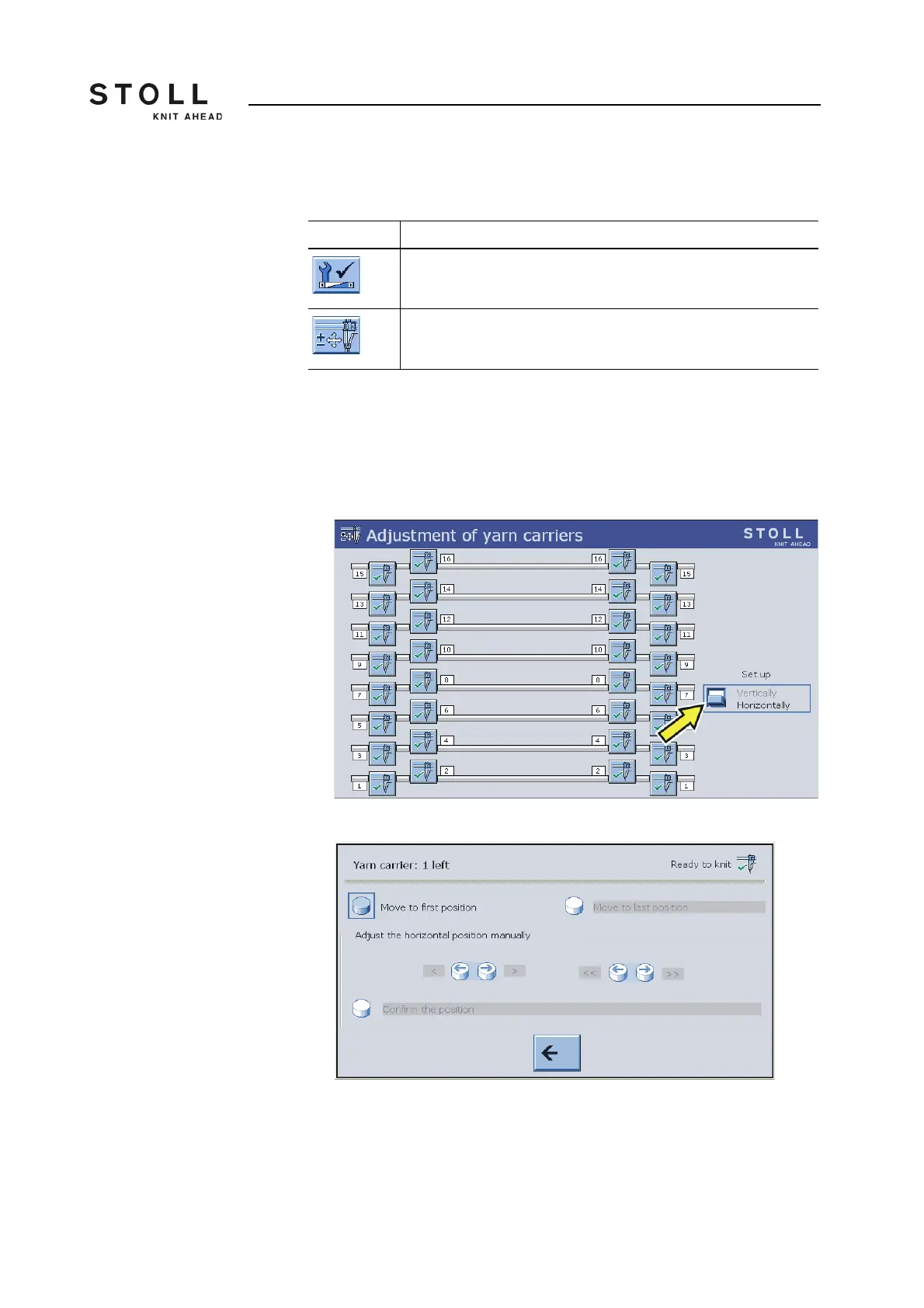
2. Call up the "Adjustment of yarn carriers" window.
The "Adjustment of yarn carriers" window appears.
3. In the "Adjustment" field set the switch to "Horizontally".
4. The setting window appears.
5. Tap on the "Move to first position" key.
The yarn carrier moves to the proximity of the first needle.
Key Function
Call up the "Service" menu
Call up the "Adjustment of yarn carriers" window
Keys for calling up the "Adjustment of yarn carriers"



 To Next Page