Producing with the knitting machine 3
Preparing production and shift changes 3.1
66
Further information:
Selecting the current folder [-> 208]
Working with files, libraries and folders [-> 196]
Go to help in function and error list [-> 219]
KnitLAN connection [-> 220]
3.1.2 Entering piece number or number of courses
Entering piece number or number of courses:
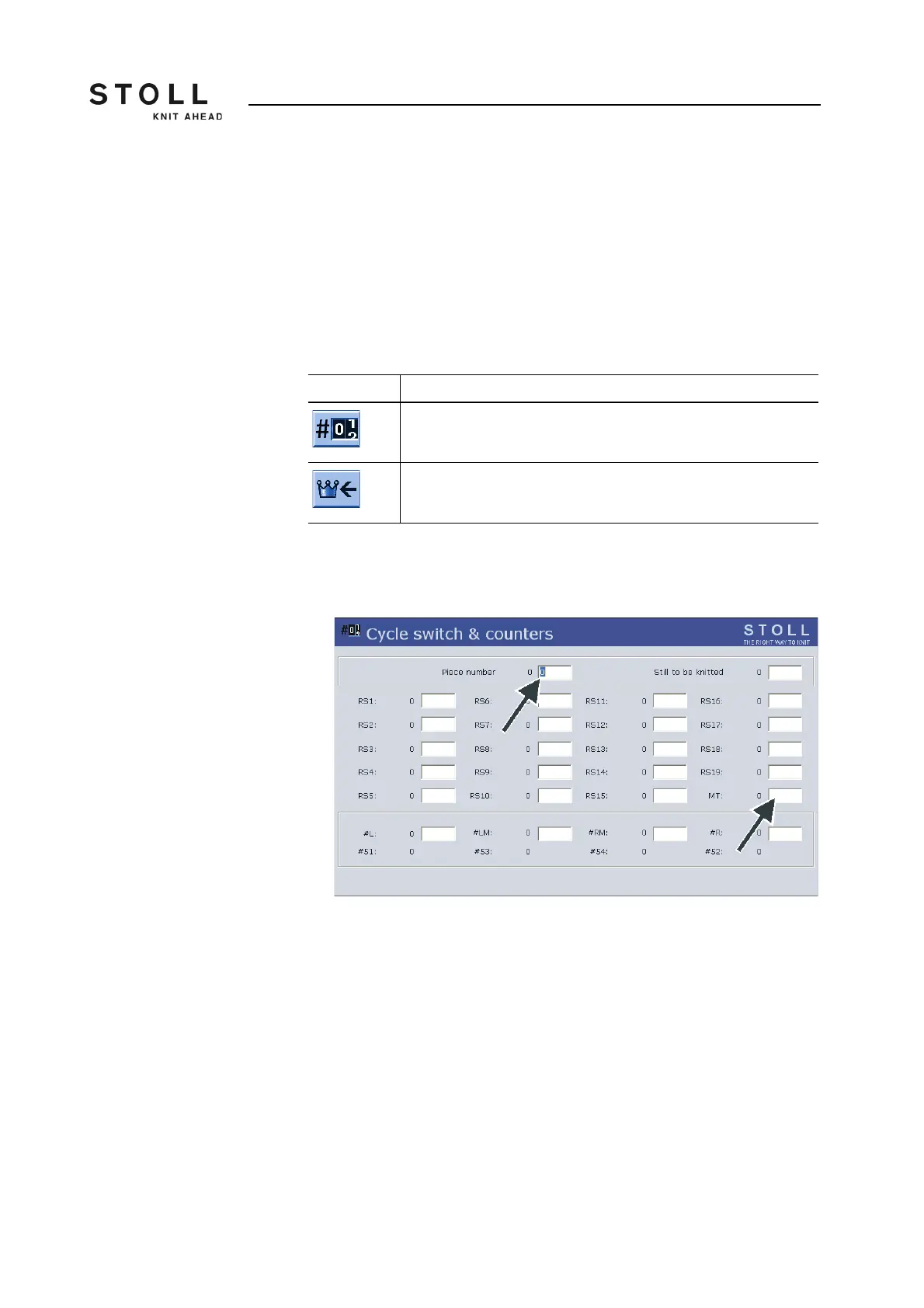
1. Call up the "Cycle counters & counters " window from the "Main menu".
"Cycle counters & counters" window
2. If you produce pieces, enter the "piece number".
- or -
➜ If you produce yard goods, set the maximum number of courses with the
"MT" counter to define the length of the fabric.
3. Call up "Main menu".
Key Function
Call up the "Cycle counters & counters" window
Call up "Main menu"
Keys for entering the piece number or number of courses



 To Next Page