Software - Installation and basic settings 8
Installing the Stoll operating system 8.4
402
8.4.4 Carrying out a restart (Restart)
A restart is carried out when the software no longer reacts to inputs
following an error.
Carry out a restart:
1. Set machine main switch to 0.
The switch-off process takes approx. 60 seconds. When the
process is complete, the touch screen becomes dark and a signal
sounds.
2. Set the main switch to 1.
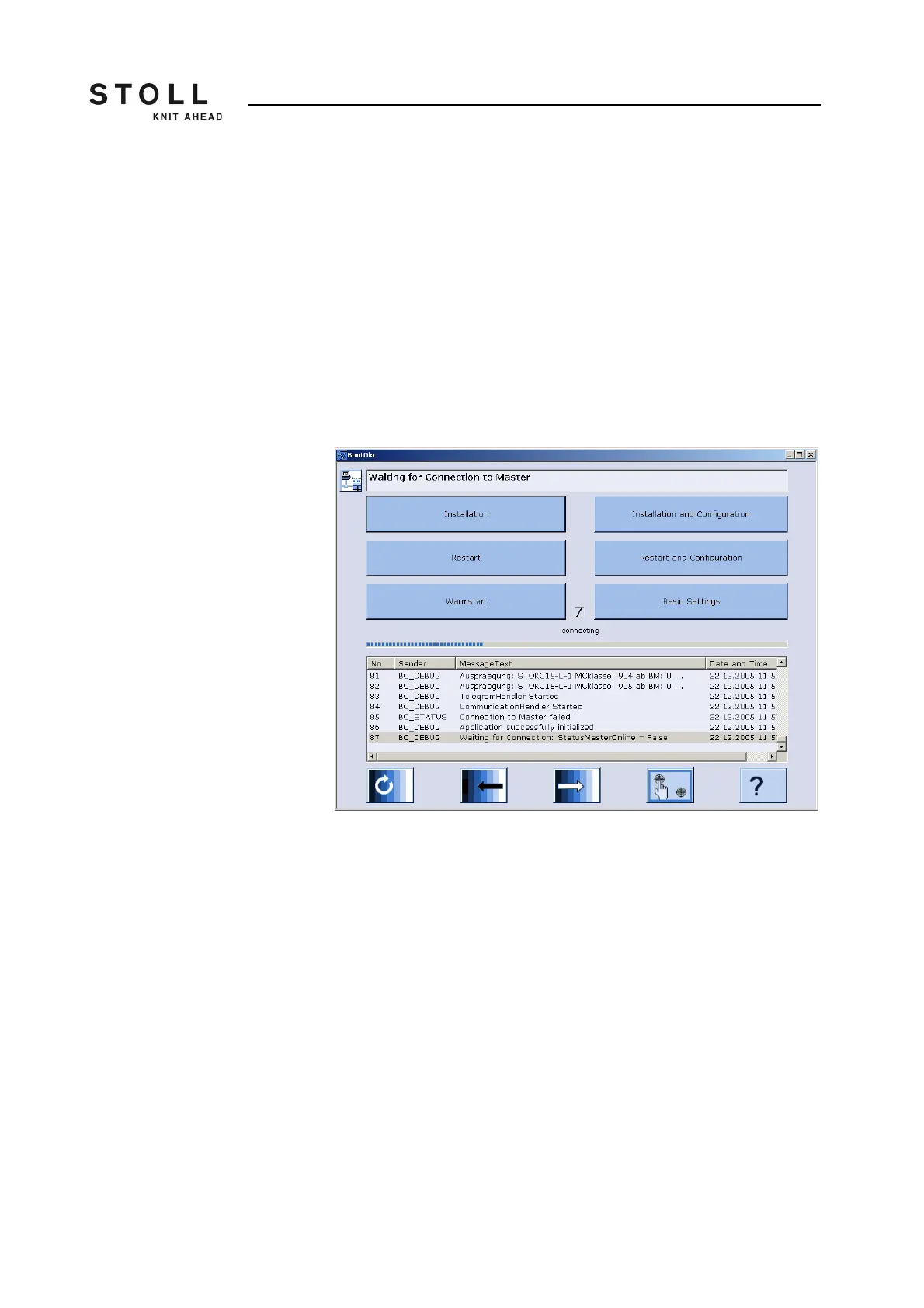
The "BootOkc" window is displayed on the touch screen.
"BootOkc" window
3. For the automatic warm start within the waiting time tap on the key
"Restart".
The machine is configured.
Finally the window "Reference runs " is displayed.
4. Carry out reference run(s).
5. Proceed to the next window.
The restart is complete and the "Main menu" is displayed.
The machine is ready to knit.
Further information:
Setting touch screen [-> 67]
Setting waiting time until warm start [-> 371]



 To Next Page