371
8 Software - Installation and basic settings
8.1 Boot process
Selecting the source of the
installation data (Boot
Source)
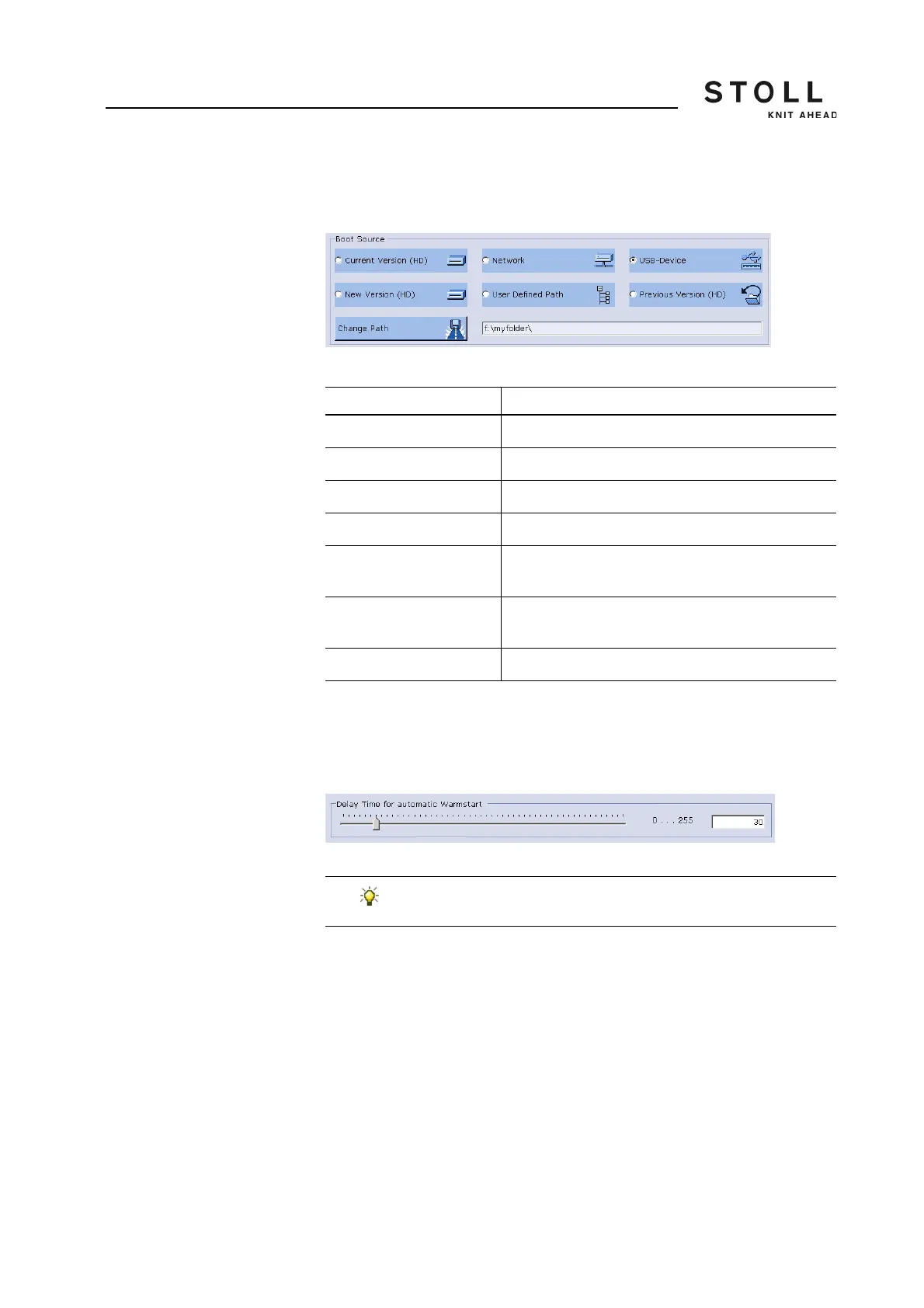
In the "Boot Source" area of the "Basic Settings Menu" window ascertain
the source from where the installation of the Stoll operating system is done.
Selection of the source in "Basic Settings Menu" window
Setting waiting time until
warm start
In this area of the "Basic Settings Menu" window, the waiting time that is
spent in between the display of the "BootOkc" window, and the automatic
warm start (display of the main menu) is entered.
Waiting time for warm start in the " Basic Settings Menu" window
Set waiting time:
1. Pull the slide to the desired position.
The waiting time is displayed in the input field.
2. Confirm input.
Key Explanation
Current Version (HD) Renewed installation of the existing version.
New Version (HD) Installation of a new version.
Previous Version (HD) Installation of the previous version.
Network Installation of a version from a network drive.
USB Device Installation of a version from a device which is
connected to the USB socket.
User Defined Path Installation of a version from a user-defined storage
location.
Change Path Key for selection of a storage location.
Keys in the "Boot Source" area of the "Basic Settings Menu" window
The waiting time can be interrupted at anytime by pressing
any key in the "Basic Settings" window.



 To Next Page