Software - Installation and basic settings 8
Boot process 8.1
372
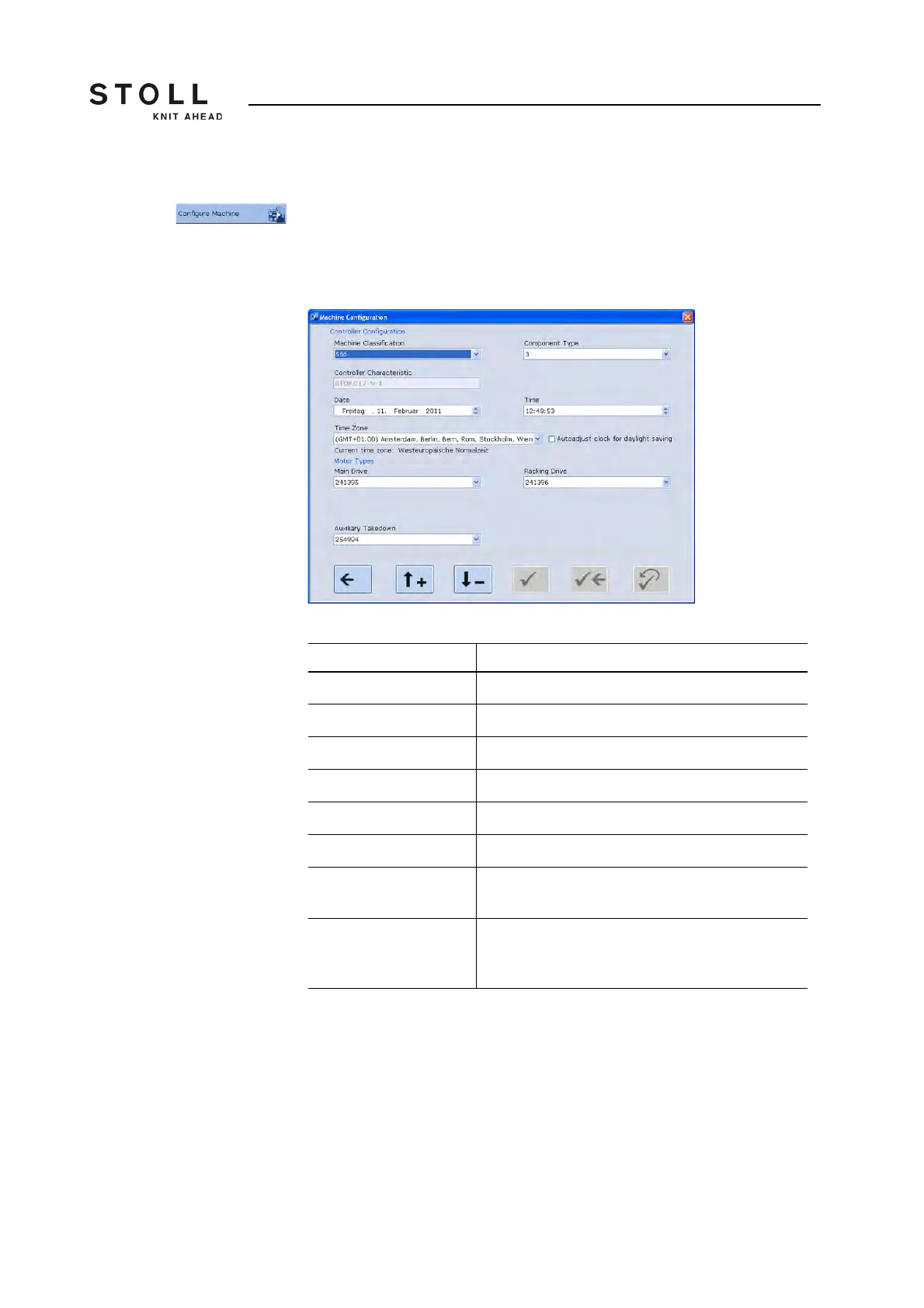
Configure machine Defined by the concept of control OKC some basic information about the
machine should be known right from the start. Enter this information in the
"Machine Configuration" window.
➜ Tap on the "Machine configuration" key.
The "Machine Configuration" window is displayed.
"Machine Configuration" window
Label Description
Machine Classification Enter the machine classification.
Component Type Enter the component type.
Controller Characteristic Name of the control unit (only display)
Date Entry of the date
Time Entry of the time
Time Zone Entry of the time zone
Autoadjust clock for
daylight saving
Automatically switch the clock to summer- or
wintertime.
Motor Types Select which motor (different motors with different
ID) is installed in the machine. (Might be necessary
after replacing a motor)
Components of the "Machine Configuration" window



 To Next Page