Adjusting knitting machine 4
Basic settings 4.1
134
Activating the function block Various function blocks can furthermore be displayed for the configurable
values. The selected function blocks are positioned at fixed positions over
the existing fields. They do not delete these, but just cover them, so that the
fields are visible again when the function block is deactivated.
1. Call up the "Changeable monitoring" window from the "Main menu".
2. Call up "Additional function keys".
3. Activate the desired function blocks.
4. Call up "Main menu".
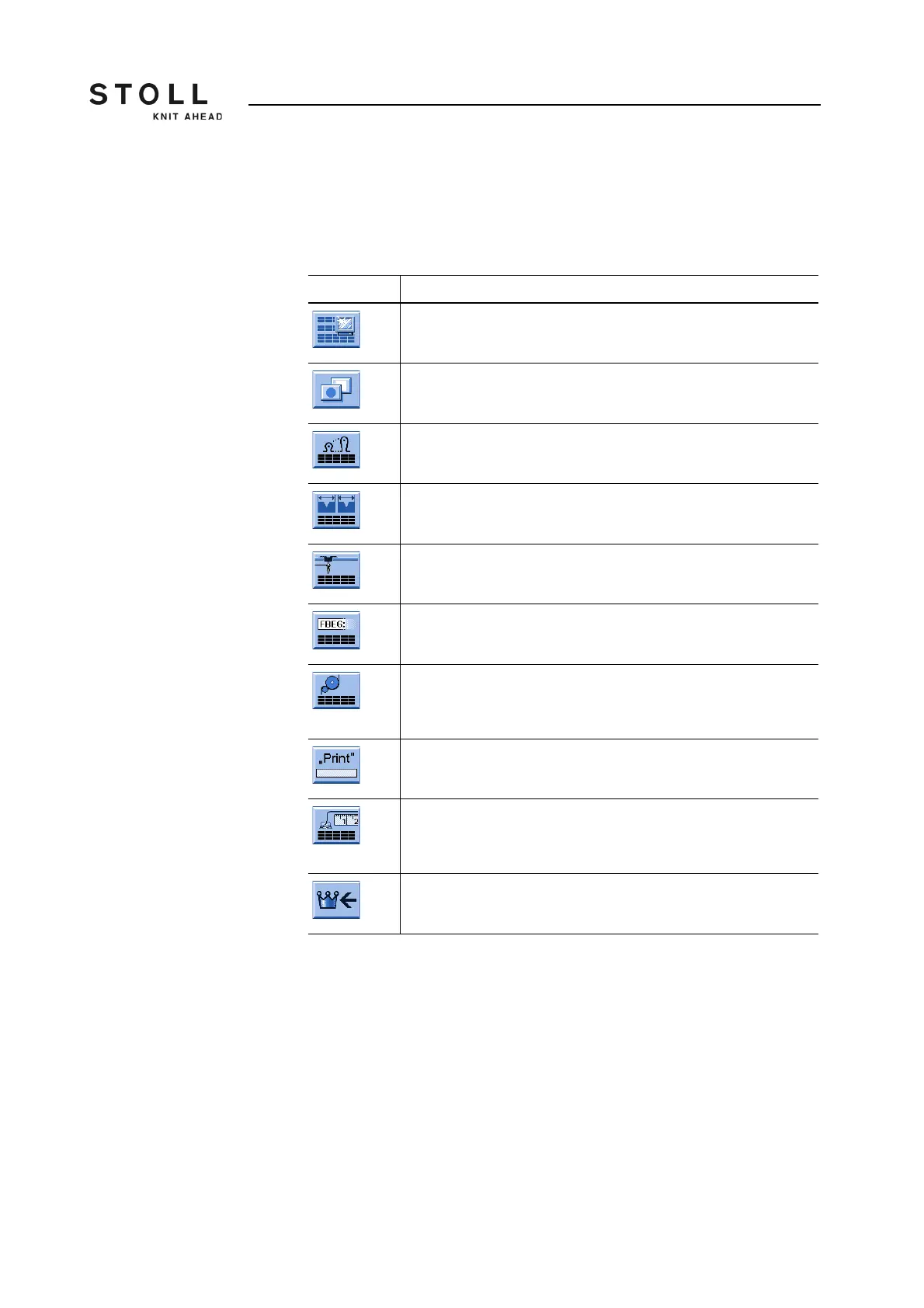
Key Function
Call up the "Changeable monitoring" window
Call up "Additional function keys"
Activate and de-activate the "Stitch tension" function block
Activate and de-activate the "SEN area" function block
Activate and de-activate the "Yarn carrier" function block
Activate and de-activate the "Function name" function block
Activate and de-activate the "Fabric take-down values" function
block
(Can only be activated, if the "STIXX" function block is deactivated.)
Activate and de-activate the "Sintral print line" function block
Activate/deactivate "STIXX" function block
(Can only be activated, if the "Fabric take-down values" function
block is deactivated.)
Call up "Main menu"
Keys for activating a function block



 To Next Page