209
4 Adjusting knitting machine
4.3 Working with files
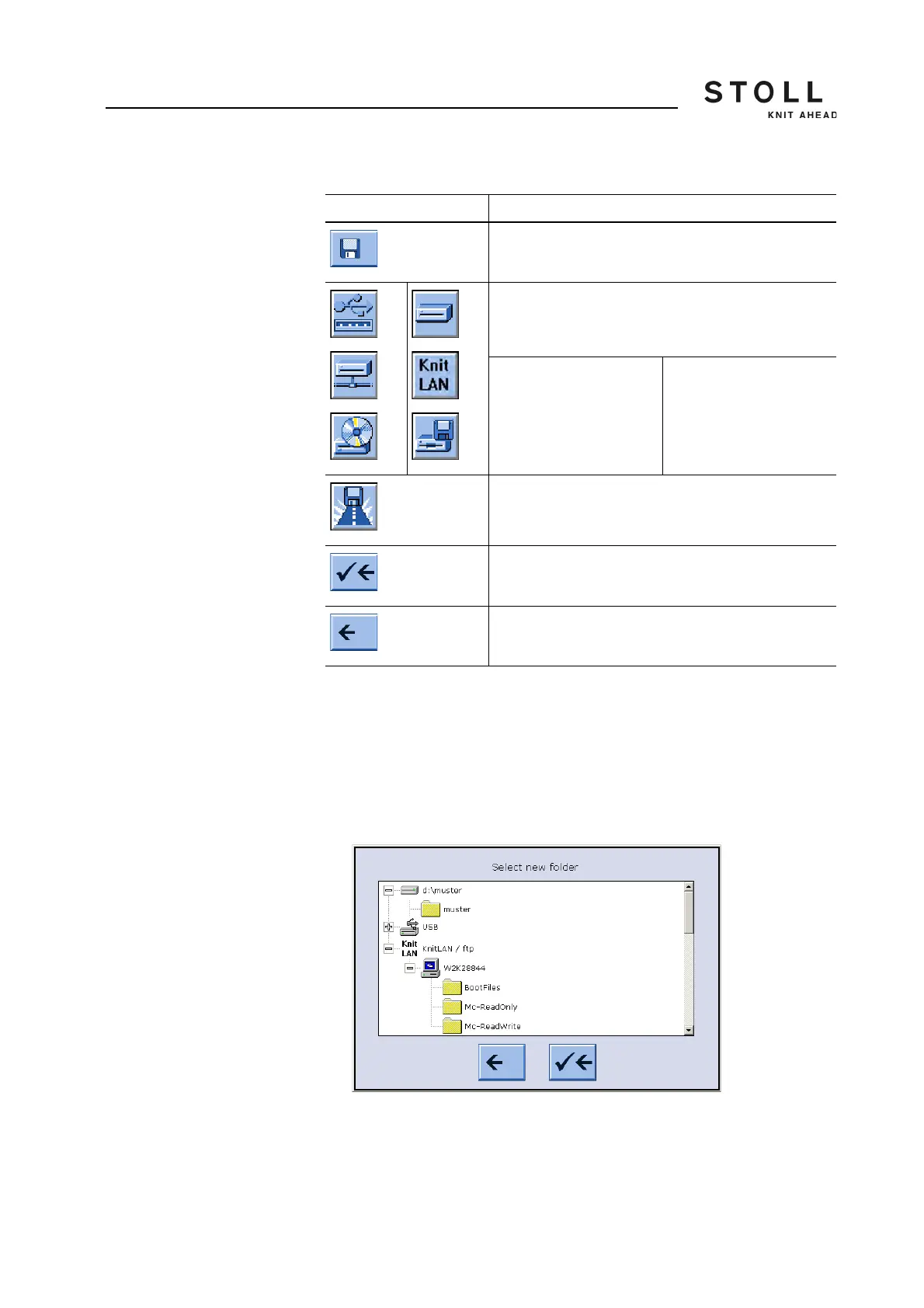
Change the path of "Direct folder selection" key:
1. From the "Main menu" call up the "Load & Save" window.
2. Tap "Direct folder selection" key for which the path is to be changed.
3. Tap on the key "Current folder selection".
The input window "Select new folder " appears.
"Select new folder" window
4. Select the new path.
Key Function
Call up the "Load & save" window
"Direct folder selection" key
The symbols of the 3 keys "Direct folder selection" are
adapted based on the linked drive:
USB Memory Stick
Network drive
CD drive (USB)
Hard disk
KnitLAN
Floppy disk drive (USB)
"Select the current folder" key
End setting process and save changes
End setting process without saving changes
Keys for changing a path



 To Next Page