Adjusting knitting machine 4
Working with the Sintral editor 4.4
214
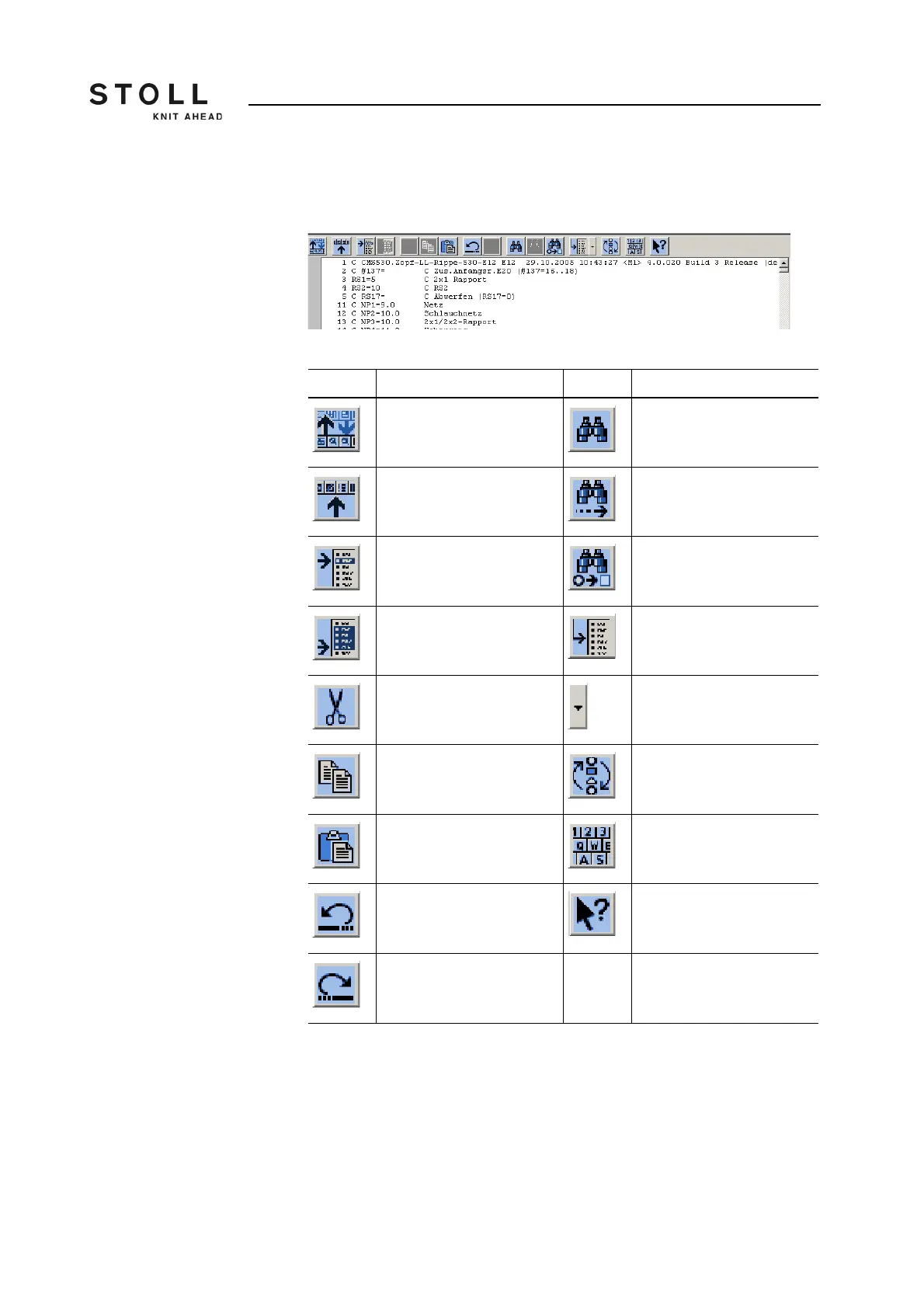
The window of the first level in the "SINTRAL Editor" appears. The file
currently loaded is shown in this window.
Window of the first level in the "SINTRAL editor"
Key Function Key Function
"Switch toolbar": Switch over
toolbar to second level
search for a specific term
Display the toolbar for "Mask
jump".
"Continue": Continue to find
a certain term
"Start of marking": Set the
beginning of a marking. An
existing marking is removed.
"Replace": search for a
certain term and replace it by
a new one
"End of marking": Set the
end of a selection
"Go to" a certain position
"Cut": Cut selected area "Go to" submenu is opened
"Copy": copy selected area Carry out the "Quick jump"
corresponding mark (e.g.
from FBEG to FEND)
"Insert": reinsert copied or
cut area
Activate and deactivate
display of "Keyboard"
"Undo action": the previous
action is undone (also
possible several times)
Call up "Direct Help" for the
key pressed next
"Redo": Restore an undone
action (also possible several
times).
Keys of the first level in the "SINTRAL editor"



 To Next Page