Adjusting knitting machine 4
Defining user profile 4.6
224
➜ Note the password and keep it in a safe place.
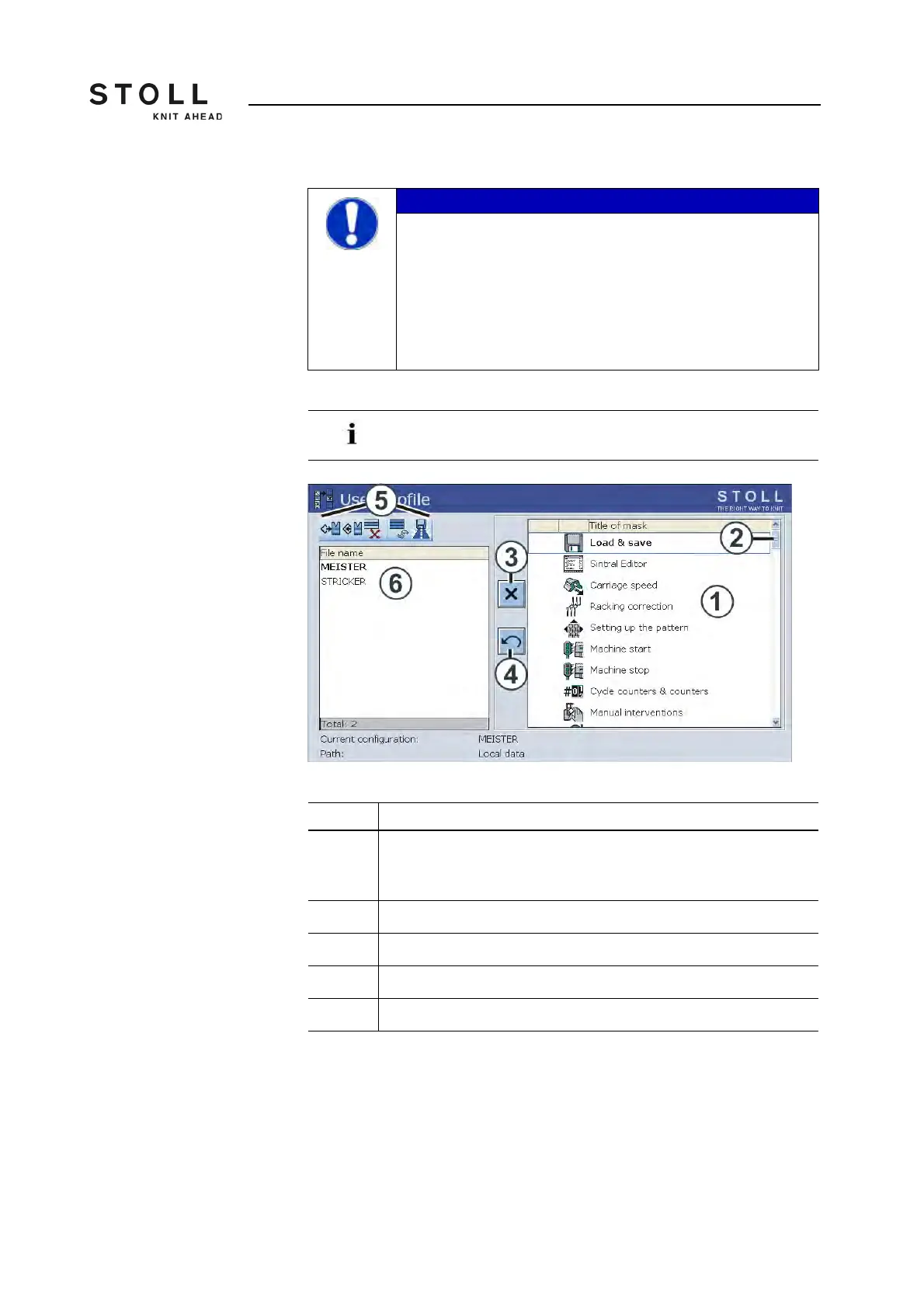
The "User profile" window
"User profile" window
IMPORTANT
The window is protected by a password!
When calling up a window, a password is always requested.
This serves the purpose of security so that no unauthorized
persons have access to this window.
➜ The password must remain secret.
➜ Uppercase and lowercase letters can be used in a
password.
If the password is lost, the Stoll Helpline can help with a
special password.
Field Function
1 Selection list of the window to be enabled or disabled. It is possible to
scroll down/up in the selection list with the scroll bar (2). Additional
windows are then available for selection.
3 Switch for blocking or enabling a window
4 Reset all changes
5 Operations for the selected user profile
6 Select or define user profile



 To Next Page