Adjusting knitting machine 4
Defining user profile 4.6
226
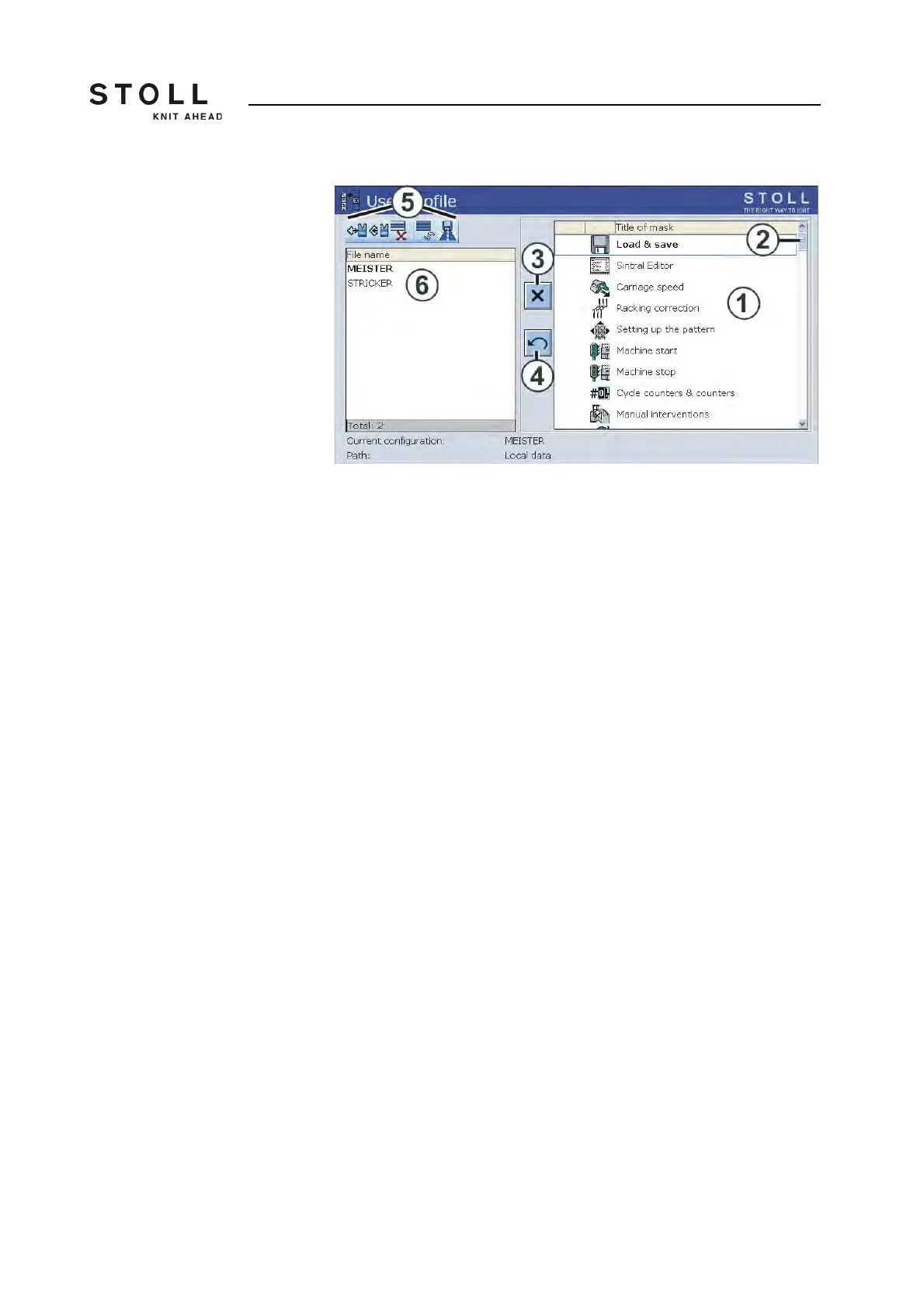
"User profile" window
4. Block window: Tap the corresponding window in the selection list (1)
and tap on the "Block window" (3) switch.
- or -
➜ Tap the corresponding window in the selection list with a double click.
5. Enable window: If a window is blocked, then enable it again with a
double click.
- or -
➜ Tap the switch (3).
6. Only enable a few windows: First block all windows ("Additional function
keys" key and "Block all windows" key) and then enable the few
windows again.
7. Enable all windows: Tap the "Additional function keys" key and enable
all windows again with the "Enable all windows" key.
8. Give a name to the user profile and save it.
9. Define another user profile if necessary.
10. For the user profile to become effective, it must be activated with the
"Load" key.
11. Call up "Main menu".



 To Next Page