Repairing the knitting machine 7
Helpful knitting rows 7.2
304
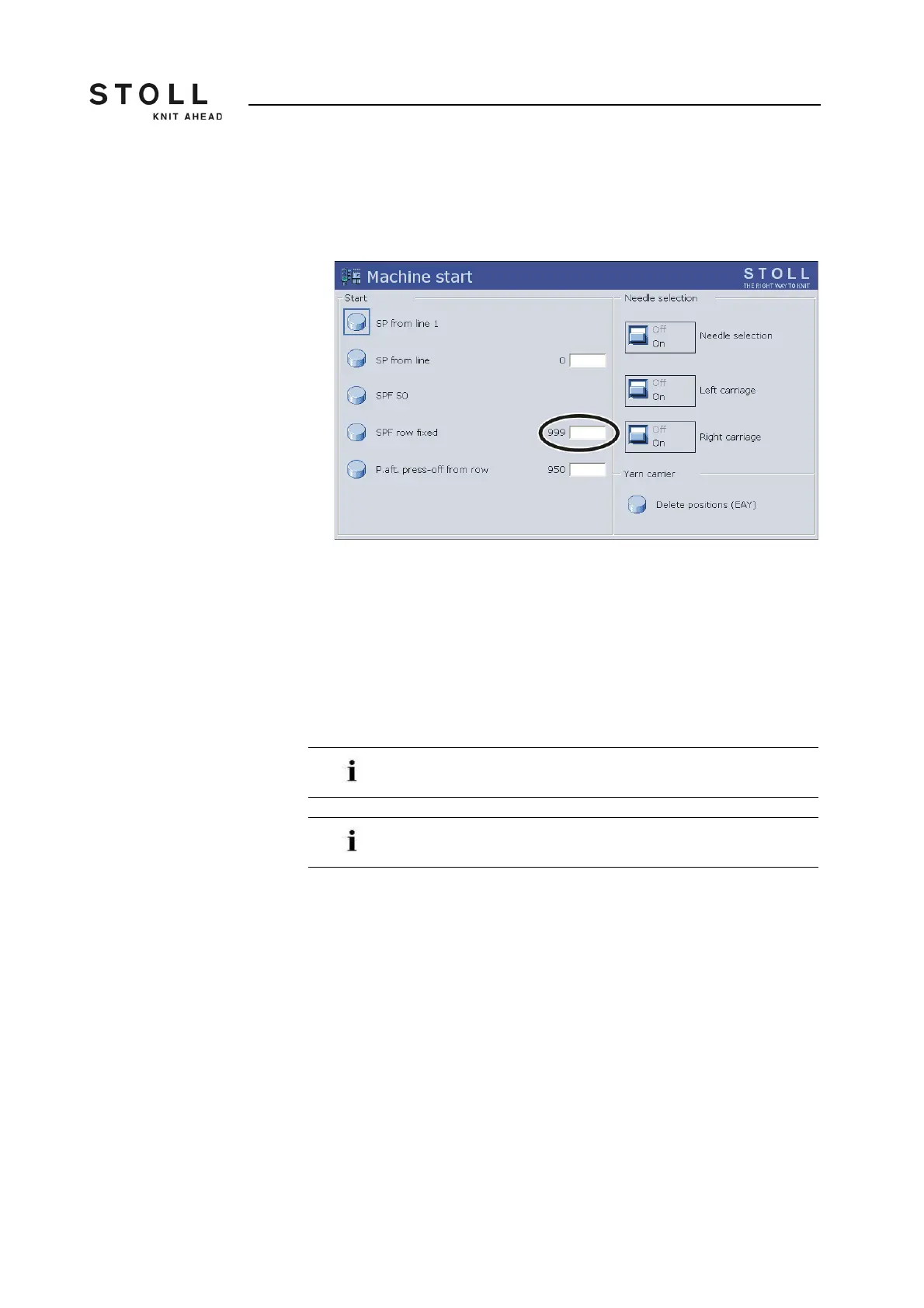
6. Call up the "Machine start" window.
7. In the "SPF line fixed" line, tap the "Line: 999" field and enter the line
number "998".
"Machine start" window
8. Fix this line by tapping the "SPF line fixed" key and engaging the
machine.
The knitting specification is carried out after the next reverse.
9. Stop the carriage if it is in the left reverse again.
10. Carry out work on the knitting machine.
11. To resume production tap in the window "Machine start" on the key "SP
from line 1" and engage the machine.
An empty row is entered on line 999 in a STOLL knitting
program.
For the first 2 knitting rows after "SPF", the carriage moves
over the entire needle bed.



 To Next Page