431
10 Machine Management Tools
10.3 Remote control with the software VNC
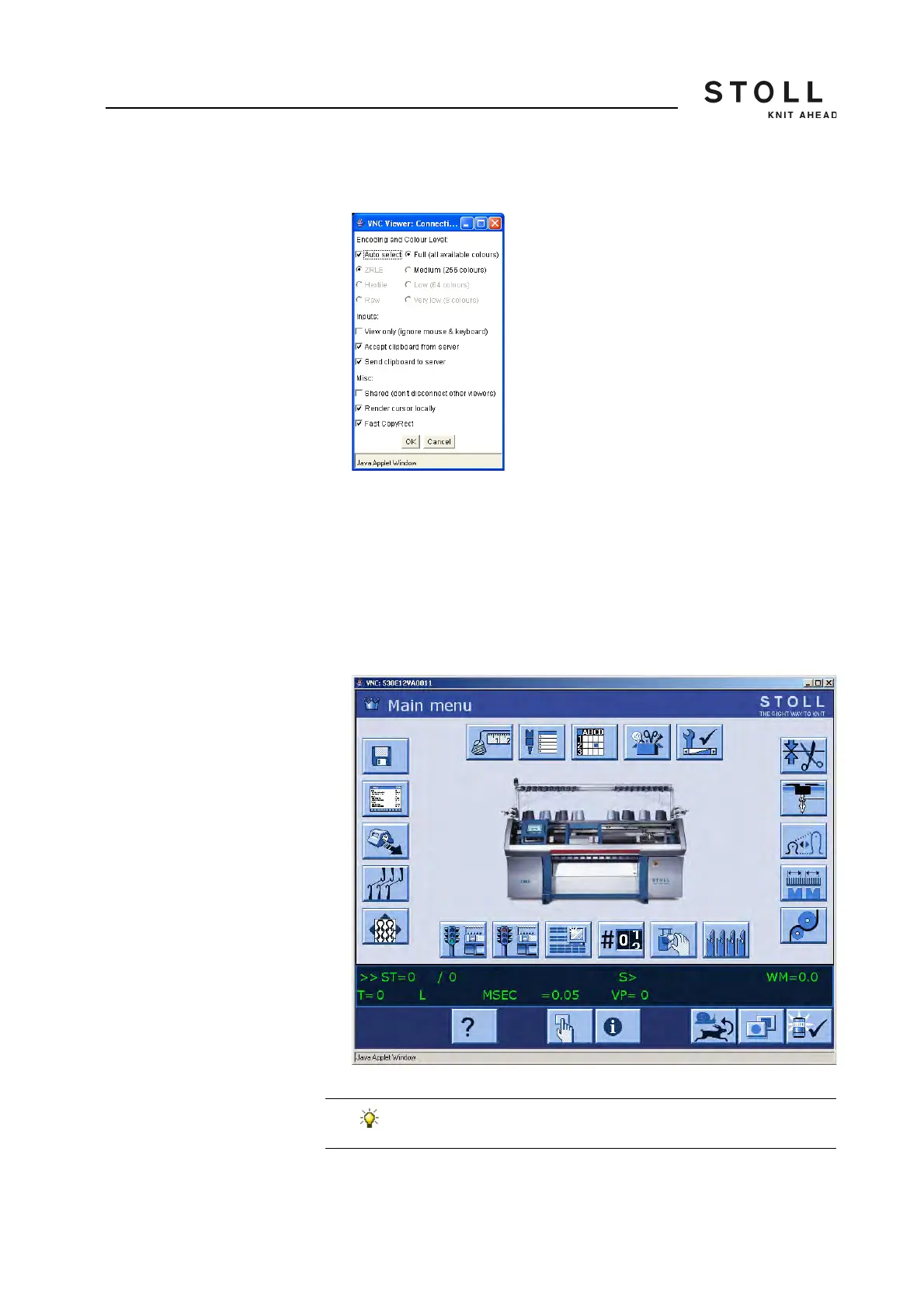
The "VNC Viewer: Connection Details" window opens.
"VNC Viewer: Connection Details" window
5. In order that all colors are displayed, activate the "Full (all available
colours)" option on the "Encoding and Colour Level:".
6. In order to activate the mouse pointer alternative, deactivate the "View
only (ignore mouse & keyboard)" check box under "Inputs".
7. Click "OK".
The user interface of the machine is opened in the web browser and can
now be operated from here.
Display of user interface of the machine in the "Java applet" window
The machine can be operated through the user interface of
the machine or in the "Java applet" window simultaneously.



 To Next Page