Producing with the knitting machine 3
Production 3.3
88
Open the "Running time
control" window
1. Call up the "Service" window in the "Main menu".
2. Call up the "Running time control" window in the "Service" window.
The "Running time control" window can alternatively be called up by using
the additional functions keys in the "Sequence menu" or "Sequence list"
window.
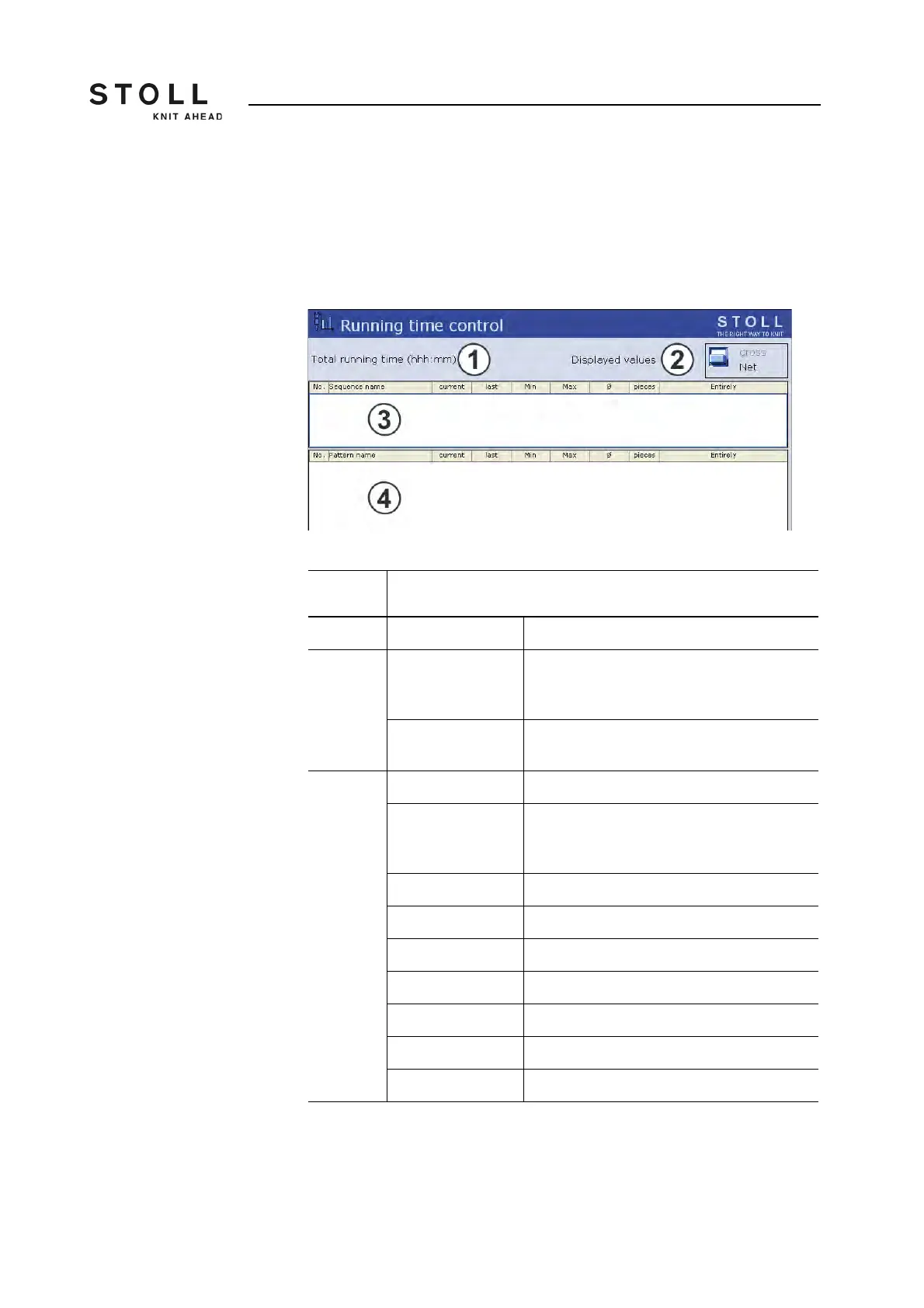
"Running time control" window
Field/
Key
Meaning
1 Total running time Display of the estimated total running time
2 gross Display of the total production time including
loading and standing times as well as manual
interventions.
Net Display of the pure machine running time from
SP (Start Program) to piece finished.
3/4 No. Current number
Sequence/
Sequence element
name
Name of the pattern or the sequence
current Previous running time
last Running time of last knitted panel
min. Minimum running time.
max. Maximum running time
Ø Average running time
pieces Number of pieces knitted
Total Total number of pieces to be knitted.
Meaning of the elements in the "Running time control" window.



 To Next Page