OnAir 2500/OnAir 3000 Digital Mixing Consoles
Conguration 6-39
Date printed: 22.07.08
SW V3.0
Note: The denition must represent the actual physical (hard-wired) connections
established by MADI, AES/EBU etc. wiring.
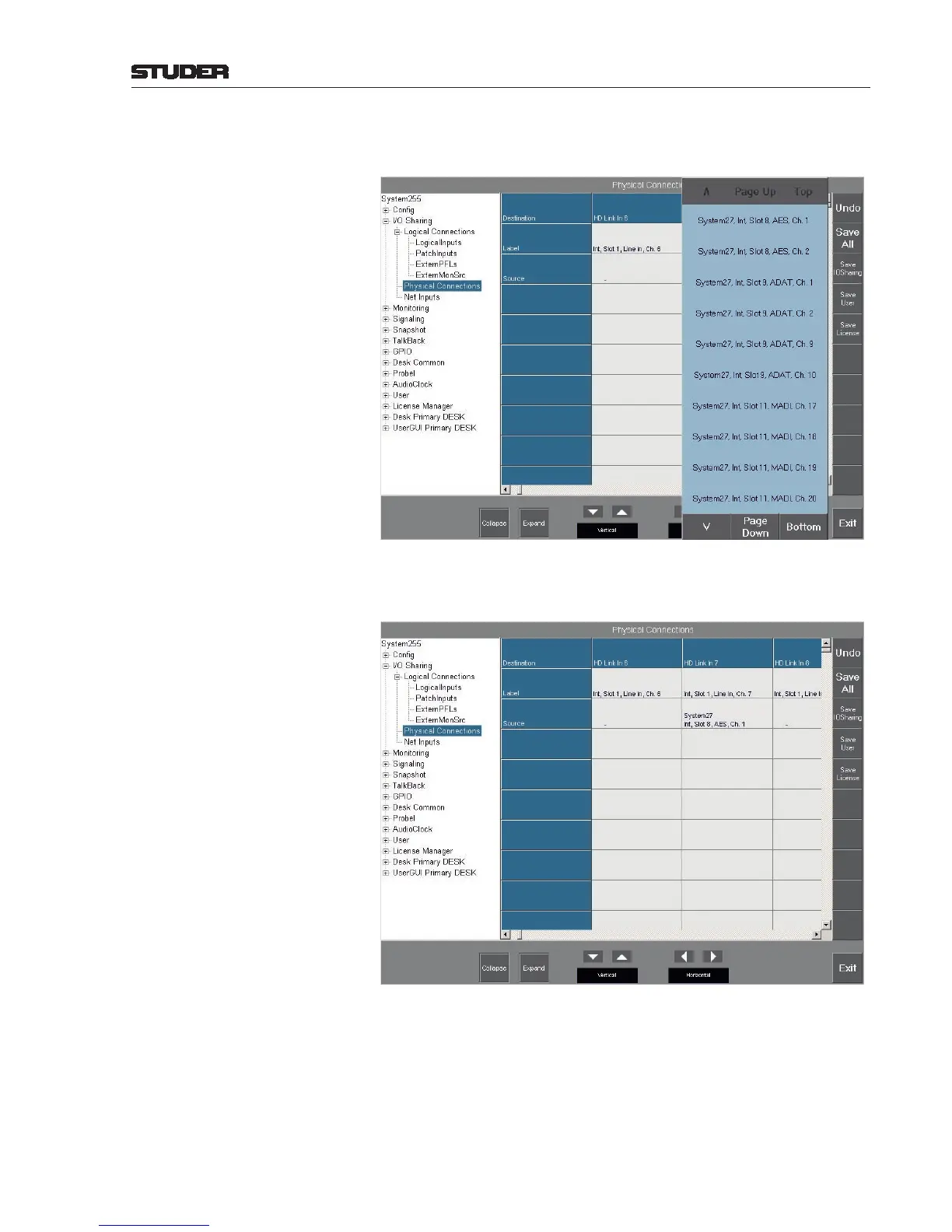
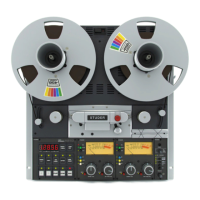
Select one of the outputs (System27, Int, Slot 8, AES, Ch. 1) to dene the
physical connection. It is displayed afterwards in the corresponding Source
eld, as shown below.
To save this physical connection, touch the Save IO Sharing button.
In order to undo a physical connection, remove the existing relation between
an input and an output of a neighboring system. Select an input whose Source
parameter is to be cleared and touch the “-” eld. If the specied input is
currently in use by a Net Input, the connection cannot be undone, and a user
message is displayed.


 To Next Page