339
Corrective Maintenance
Peel Rewind Option
8/9/07 ZM400/ZM600 Maintenance Manual 14207L-001 A
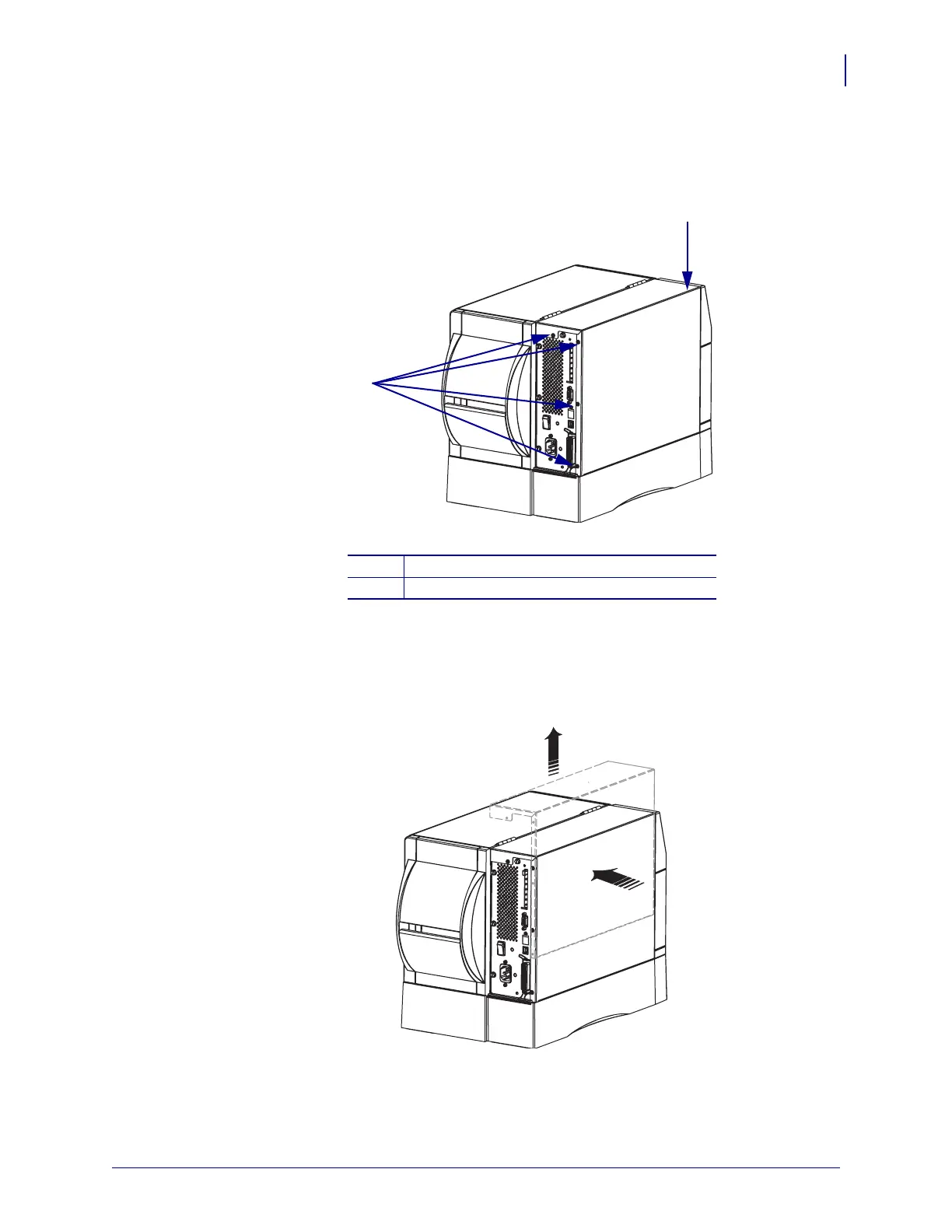
5. See Figure 200. Remove the four mounting screws on the rear of the printer.
Figure 200 • Remove the Electronics Cover Mounting Screws
6. See Figure 201. Remove the electronics cover by pressing in on the electronics cover with
the palm of your hand, and then lifting up on the cover.
Figure 201 • Remove the Electronics Cover
1
Electronics cover
2
Mounting screws (4)
2
1


 To Next Page
 Loading...