Use your Acquired data to Calibrate
6.) Reviewing your spectrum, choose the lowest energy peak needed for the
energy calibration and perform the following functions.
–
Create an Region of Interest (ROI) around the peak
–
Press the Select ROI button
–
Type in the correct Energy value
–
Select the Add button to add the desired energy and ROI data to the
Energy-Channel list
–
Create a list of peaks to be used for the Energy Calibration
Note Each of the above are performed in this order, in the following steps.
6a.)
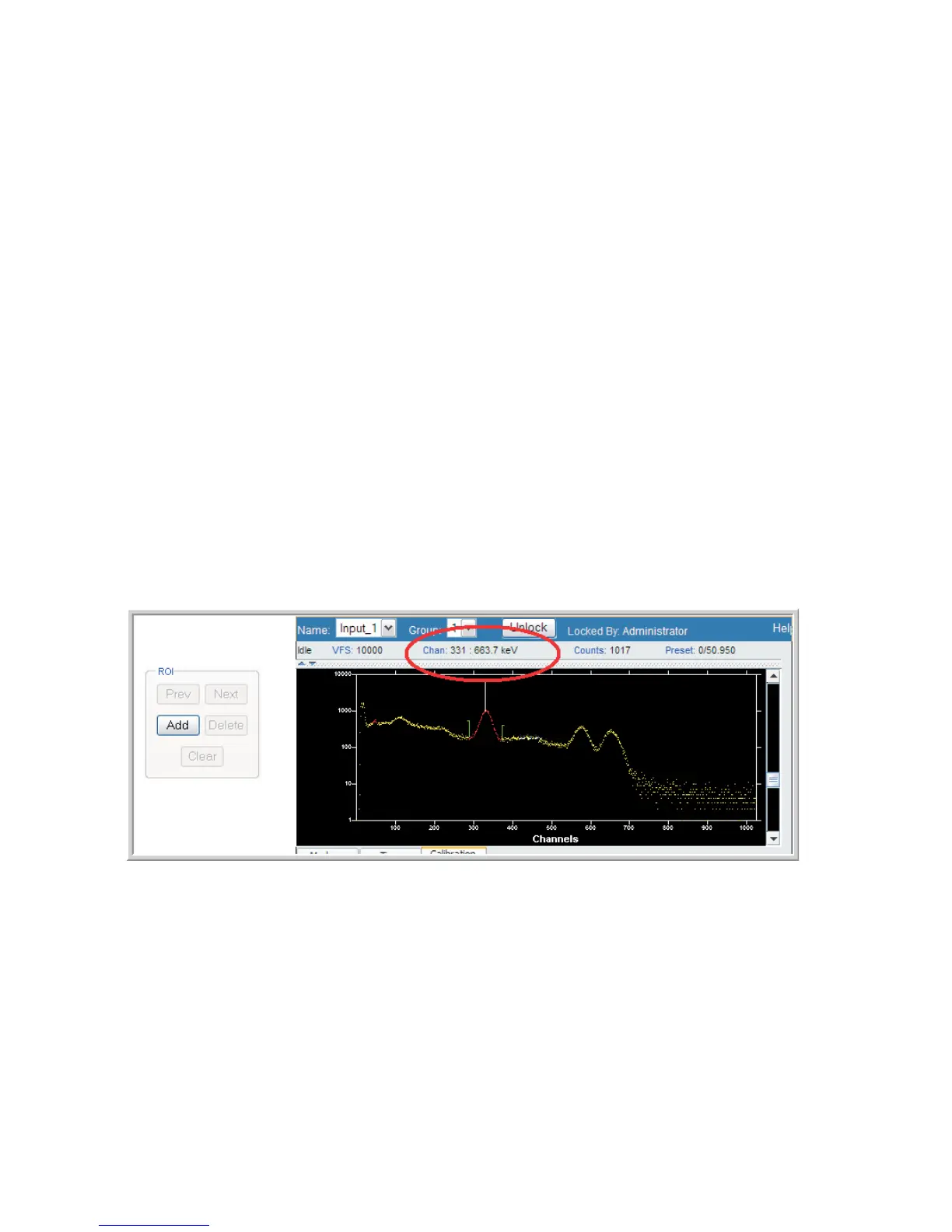
First, create an Region of Interest (ROI) around the peak.
Using the cursor and then selecting the CTRL-L key which will position the Left cur-
sor, and then CTRL-R key for the Right cursor; then, either press the Add ROI but-
ton or press the Insert key to paint the desired ROI.
The Energy value for that peak is displayed across the top of the spectral display. See
Figure 6 and look for the Chan: field, which in this example shows 663.7 keV.
Chapter 1 - Introduction
10 Lynx™ Digital Signal Analyzer
Figure 6 - Adding an ROI



 To Next Page