MAP and VFR GPS Navigator Operation
5-12 SkyView HDX Pilot’s User Guide – Revision B
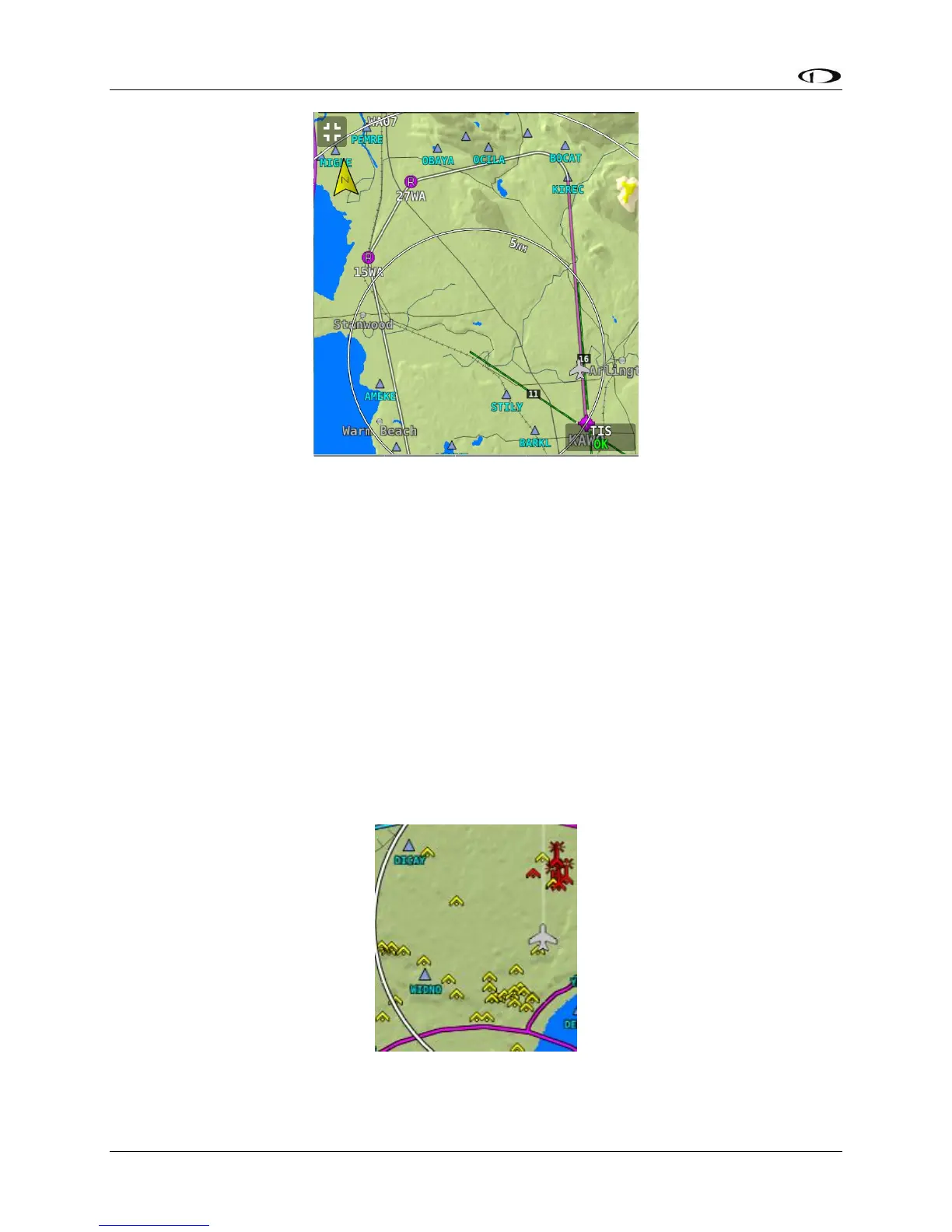
Figure 103 – Flight Plan Legs
Obstacles
SkyView HDX’s Moving Map represents obstacles using the same symbology found on sectional
charts, as shown in Figure 104 – Obstacles on the Map and Figure 105 – FAA Sectional Chart
Obstruction Key. Only high-intensity lighted obstacles are shown as lit.
The geographic location of the obstacle is represented by the tip on single icons and the point
directly between the tips of group icons.
Obstacles are only shown on the Moving Map if their highest point is within 1000 feet below
your aircraft’s GPS altitude. If the highest point of an obstacle is within 100 feet below your
current GPS altitude to anywhere above you, it will be red. If the highest point of the obstacle is
between 100 and 1000 feet below your current GPS altitude, the obstacle will be yellow. This is
the same color scheme mentioned in the Topography with Terrain Proximity Alerts Section.
Figure 104 – Obstacles on the Map





 To Next Page