MAP and VFR GPS Navigator Operation
SkyView HDX Pilot’s User Guide – Revision B 5-81
Figure 190 – Upcoming TFR
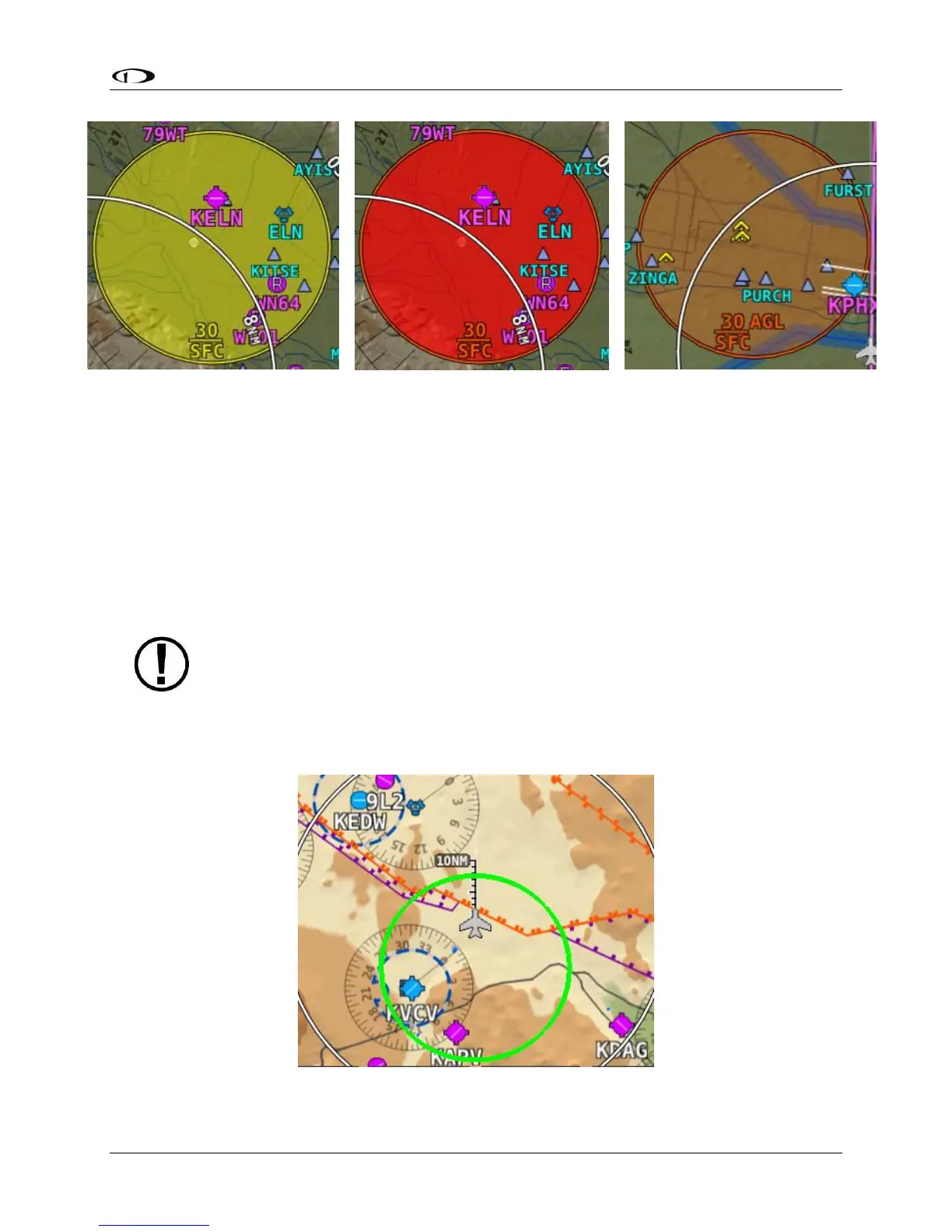
Glide Ring
When the Sink Rate During Glide and the Best Glide parameters are set properly in SETUP,
SkyView displays a green glide ring on the map. This ring approximates the area on the ground
that can be reached using these parameters in addition to the current AGL of the aircraft and
calculated wind speed/direction. The maximum range at which the glide ring will be visible is
set in MAP SETUP > MAP ITEMS. (press-and-hold Buttons 7+8, then selecting MAP SETUP > MAP
ITEMS)
The calculated area does not take in account changing winds, terrain that may be in
the way and the AGL within the ring. Use the ring as a guide of possible safe landing
zones taking into account of actual conditions.
Figure 193 – Example Glide Ring





 To Next Page