PFD Operation
SkyView HDX Pilot’s User Guide – Revision B 4-27
complete descriptions of the types of targets that may be shown. Unlike the Map Page display,
however, relative altitude is not provided numerically on Synthetic Vision. Instead, relative
altitude is depicted by having the traffic symbols appear either above or below the zero-pitch
line, just like they would be if you were looking at traffic out the window. For example, in the
figure above, a non-threat airborne traffic target is being displayed above the aircraft’s current
altitude. Similarly, traffic targets that are shown to the left or right of the center of the attitude
indicator are not directly ahead of you.
Traffic displayed on the PFD page can be configured to include just Traffic
Advisories (TA), all targets, or no targets. See the SkyView Classic / SE / HDX System
Installation Guide for information on how to configure how traffic is displayed.
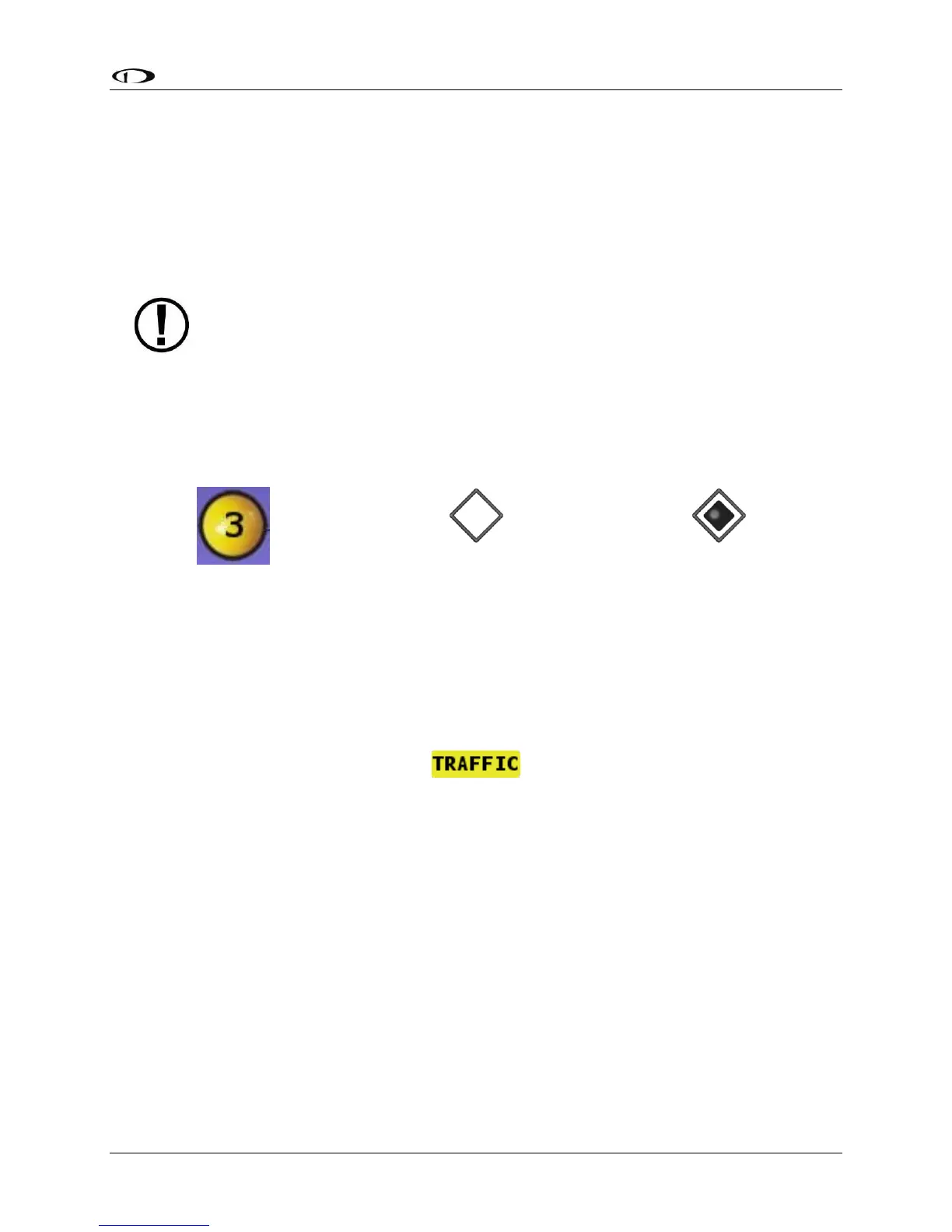
Note that traffic is not visually scaled for distance. In other words, targets always appear the
same size on the Synthetic Vision depiction, no matter how far away they are. However, yellow
Traffic Advisory Targets (threats) are displayed larger than the diamond shaped Proximity
Advisory Targets and Non-Threat Targets to accentuate their increased importance.
Figure 70 – Traffic Advisory on
Synthetic Vision
Figure 71 – Proximity Advisory on
Synthetic Vision
Figure 72 – Non Threat on
Synthetic Vision
Additionally, yellow Traffic Advisory targets contain a number within them that represents how
far away they are (in miles, nautical miles, or kilometers, depending on your system setup) from
your aircraft. The yellow Traffic Advisory target in Figure 73, for example, is 3 miles away, to the
left, above, and descending.
Figure 73 – Traffic Alert
When a Traffic Advisory target is present, a yellow Traffic Alert Message appears on the PFD
Page near the top of the IAS tape. Note that Traffic Advisory targets behind your aircraft will
generate alerts. They can be seen on the Map Page, but will not be visible on the Synthetic
Vision display as Synthetic Vision only shows the view in front of the aircraft.
Extreme Pitch Warning Indicators
SkyView HDX’s PFD can display large red arrows as pitch warning indicators in extreme
attitudes (i.e., 45 degrees or greater pitch up or down). These indicators point to the horizon
and indicate which way to maneuver to attain a level attitude. Indicators are accompanied with
a small sliver of sky or ground bordered with a white dashed horizon line, depending on the
current attitude. The pitch warning indicators can be enabled or disabled; reference the
SkyView Classic / SE / HDX System Installation Guide for information about this setting.




 To Next Page