MAP and VFR GPS Navigator Operation
SkyView HDX Pilot’s User Guide – Revision B 5-55
Flight Plan Alert Messages
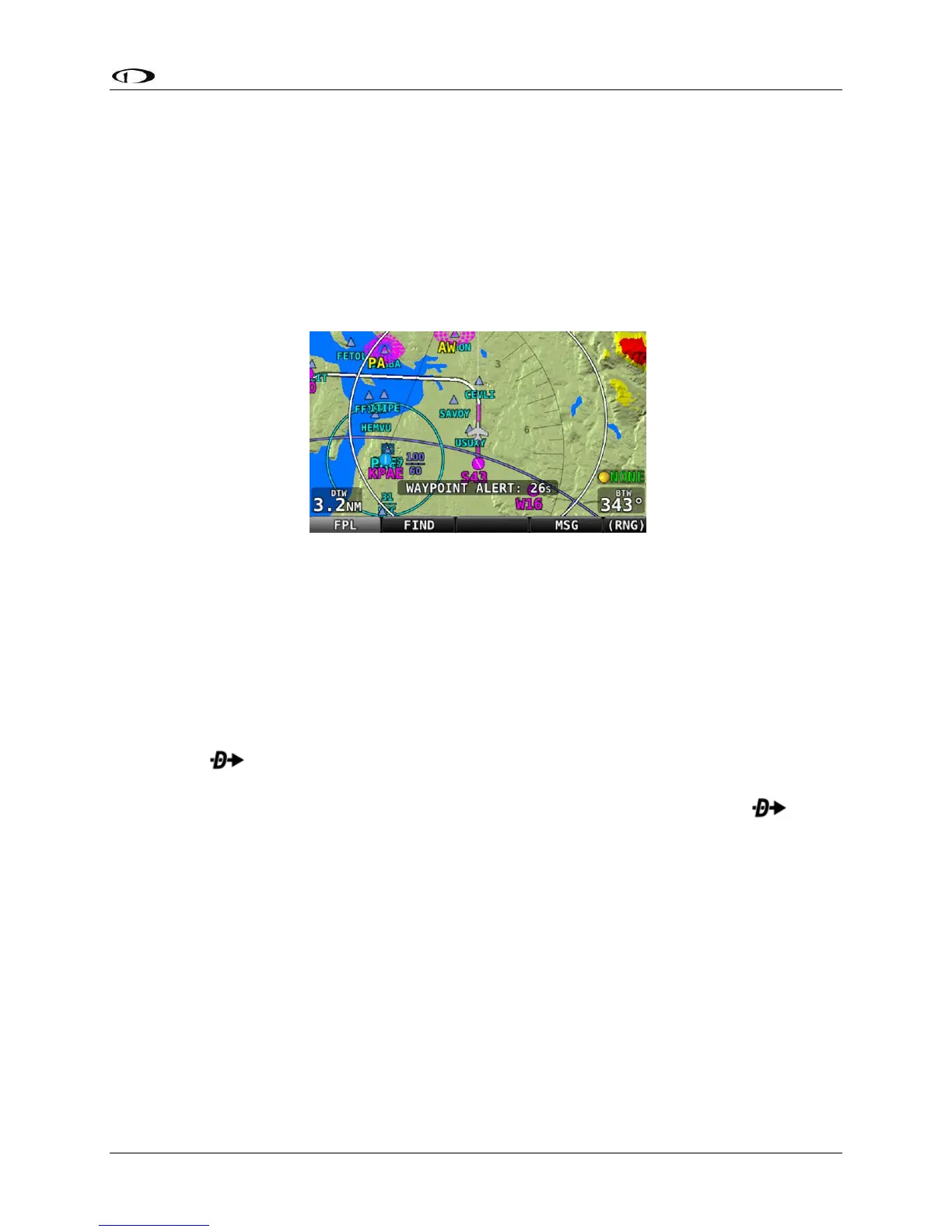
Alert Messages related to the active Flight Plan are displayed on the bottom of the Map Page
when appropriate:
• FPL TURN: XXs: Displayed when there is less than 30 seconds before a transition from
one leg to the next in a flight plan, where XX is the number of seconds.
• LAST LEG EXTD: Displayed when the destination waypoint of the last leg has been
passed. SkyView automatically extends the active leg indefinitely.
• TRN TOO STEEP: Displayed when the required bank to complete the upcoming turn as
depicted on the map is excessive.
Figure 157 – Flight Plan Alert Messages
Activating a Flight Plan
With the Flight Plan window open, press the NAVIGATE button to activate your SKYVIEW Flight
Plan routing. Guidance will be provided directly to the first waypoint in the Flight Plan and
along each leg in the Flight Plan thereafter. Guidance is visible for each leg on the HSI if
SKYVIEW is selected as the HSI SRC.
To go directly to a waypoint within a flight plan other than the first or currently active
waypoint, open the Flight Plan window, scroll to the waypoint you want to navigate to, and
simply press . Guidance will be provided directly to the selected waypoint and to the
remaining legs in the Flight Plan after that. Similarly, use the ACTIVATE LEG option in the FPL
MENU to skip to the leg that ends with the highlighted waypoints. In contrast to the
option, ACTIVATE LEG does not use your aircraft’s current position to generate a Direct-To
course. It instead displays course guidance according to the selected leg.
The following figures shows an active Flight Plan where the first leg is active and the aircraft is
partway between the first two waypoints of the Flight Plan and is on course. The route is
depicted on the Moving Map display and the course is displayed on the HSI. Since the aircraft is
on course, there is no deviation on the CDI needle on the HSI.




 To Next Page