MAP and VFR GPS Navigator Operation
5-54 SkyView HDX Pilot’s User Guide – Revision B
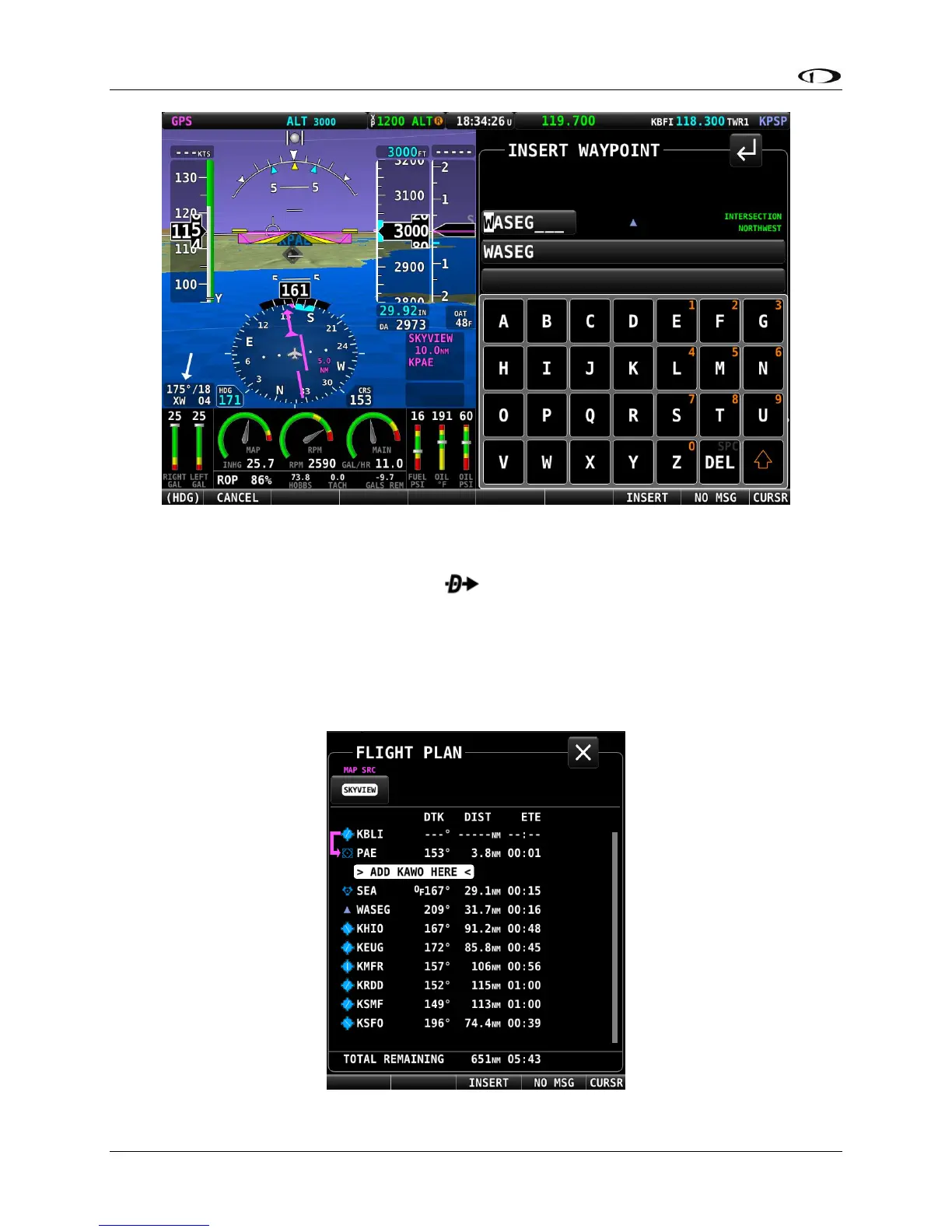
Figure 155 – Insert Waypoint Window
After INSERT is pushed from the Insert Waypoint Menu, or if ADD->FPL is pushed when a
waypoint is highlighted in the Nearest/Info/ window, the selected waypoint is highlighted
within the Flight Plan. Turn the knob or move the knob up/down to choose the precise place in
the Flight Plan that you would like to insert the waypoint. Then, press INSERT to confirm your
placement. The waypoint will be added at the cursor location.
If you insert a waypoint via the ADD->FPL button, the default insert location will be the end of
the Flight Plan, but a different location can be selected in this case as well.
Figure 156 – Flight Plan Waypoint Insertion





 To Next Page