Prior to operating in flight, the Autopilot must be fully configured. Refer to the
SkyView Classic / SE / HDX System Installation Guide for detailed instructions on
how to change the autopilot control scheme between Simplified and Expert
controls and how to configure the autopilot.
Simplified Autopilot Menu
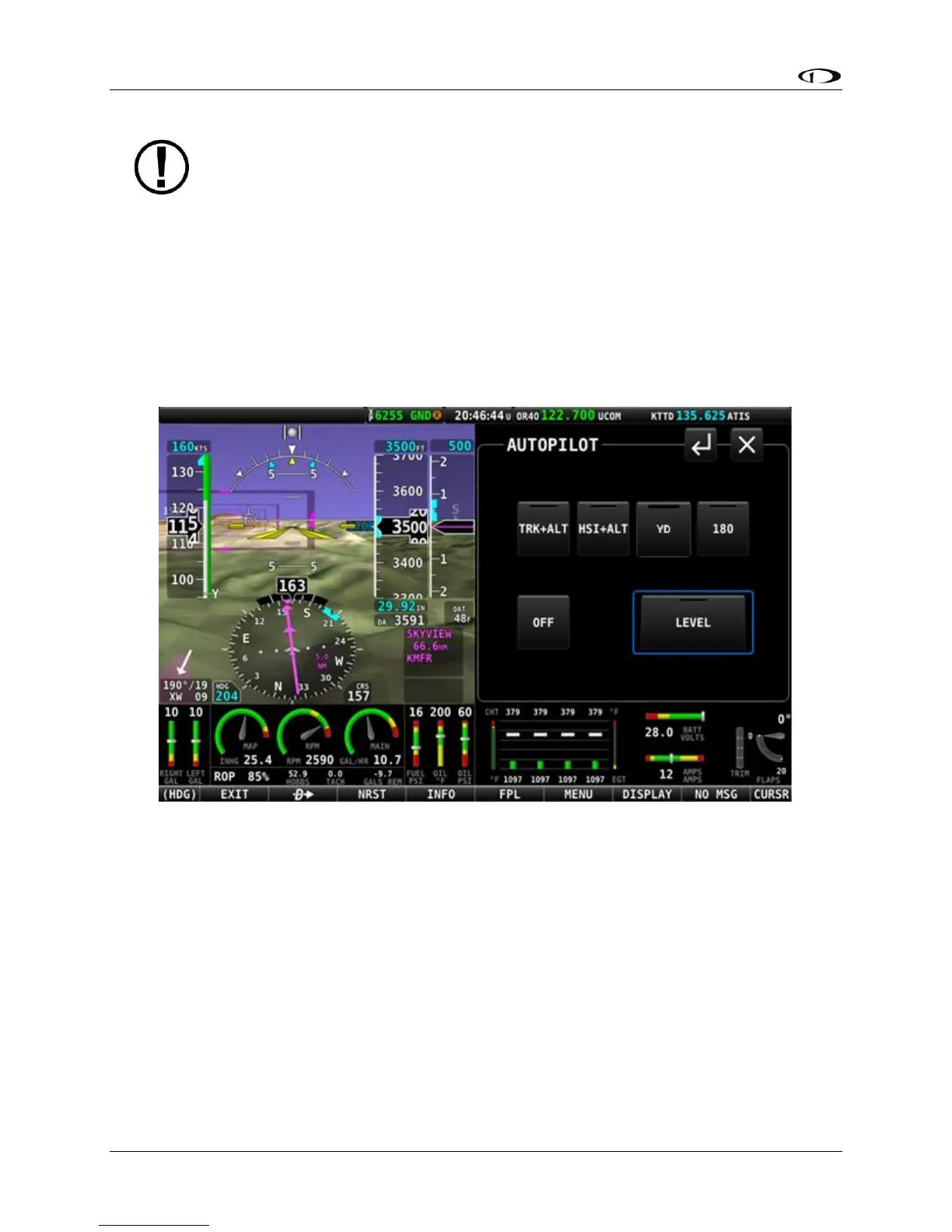
The autopilot can be fully controlled using the touchable AUTOPILOT control page. This page
may be opened either by touching the Autopilot enunciation area on the Top Bar, or by
selecting MENU (Button 6) on the Main Menu, then selecting the AUTOPILOT icon. The control
page shown below will appear.
Figure 216 – AUTOPILOT Control page – Simplified Control Scheme
All of the buttons in the above figure are explained in the following sections in the order they
appear on the AUTOPILOT control page.
TRK+ALT
Press the TRK+ALT button to engage the autopilot in to simultaneously follow the Track bug and
hold current altitude. When engaged, the TRK+ALT button will show a green bar indicating that
mode is engaged, TRK and ALT bugs are synchronized to the aircraft’s current values, and the
ground track and altitude that the autopilot is flying is shown in the Top Bar.





 To Next Page