PFD Operation
SkyView HDX Pilot’s User Guide – Revision B 4-33
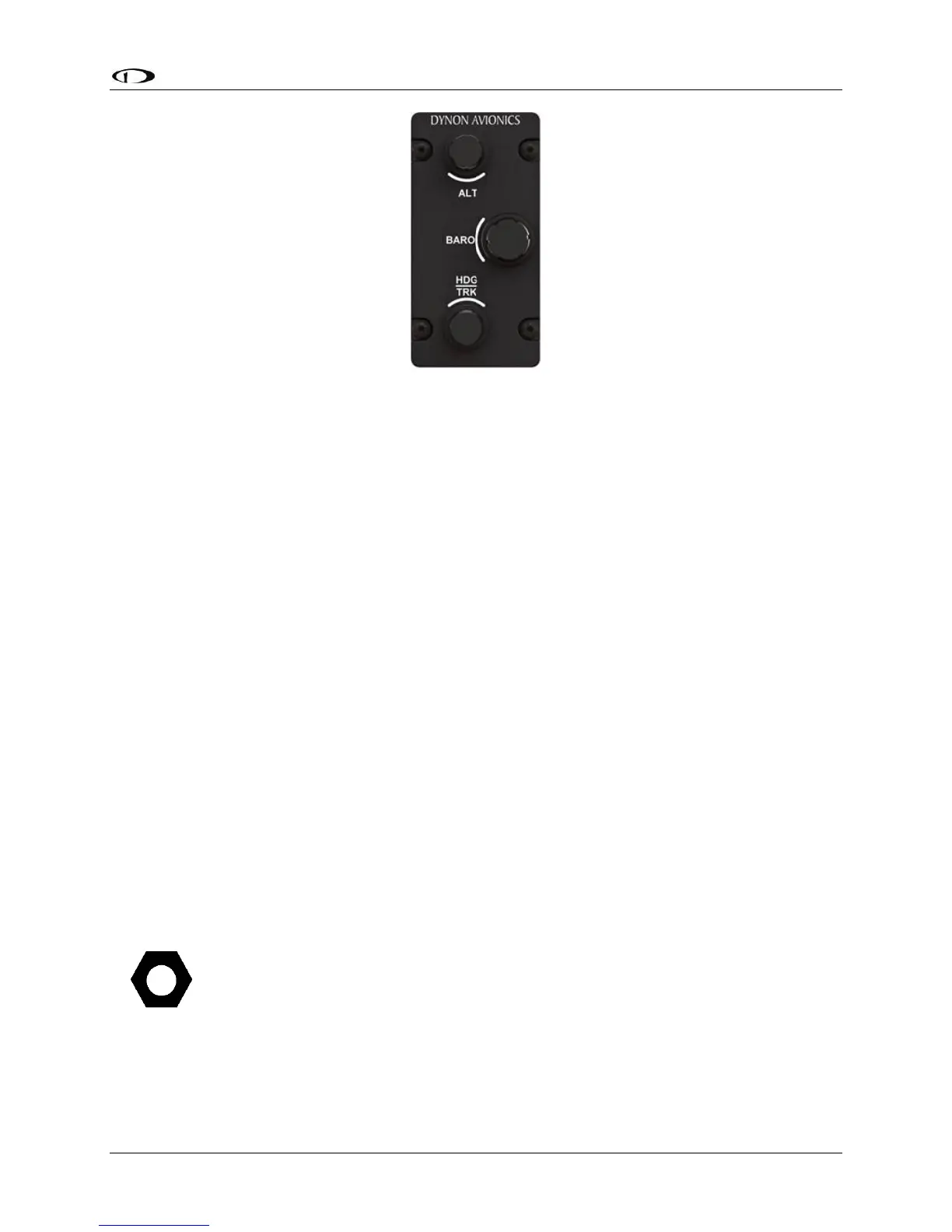
Figure 83 – SV-KNOB-PANEL – Vertical version
Unlike the knobs on the SkyView HDX display, the SV-KNOB-PANEL’s knobs are dedicated
functions; eg, the BARO knob will always control BARO. Some pilots prefer having single-
purpose dedicated controls for these frequently used functions.
The SV-KNOB-PANEL’s knobs behave exactly like the SkyView HDX display’s (multipurpose)
knobs behave when set to these functions:
• Turn them to adjust the value of the function,
• Press and hold ALT to synchronize the ALT bug to the aircraft’s current altitude,
• Press and hold HDG/TRK to synchronize the HDG/TRK bugs to the aircraft’s current
heading / track,
• Press and hold BARO to:
o Set the altimeter setting to either the nearest METAR (when ADS-B is available
in-flight), or
o Set standard pressure (29.92 inHg or 1013 millibars when at/above 18k feet or
no ADS-B on board)
o Make the altimeter match GPS altitude (when on the ground)
The dedicated knobs on the SV-KNOB-PANEL allow the multipurpose knobs on the SkyView HDX
display to be used for other functions, such as MAP range, CRS BUG, IAS BUG, VS BUG, or MDA
BUG.
ADAHRS (Flight Instrument) Redundancy and Cross-Checking
Normally, the SV-ADAHRS-200 will be assigned by the SkyView HDX system as
“PRIMARY / ACTIVE and the SV-ADAHRS-201 will be assigned as ALTERNATE /
STANDBY. However, your SkyView HDX system may assign the SV-ADAHRS-201 as
“PRIMARY / ACTIVE. This “reversal” does not affect performance of your SkyView
HDX system – the SV-ADAHRS-201 is functionally equivalent to the SV-ADAHRS-200.





 To Next Page