Autopilot Operation
8-12 SkyView HDX Pilot’s User Guide – Revision B
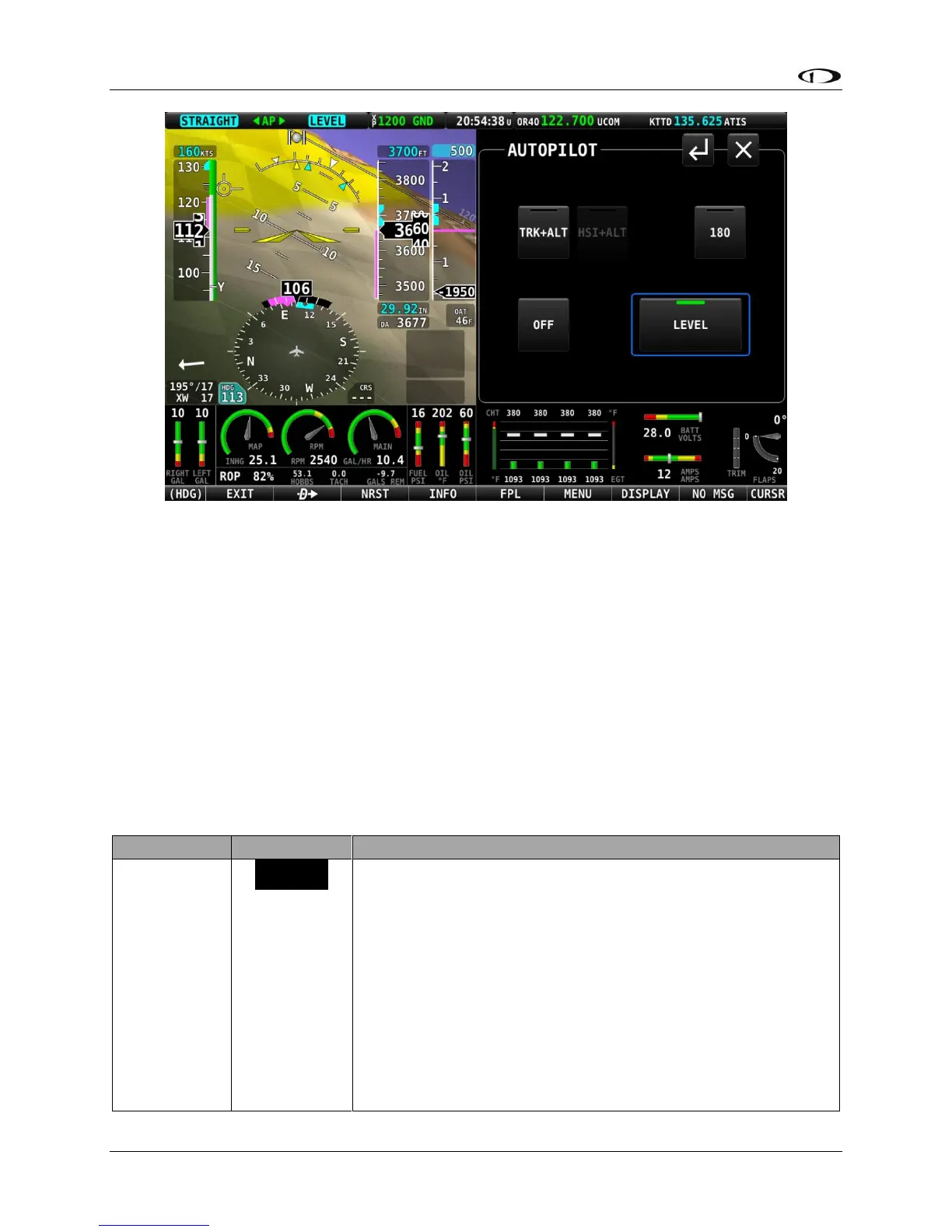
Figure 220 – LEVEL mode is engaged
For safety in emergency situations, subsequent presses of the LEVEL button do not disengage
level mode (unlike other AP mode controls). To disengage the autopilot, press the OFF button
or the autopilot disconnect switch. Alternatively, change to one of the other autopilot modes
by pressing the TRK+ALT or HSI+ALT buttons.
Messages (Text Varies)
The Message Alert Area is always present above the rightmost button and contains important
SkyView messages and alerts.
Simplified Autopilot Modes
The following table summarizes the different autopilot modes of operation for the roll axis as
annunciated in the Top Bar.
Track hold mode keeps the aircraft flying in a particular
direction, as determined by the GPS’s ground track, or
direction of travel over the ground. This target is reflected by
the track (TRK) bug in the HSI. When the autopilot is initially
engaged, the TRK bug will automatically be synchronized to
the current ground track of the aircraft. Effectively, this
means that the autopilot will keep flying in the same
direction that the aircraft was flying in the moment before
the autopilot was engaged. After the autopilot is engaged,
change the track you want the autopilot to fly by adjusting
the TRK bug.





 To Next Page