Autopilot Operation
8-16 SkyView HDX Pilot’s User Guide – Revision B
Single Axis Operation
If only one axis is installed the autopilot menu reflects the actions available for the single axis
that can be controlled. Single axis operation is not allowed with the Simplified Autopilot
Interface when two servos are installed and configured.
When only a roll servo is installed, the ALT function will be absent from the two normal mode
buttons on the AUTOPILOT control page. Similarly, when only a pitch servo is installed, the
normal mode button will offer only the ALT (altitude hold) mode.
Expert Autopilot Operation and Controls
This section covers how the Autopilot is used when set to the Expert controls. Refer to the
SkyView Classic / SE / HDX System Installation Guide for instructions on how to change the
autopilot control scheme between Simplified and Expert controls.
Expert Autopilot Menu
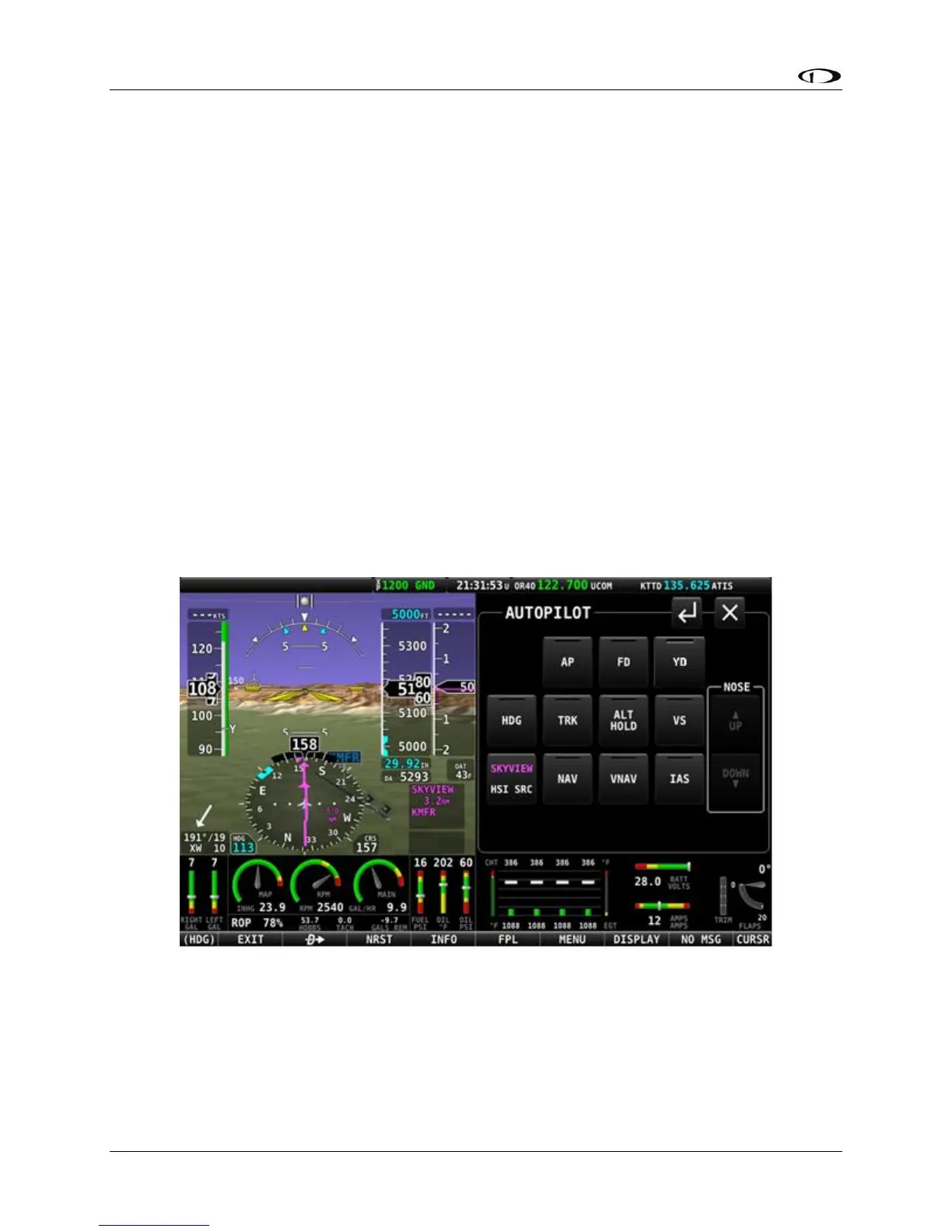
As with the Simplified mode previously discussed, the autopilot can be fully controlled in the
Expert mode using the touchable AUTOPILOT control page. This page may be opened either by
touching the Autopilot enunciation area on the Top Bar, or by selecting MENU (Button 6) on the
Main Menu, then selecting the AUTOPILOT icon. The control page shown below will appear.
Figure 225 – AUTOPILOT Control page – Expert Control Scheme




 To Next Page