MAP and VFR GPS Navigator Operation
5-62 SkyView HDX Pilot’s User Guide – Revision B
SkyView User Waypoints
SkyView supports the ability to create, manipulate, and import/export User Waypoints. A User
Waypoint is a point on the map which shows up as an icon of your choosing. Like other airports
or navaids, they can be used in flight plans, as Direct-To navigation waypoints, or can simply be
used visually on the Map Page to help you navigate
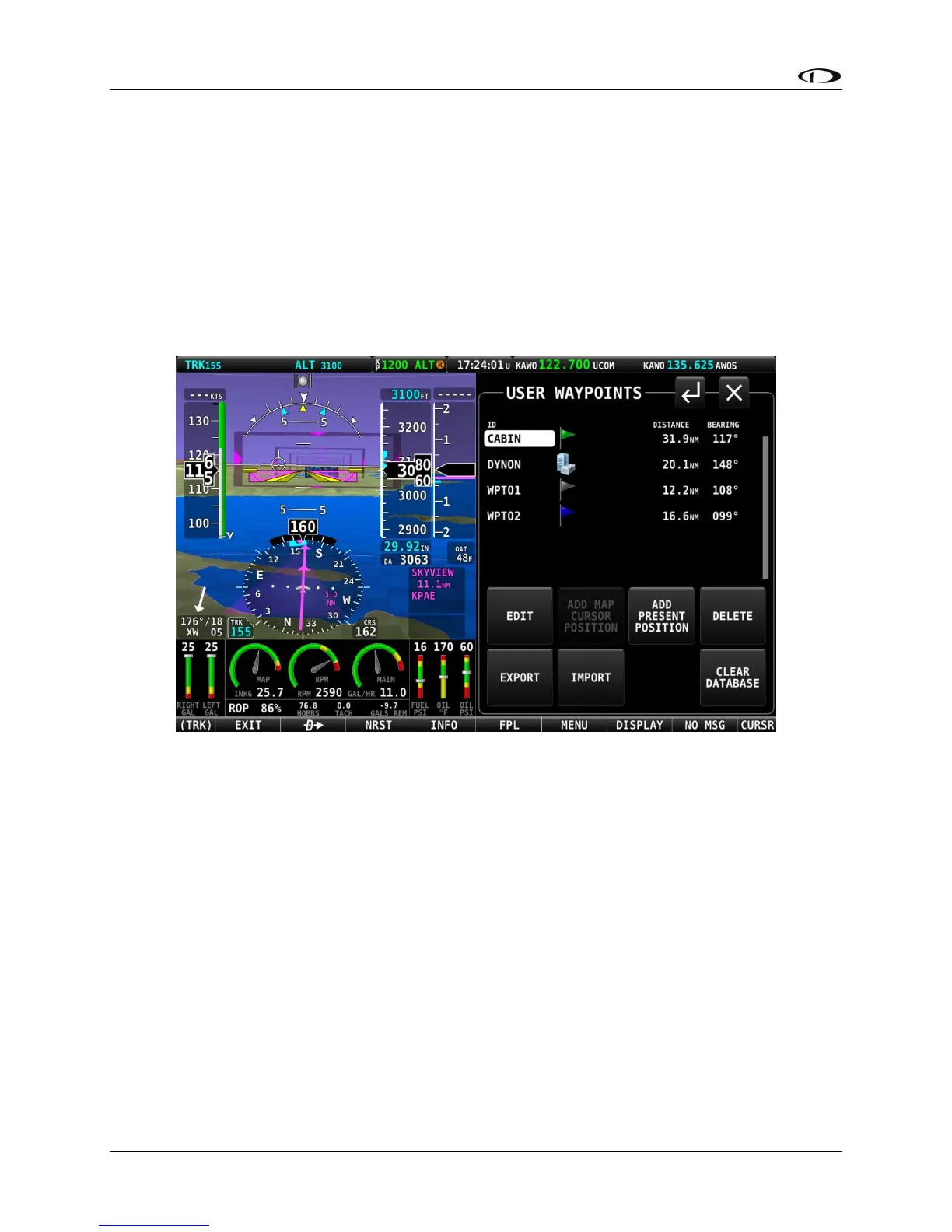
User waypoints are managed from a touchable control page. Open that page by selecting
MENU (Button 6) on the Main Menu, then selecting the USER WAYPOINTS icon. The following
page will appear.
Figure 169 – USER WAYPOINTS control page
The top portion of the USER WAYPOINTS page shows a list of all user waypoints currently
stored in the system. The cursor highlight bar can be scrolled vertically in the list by rotating the
CURSR knob. The listing for each waypoint includes ID, custom icon, distance and bearing from
the aircraft’s position to the waypoint.
The bottom portion of the USER WAYPOINT page has several buttons for managing waypoints.
Their functions are briefly described below, with examples following.
• EDIT: For the waypoint item highlighted in the list, selecting EDIT will open the EDIT
WAYPOINT page. There all information associated with the waypoint can be edited and
save.
• ADD MAP CURSOR POSITION: Selecting this item will open the ADD WAYPOINT page,
where all necessary information for a waypoint can be entered. The LATITUTDE and
LONGTITUDE fields will be pre-populated to reflect the position of the map cursor at the





 To Next Page