Autopilot Operation
8-2 SkyView HDX Pilot’s User Guide – Revision B
• An optionally-installed external Level button (see the SkyView Classic / SE / HDX System
Installation Guide for connection details)
Simplified or Expert Controls
In SkyView HDX, you can choose between two different control schemes for your Autopilot:
Simplified or Expert Controls. For instructions on changing the control scheme, refer to the
SkyView Classic / SE / HDX System Installation Guide.
Simplified Controls are ideal for VFR pilots that are looking to reduce the complexity of the
Autopilot and cruise in comfort without a steep learning curve. With these controls, there are
fundamentally two autopilot modes, each activated by a single button. TRK+ALT flies the
aircraft in a commanded direction and holds altitude, while HSI+ALT flies the navigation source
on the HSI, such as a GPS flight plan or VOR.
Expert Controls include all of the autopilot modes IFR pilots need to complete their mission,
including VNAV, IAS Hold, mode sequencing, fully-coupled approaches, a Flight Director with
single cue (v-bars) or dual cue (crosshairs) presentation, and more.
Each of these control schemes are detailed in separate sections in this section.
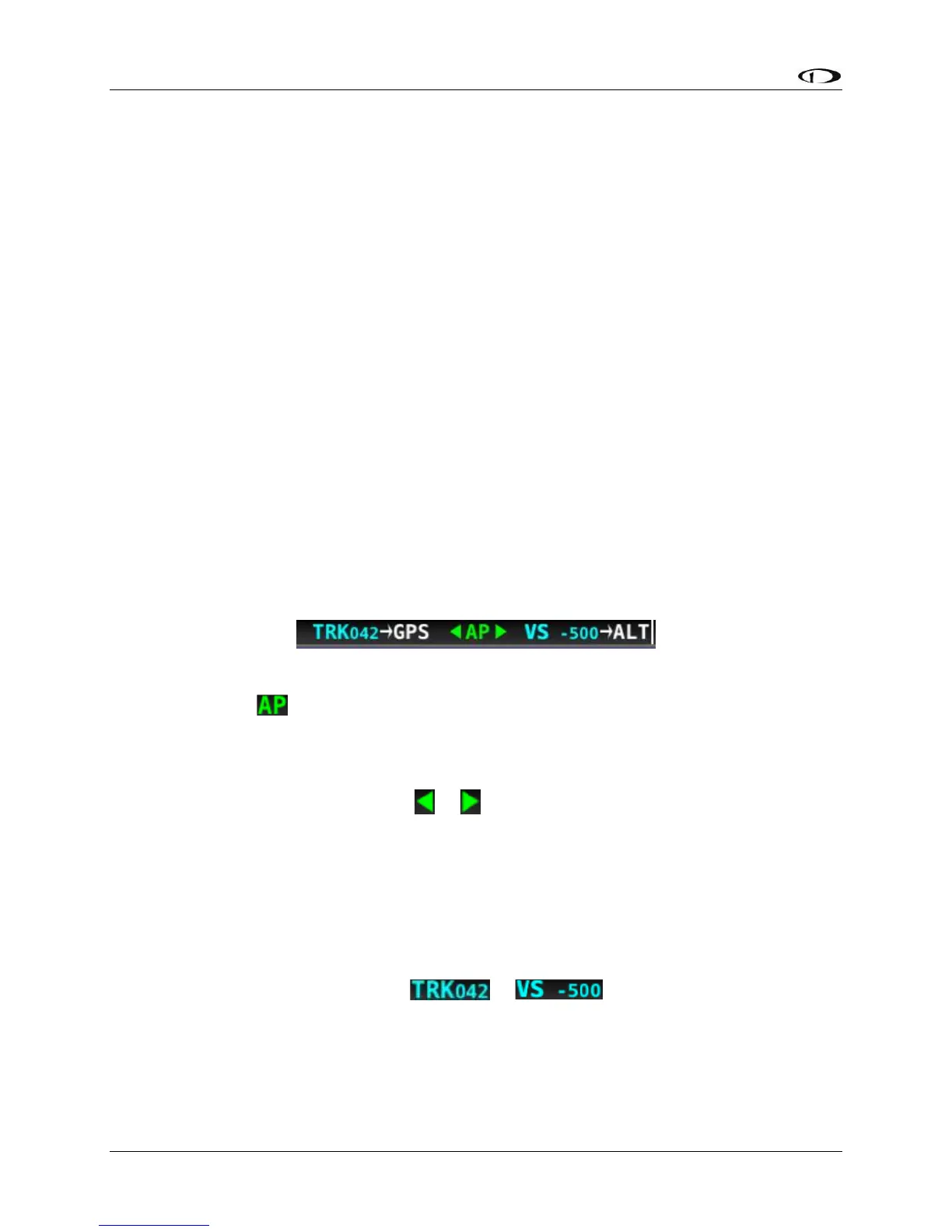
Top Bar Autopilot Status Area
Figure 204 – Example Top Bar with Autopilot Status
Center AP Text
o AP is displayed in green when either or both AP axes’ servos are engaged.
o AP flashes in yellow when the autopilot has been disengaged within the last 10
seconds.
Roll and Pitch Axes Engaged Arrows or
o A green arrow to the left and right of the green AP center text points at the axis
or axes for which the servo is engaged.
o Flashes in yellow when the autopilot has been disengaged within the last 10
seconds.
o Arrows scroll up/down during Pitch Auto-Trim and left/right during Roll Auto-
Trim.
Roll and Pitch Axis Information
o Active Mode and Target or
▪ The current mode and the mode’s target for each axis for which the
autopilot is providing guidance.
▪ Flashes for 10 seconds when an armed mode is sequenced and has
become the active mode.




 To Next Page